Answer

Text on arrows

  • March 17, 2025
  • 1 reply
  • 54 views

Forum|alt.badge.img

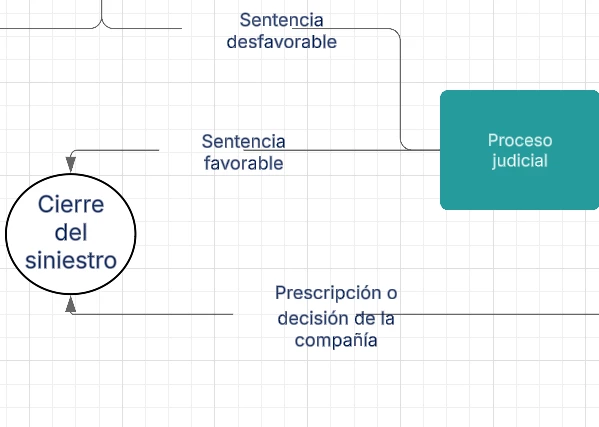
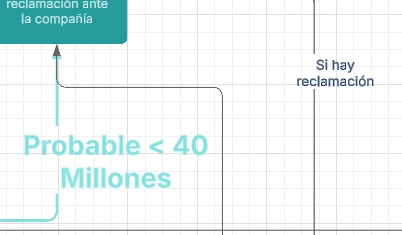
When the text written on the arrows is not a single word but a bit longer, I noticed that the erasing of the line never matches the space of the text but is instead systematically moved to the left (if the arrow is horizontal) or to the side (if the line is vertical) which results in poor aesthetics (see screenshots below). Anyway this can be changed?


Best answer by emilyann

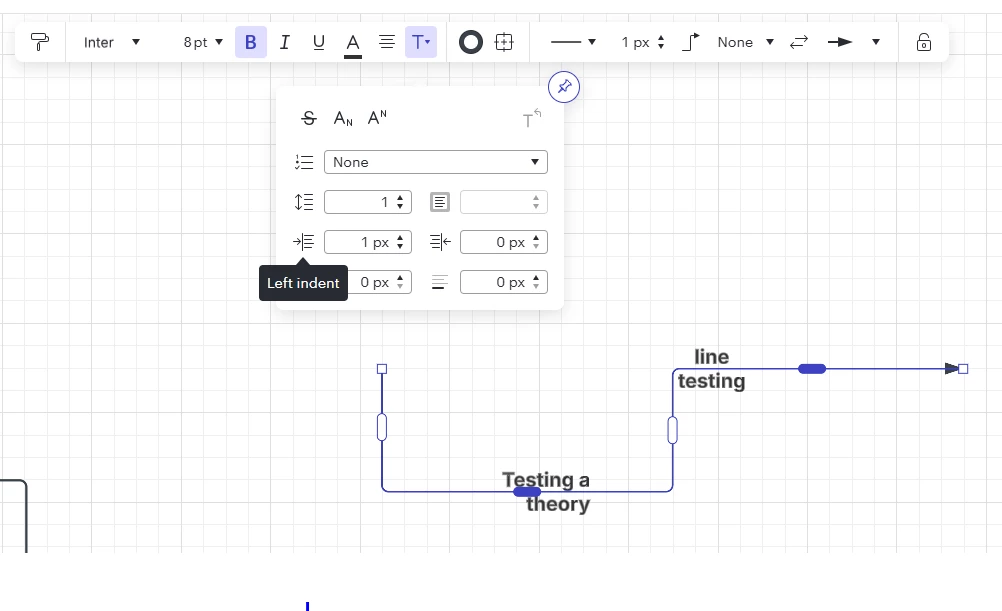
Hi ​@Rodri - I am only able to replicate this issue by opening the text dropdown on the arrow’s style menu and adding a “left indent”. I’m wondering if that got set somehow as a default in your canvas? 


Comments

emilyann
Lucid Legend Level 3
Forum|alt.badge.img+7
  • Lucid Legend Level 3
  • Answer
  • March 17, 2025

Hi ​@Rodri - I am only able to replicate this issue by opening the text dropdown on the arrow’s style menu and adding a “left indent”. I’m wondering if that got set somehow as a default in your canvas?