
Solved

Text in mermaid diagrams does not render in Google Docs

  • December 3, 2025
  • 6 replies
  • 100 views

Forum|alt.badge.img+1

When I create diagram as code using the new mermaid functionality in Lucidchart, and then import it into a Google Doc using the official Lucidchart integration, the text on the diagram is not displayed in Google docs.

This was also reported here, but that question is marked as answered, without a solution to the text problem.

Example diagram:

stateDiagram-v2
[*] --> state1: The first state
state1 --> state2: The second state
state2 --> [*]: The end state
note right of state2
This is a note
on the right side
end note
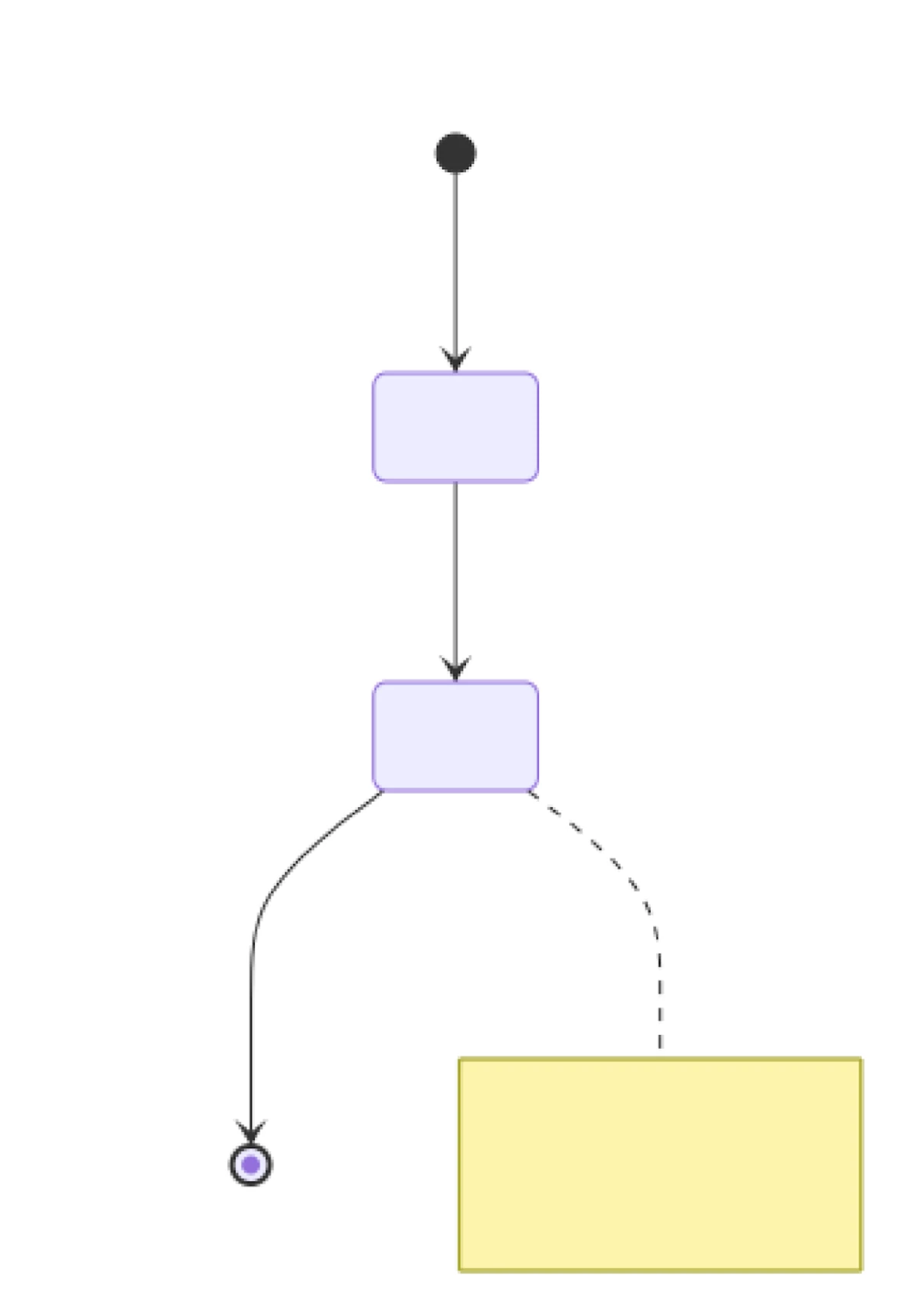

The result in Google Docs


Best answer by Ambar D

Hi ​@asarkisov_pure, thanks for posting in the Lucid Community and for confirming the steps you’ve tried! 

Thank you ​@aparrish for providing that resource and troubleshooting steps. 

I believe you have identified a bug, and I have reported this to our development team.

I apologize for any disruption this may cause, and I will update this thread with any new information about a fix. Please follow along on this thread for updates, and post any additional questions or concerns below.

Comments

aparrish
Lucid Legend Level 7
Forum|alt.badge.img+15
  • Lucid Legend Level 7
  • December 6, 2025

@asarkisov_pure Here are a few questions/steps:

  • Would you mind connecting to a different network to rule out any connection issues?
  • Could you also try opening the Google Doc/Slide/Sheet in an incognito window to rule out browser interference?
  • If you remove the diagram and then reinsert it does that resolve the issue?

Here’s a document that might be able to help you: https://help.lucid.co/hc/en-us/articles/11175888421780-Lucid-add-ons-for-Google-Docs-Sheets-and-Slides

If the issue persists after those steps please submit a support ticket via this form as troubleshooting this issue may require some sensitive information. 


Forum|alt.badge.img+1
  1. This happens across multiple networks, with or without VPN for several users (everyone who tried across a couple teams in the company).
  2. This is consistent across different browsers, operating systems, and sessions.
  3. Nothing resolves the issue, all diagrams are like that. Except we found that C4 diagrams do have text, whereas flow diagrams do not.


Ambar D
Forum|alt.badge.img+10
  • Lucid community team
  • Answer
  • December 8, 2025

Hi ​@asarkisov_pure, thanks for posting in the Lucid Community and for confirming the steps you’ve tried! 

Thank you ​@aparrish for providing that resource and troubleshooting steps. 

I believe you have identified a bug, and I have reported this to our development team.

I apologize for any disruption this may cause, and I will update this thread with any new information about a fix. Please follow along on this thread for updates, and post any additional questions or concerns below.


Forum|alt.badge.img

Yep, same issue here. I will note that setting %%{init: {"flowchart": {"htmlLabels": false}} }%% in your diagram will restore text labels _outside of shapes_ but not the shapes themselves. Probably a bug in how lucid is rendering the embedded diagrams when inserted in the doc. I hope there’s a fix for this soon.


Ambar D
Forum|alt.badge.img+10
  • Lucid community team
  • January 16, 2026

Thank you for adding your report to this thread ​@Adam Kunicki, and I sincerely apologize for the disruption.

I have added your comment to the report for our development team and I will update this thread with any new information about a fix.


Forum|alt.badge.img
  • February 3, 2026

I am facing a similar issue when using LucidChart extension in Google Docs I don’t see the text copied over.





