Nov 17, 2026 4:07 AM UTC
Solved

SVG exports showing elements not visible whilst editing

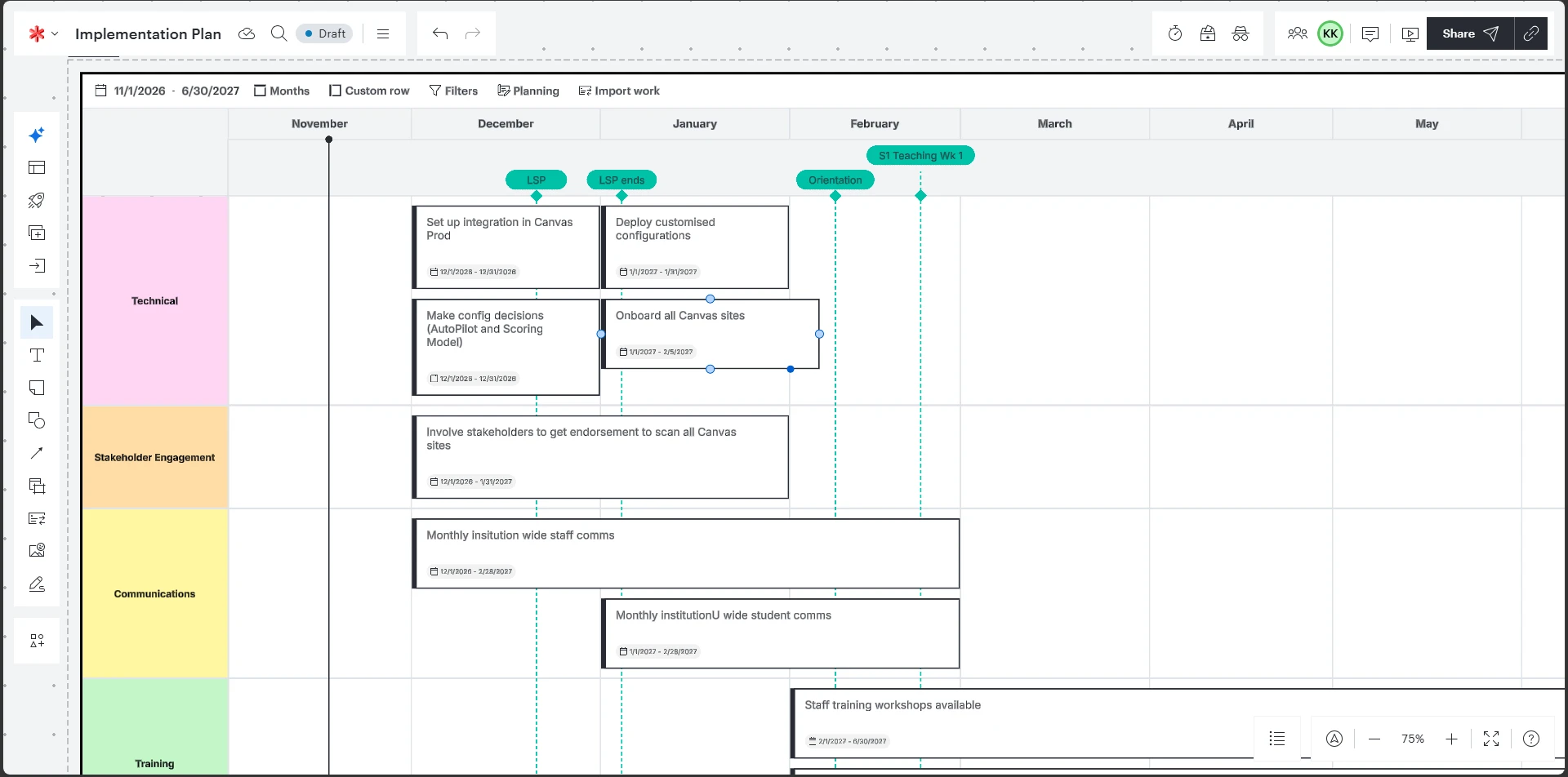
Timeline tasks in Lucidspark editing view appear like this:

Editing view

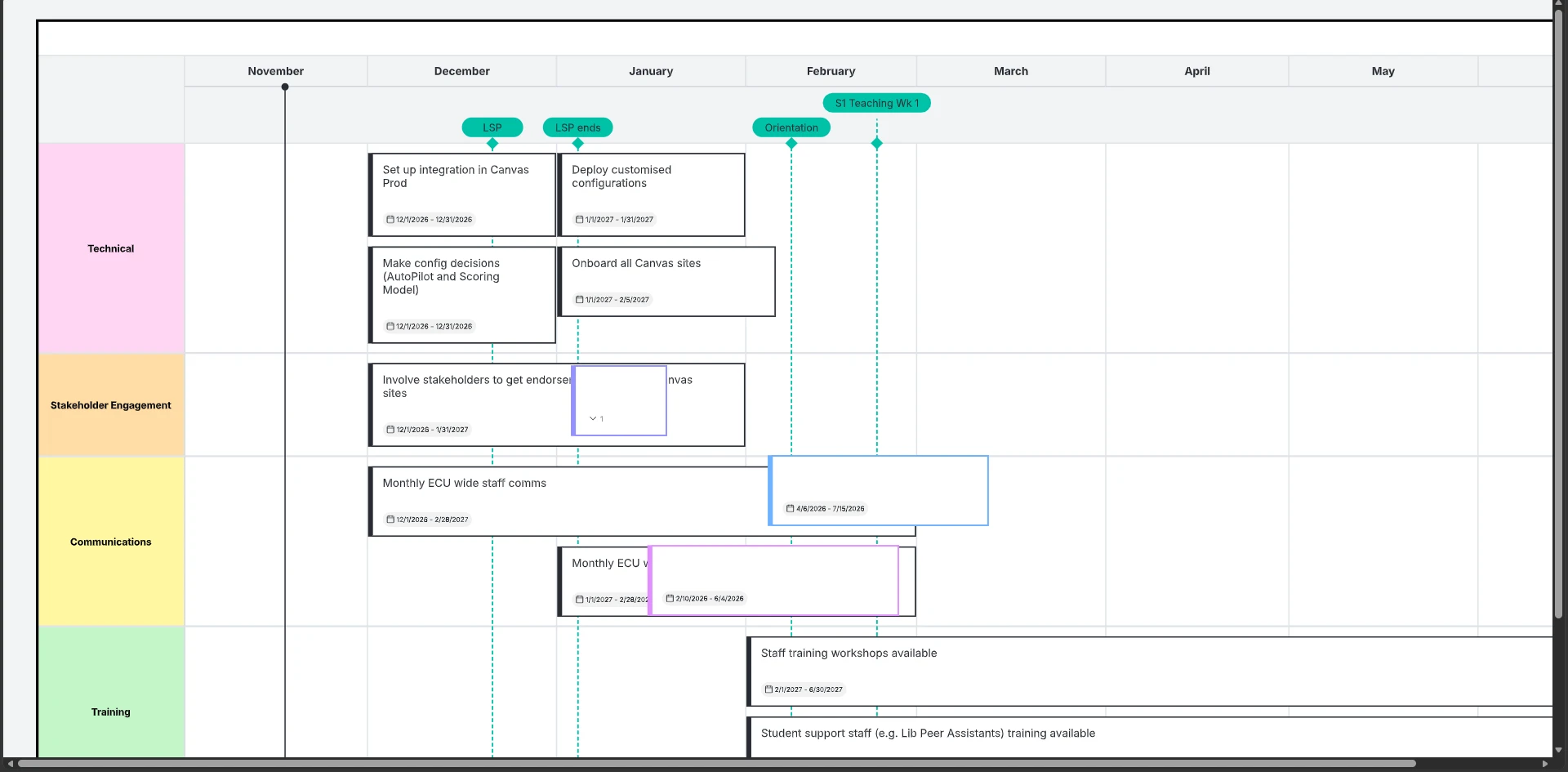
But when exported as SVG, hidden tasks appear: 

SVG export


Have looked for hidden layers, tried duplicating timeline and exporting, etc. 

The issue does not occur when exporting as other formats like PNG.

Sylvia X
Sylvia XAnswer
Lucid support team
Nov 18, 2026 8:36 AM UTC

Hi ​@ILTPM, thank you for posting in the Lucid community!

As a first step, could you please review our Export Your Lucid Documents article from the Lucid Help Center. Additionally, please see our Troubleshooting: Export article from the Lucid Help Center for steps to resolve any issues you may be having. Let me know if you have any questions about how downloading/exporting your document should work.

If those don’t resolve the problem, can you please send the following information so I can take a closer look?

  • A description of the download settings (file type, document pages, cropping, quality, etc.) that you selected for the download.
  • Can you please send a temporary Support PIN for this document? This will allow me to take a closer look at the issue you’re experiencing. For more information on generating a Support PIN, check out this Help Center article.
  • A screenshot of the associated Javascript Console output. You can open your Javascript Console by pressing Ctrl + Shift + J (if your computer is a Windows / Linux) OR Cmd + Opt + J (if your computer is a Mac).

Please let me know if you run into any issues with this or have any questions!

Comments

Sylvia X
Sylvia XAnswer
Lucid support team
Nov 18, 2026 8:36 AM UTC

Hi ​@ILTPM, thank you for posting in the Lucid community!

As a first step, could you please review our Export Your Lucid Documents article from the Lucid Help Center. Additionally, please see our Troubleshooting: Export article from the Lucid Help Center for steps to resolve any issues you may be having. Let me know if you have any questions about how downloading/exporting your document should work.

If those don’t resolve the problem, can you please send the following information so I can take a closer look?

  • A description of the download settings (file type, document pages, cropping, quality, etc.) that you selected for the download.
  • Can you please send a temporary Support PIN for this document? This will allow me to take a closer look at the issue you’re experiencing. For more information on generating a Support PIN, check out this Help Center article.
  • A screenshot of the associated Javascript Console output. You can open your Javascript Console by pressing Ctrl + Shift + J (if your computer is a Windows / Linux) OR Cmd + Opt + J (if your computer is a Mac).

Please let me know if you run into any issues with this or have any questions!
Translate