
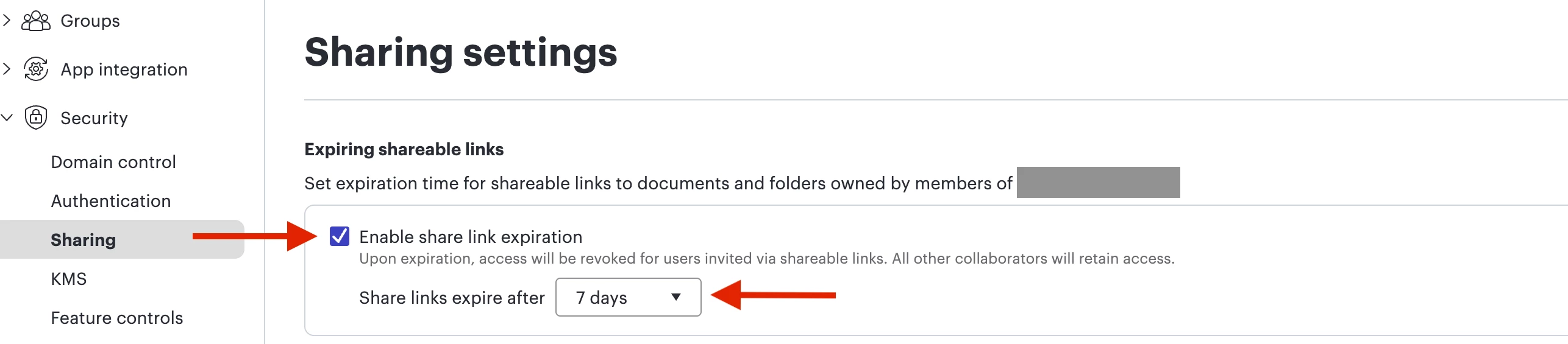
A few months ago, suddenly a 7-day expiration was added to all lucidchart sharing — even within my own company. So now, everyone keeps losing access to links that were previously shared with them. I spoke to our corpeng team and they said they didn’t implement this, and security doesn’t implement without corpeng. What’s going on here?
Question
Sudden 7-day TTL for shared links internally
 +1
+1

Create an account in the community
A Lucid or airfocus account is required to interact with the Community, and your participation is subject to the Supplemental Lucid Community Terms. You may not participate in the Community if you are under 18. You will be redirected to the Lucid or airfocus app to log in.
Log in to the community
A Lucid or airfocus account is required to interact with the Community, and your participation is subject to the Supplemental Lucid Community Terms. You may not participate in the Community if you are under 18. You will be redirected to the Lucid or airfocus app to log in.
Log in with Lucid Log in with airfocus
or
Enter your E-mail address. We'll send you an e-mail with instructions to reset your password.
 Your privacy choices


