Recently tried data linking Smartsheet and it resulted in “ghost” changes to the dates in the source document. Is there a secure way to do a one way link to make my Smartsheet data visible live in Lucid Chart but not editable / view only?
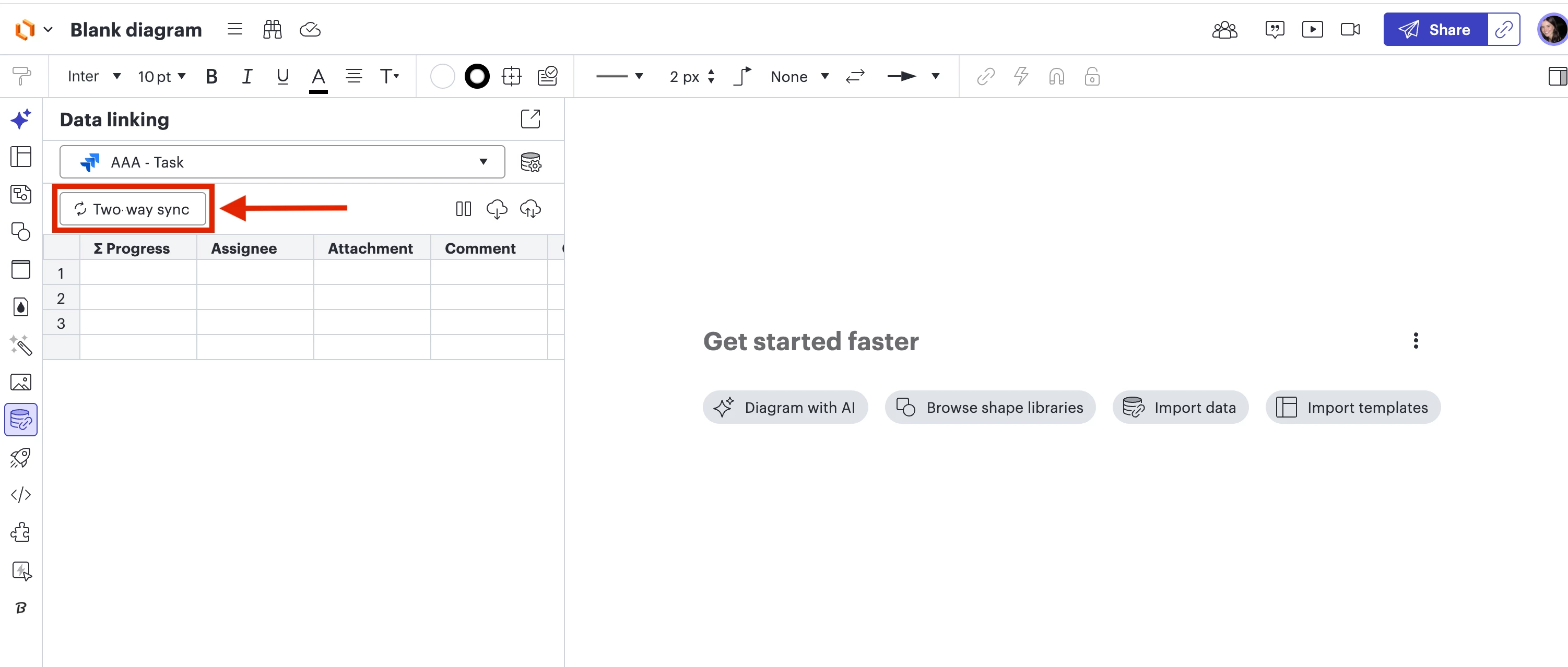
I apologize for any confusion here. I included screenshots of my Lucidchart document below to show how it should show up for you. It is technically your Sync settings, but it will most likely show up as “Two-way sync” “Pull changes” or “Manual Sync”, depending on how you have your data set configured to Lucid. Please follow the steps below to change your Data linking settings to “Pull Changes”:
1. You can find the current sync setting by clicking on the Data linking icon on the left panel of your document 2. Click on that current sync setting (mine is currently listed as “Two-way sync”)
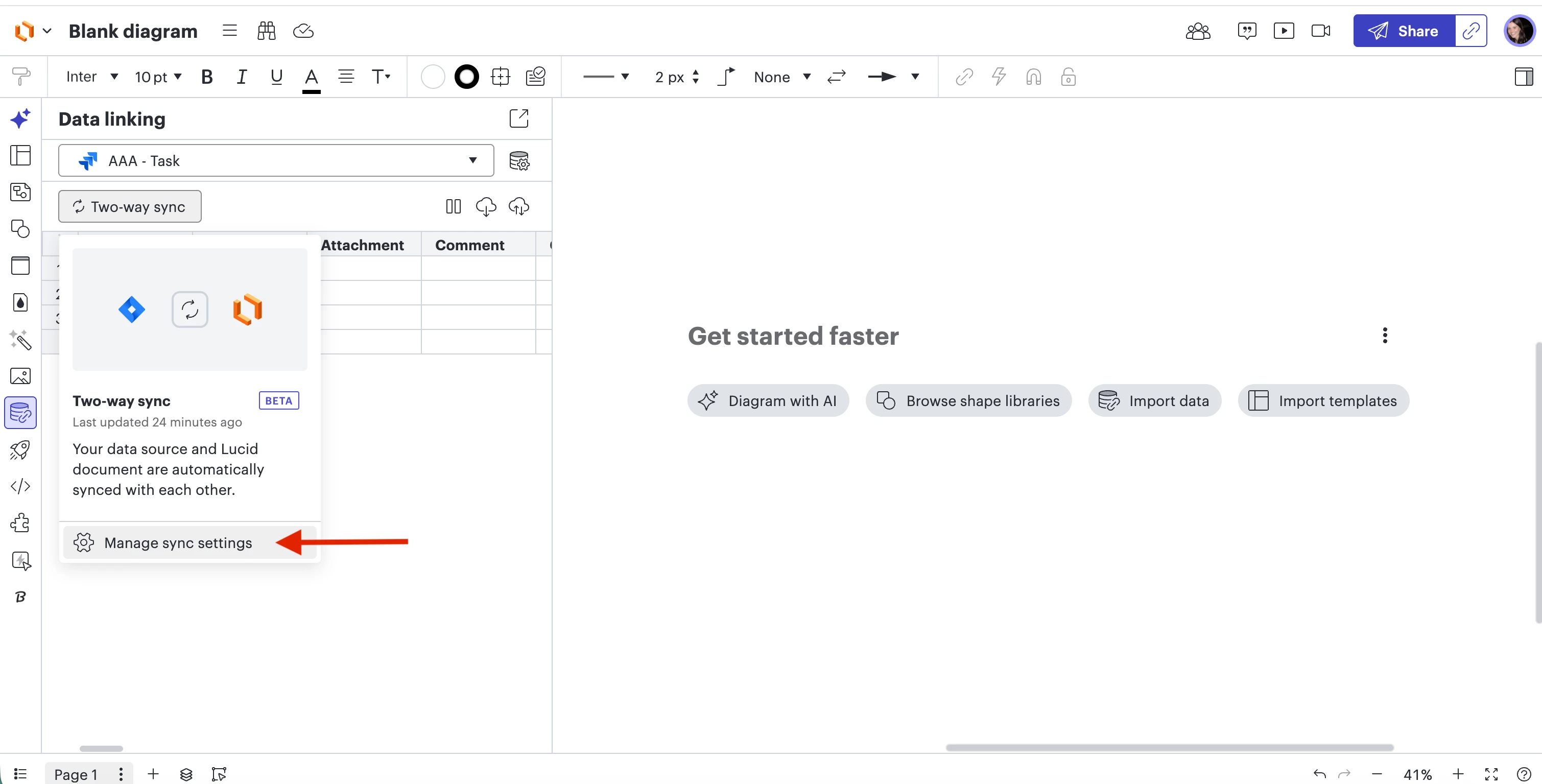
3. Click “Manage Sync Settings”
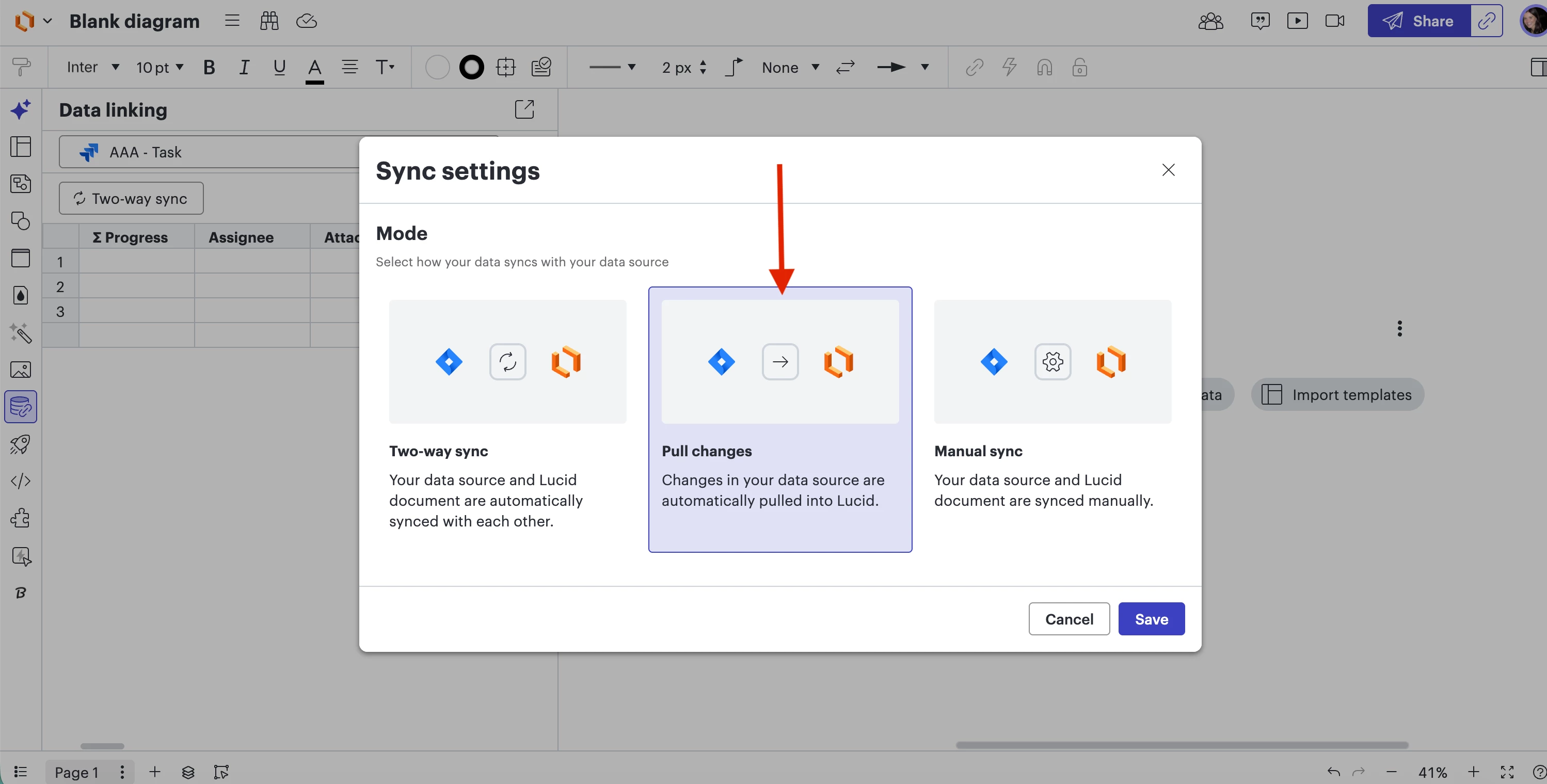
4. Select “Pull changes” and hit “Save”
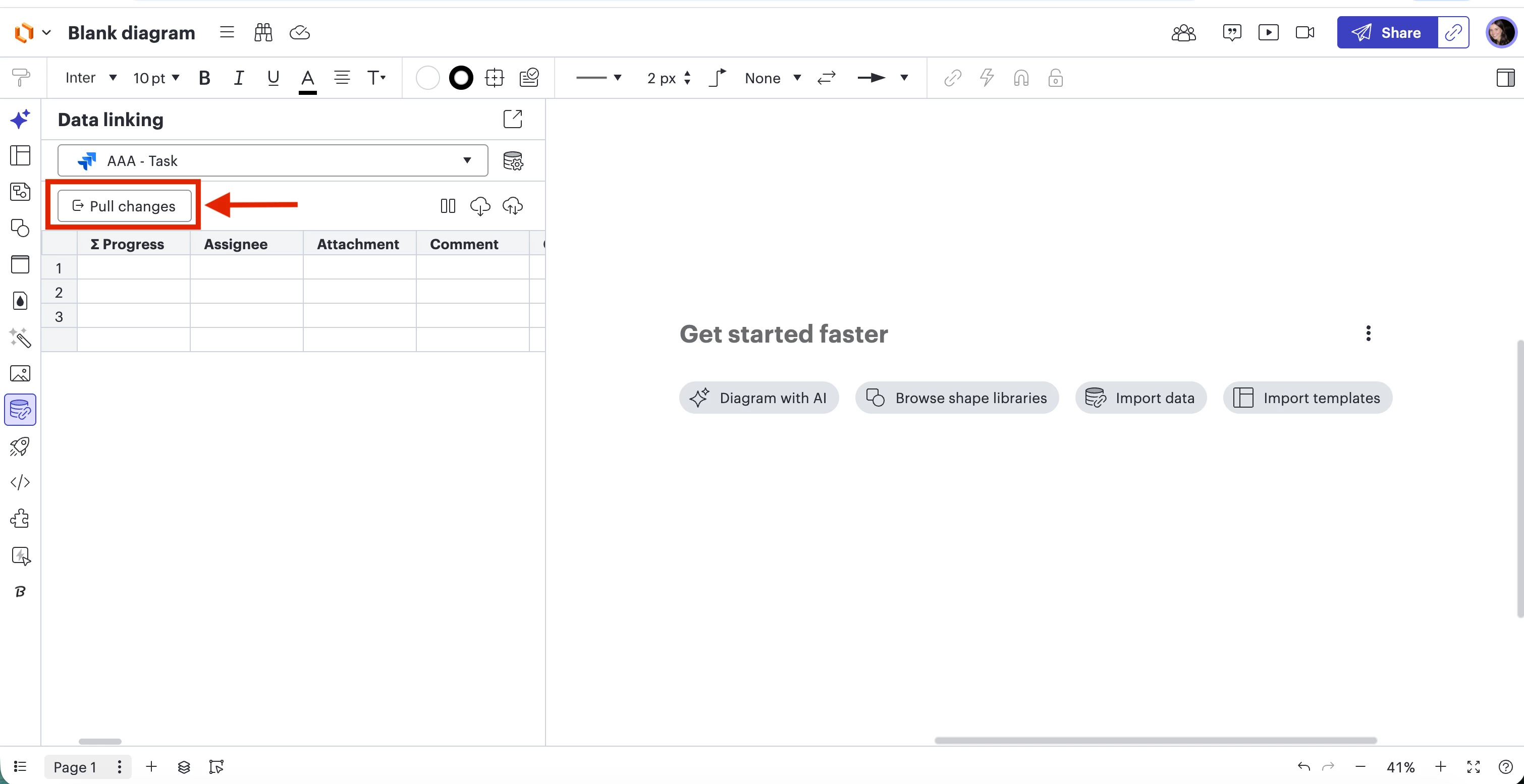
Once you select Pull changes, it will show up here ^ in your Data linking panel.
If the issue persists after following these steps, could you send me the following so I can take a closer look at the issue you’re experiencing?
A screenshot of the specific issue you see on your end
The specific steps you took when linking your data
Please let me know if you have any additional questions that come up as you go through these steps!
The "ghost changes" you are seeing are likely caused by Two-way sync being enabled. In this mode, certain edits or movements in Lucidchart can push data back to your Smartsheet. To make your connection View-only (One-way), please follow these steps:
Change sync to “Pull changes":
Open the Data linking panel (click the cylinder icon on the far left toolbar).
At the top-left of the panel, click the Sync Status button (this button will say "Two-Way Sync," "Pull changes," or "Manual sync" depending on your current setting).
Select Manage sync settings at the bottom of the window that appears.
Choose Pull changes.
In this mode, Lucid updates automatically with changes made in Smartsheet, but changes in Lucid will NOT affect your original sheet.
Adjust Refresh Frequency:
If you want to prevent the diagram from updating until you are ready, you can also set the refresh to Manual:
In the Data linking Panel, click the Manage data icon (top right).
Select Manage refresh.
Choose Manual. This ensures the diagram only pulls new data when you explicitly click the "Refresh" icon.
If you are using Lucid cards for Smartsheet (the rectangular task shapes) rather than standard shapes linked to rows, please note that those are designed for two-way collaboration. For a strictly "View-Only" experience, we recommend using standard Data linking (dragging a row from the data panel onto a regular shape).
For more information on managing sync and refresh settings, please read this help center article. I hope this helps secure your data! Please let me know if you have any other questions.
Thank you for the reply! The issue I’m running into is my Lucidchart interface does not have a “Sync Status” button that I can locate. Any suggestions on how to troubleshoot / dig into this issue further?
I apologize for any confusion here. I included screenshots of my Lucidchart document below to show how it should show up for you. It is technically your Sync settings, but it will most likely show up as “Two-way sync” “Pull changes” or “Manual Sync”, depending on how you have your data set configured to Lucid. Please follow the steps below to change your Data linking settings to “Pull Changes”:
1. You can find the current sync setting by clicking on the Data linking icon on the left panel of your document 2. Click on that current sync setting (mine is currently listed as “Two-way sync”)
3. Click “Manage Sync Settings”
4. Select “Pull changes” and hit “Save”
Once you select Pull changes, it will show up here ^ in your Data linking panel.
If the issue persists after following these steps, could you send me the following so I can take a closer look at the issue you’re experiencing?
A screenshot of the specific issue you see on your end
The specific steps you took when linking your data
Please let me know if you have any additional questions that come up as you go through these steps!
A Lucid or airfocus account is required to interact with the Community, and your participation is subject to the
Supplemental Lucid Community Terms.
You may not participate in the Community if you are under 18. You will be redirected to the Lucid or airfocus app to log in.
A Lucid or airfocus account is required to interact with the Community, and your participation is subject to the
Supplemental Lucid Community Terms.
You may not participate in the Community if you are under 18. You will be redirected to the Lucid or airfocus app to log in.


 Your privacy choices


