Current smart containers only allow 1 grouping the grouping becomes the container (box) and shapes are rendered into it. Can we have another level like box in a box meaning 2 level of grouping before shapes are rendered.
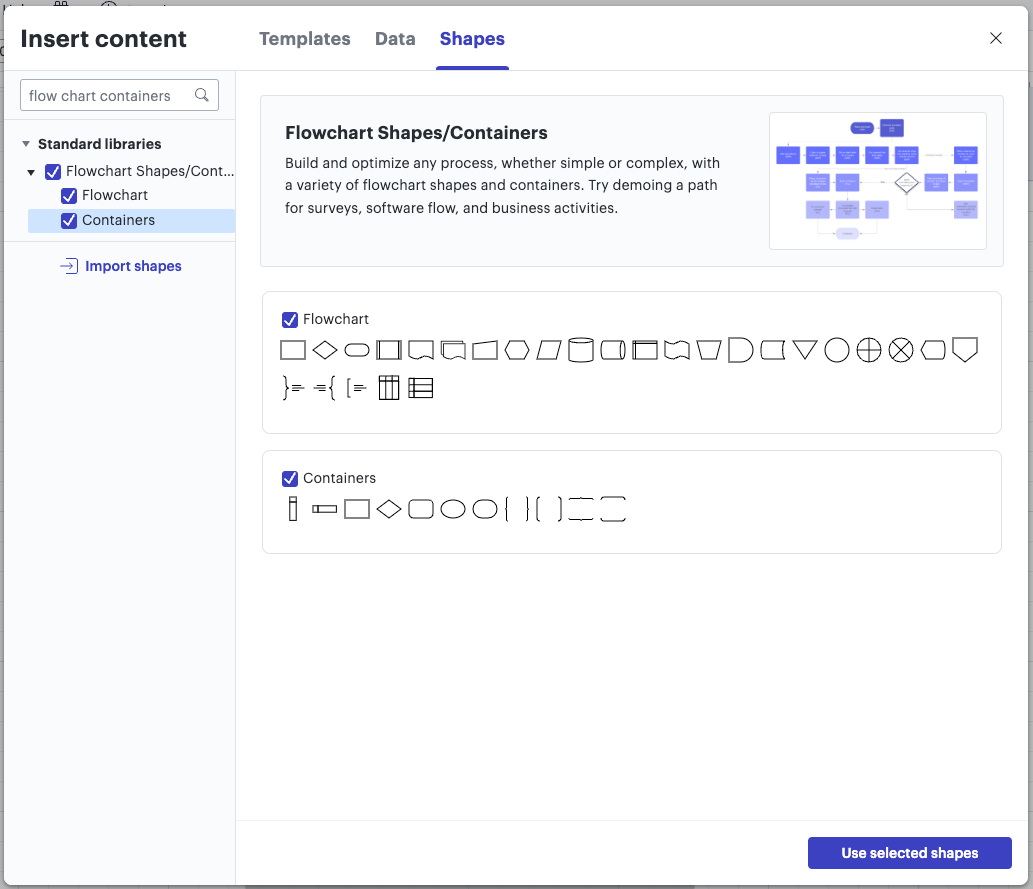
The container shapes mentioned in Tate’s reply above can be found in the shape library under ‘Flowchart Shapes/Containers’. You can enable this shape library by clicking the blue ‘More Shapes’ button and searching for ‘Flow chart containers’.
To use this library, make sure you check the box next to ‘Containers’ and click the blue ‘Use selected shapes’ button to confirm.
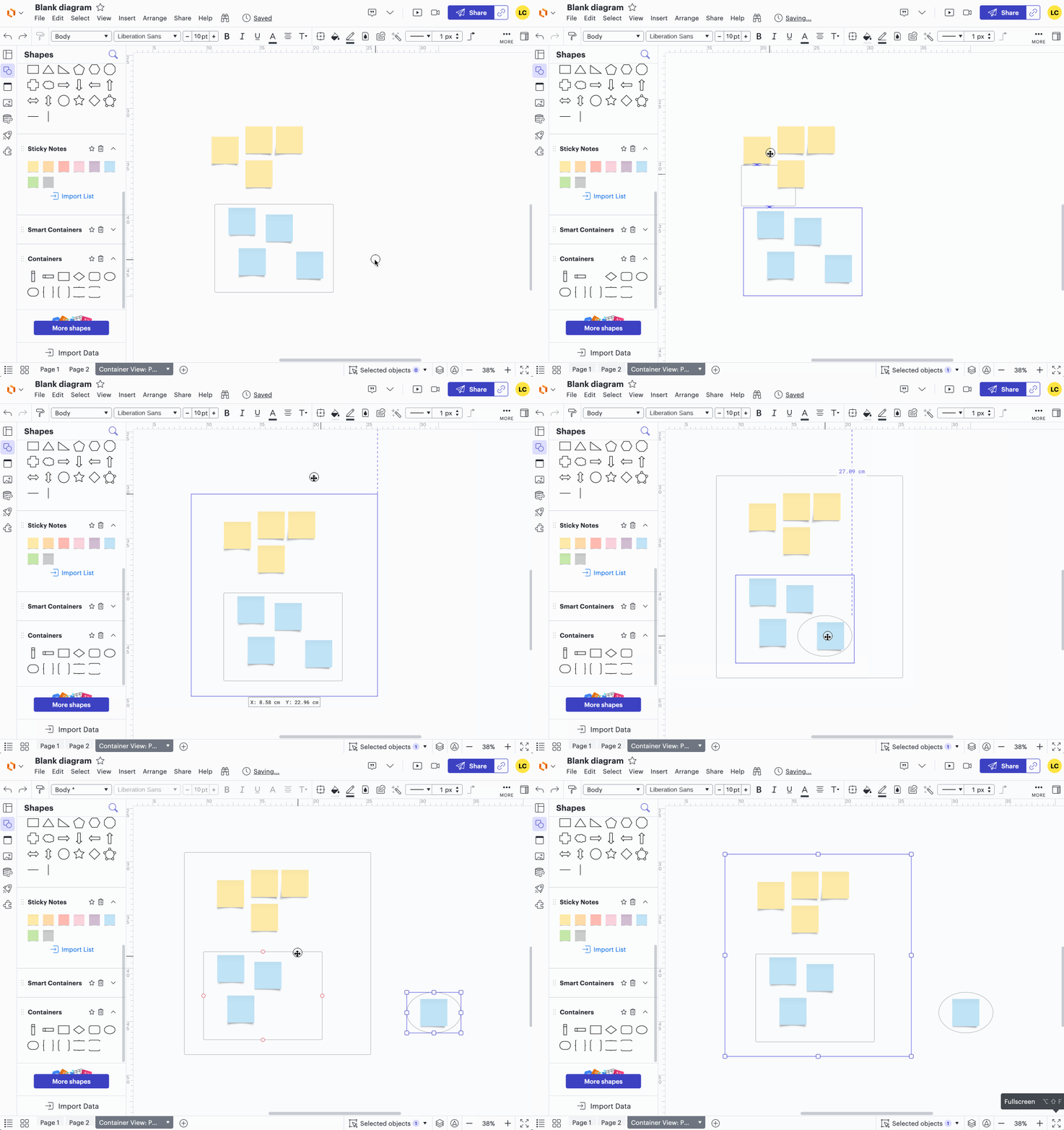
Unlike smart containers, the containers in that library allow you to have layers of containers to group your objects and they can each be moved individually. See the GIF below for a quick demonstration!
If you have access to the feature, you could pair this with data-linked objects to visualise your imported data.
I hope this helps! Feel free to let us know if you have any additional questions :)
Hey @Thomas Stumpp -- thank you so much for posting and for this great feedback! We always appreciate when our users take the time to let us know how we can improve.
Firm handshake to you and all of the dedicated Lucid users on this thread! 🤝
A Lucid or airfocus account is required to interact with the Community, and your participation is subject to the
Supplemental Lucid Community Terms.
You may not participate in the Community if you are under 18. You will be redirected to the Lucid or airfocus app to log in.
A Lucid or airfocus account is required to interact with the Community, and your participation is subject to the
Supplemental Lucid Community Terms.
You may not participate in the Community if you are under 18. You will be redirected to the Lucid or airfocus app to log in.


 Your privacy choices


