

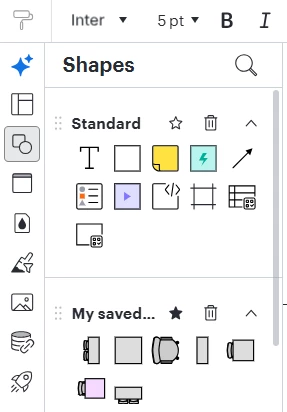
I have created a floorplan using the standard template “Office floor plan” as a starting point. For some reason, I am not able to see a “Shapes in Use” section in the Shapes panel, and I have spent 2 hours trying to figure this out, and researching online. It is just not there, anywhere on the Shapes Panel. See screenshot below, which also shows some of the custom shapes I have added to “My saved shapes” library.
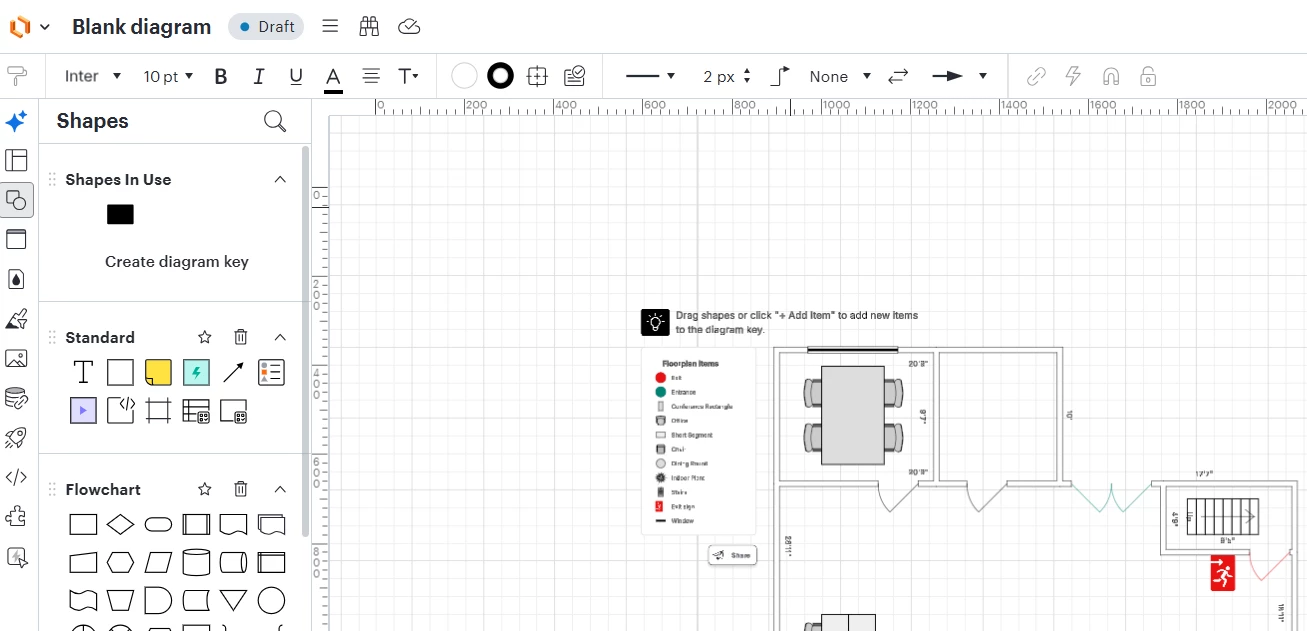
Interestingly, if I create a new document based on the same template, i DO now see a “Shapes in Use” section, however it only has one item (black rectangle) despite their being many other shapes in use, per the diagram key and floorplan itself. See screenshot below.
I am not sure what I am doing or have done wrong such that I am NOT seeing a Shapes in Use section. Please HELP. Thanks in advance.

 Your privacy choices


