Solved

Server error when viewing embedded diagrams via IT Glue

  • May 18, 2026
  • 7 replies
  • 75 views

Forum|alt.badge.img+1

Hey there!

I have always embedded our diagrams into IT Glue so that the larger team can view the content. This has worked for years, but recently some of my colleagues are having issues viewing due to an error that was received.
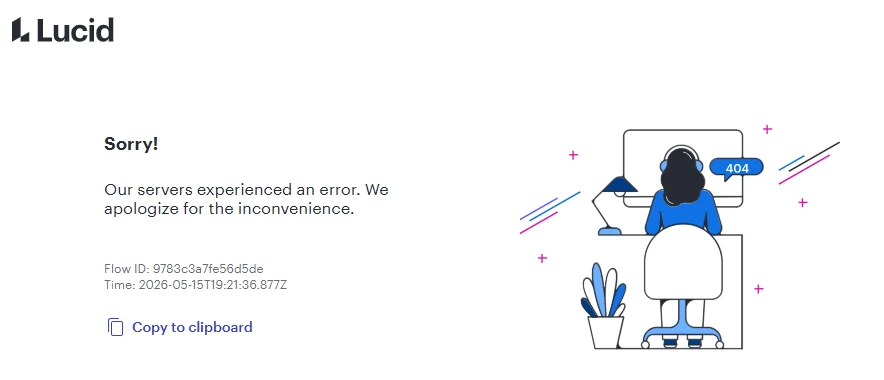


We have tried clear the cache of our browser, tried different browsers, updating the embed code, etc. This seems to be affecting only a few documents. Some of the documents are in a private repository, while others are shared with a Team.

Anyone else run into this?

Thanks!

Best answer by Ambar D

Hi ​@RTownsend, thank you for confirming! At this time, it is expected behavior that publishing or embedding Lucid documents requires turning off ‘show authors’.

I’ve shared your experience here with our product team! I’ve included your note that while the Publish menu does have the ability to turn off this setting, there is currently no option to do so within the Embed menu.


It seems like you’ve been able to turn off this setting for your documents! I’m happy that this has been resolved for you.

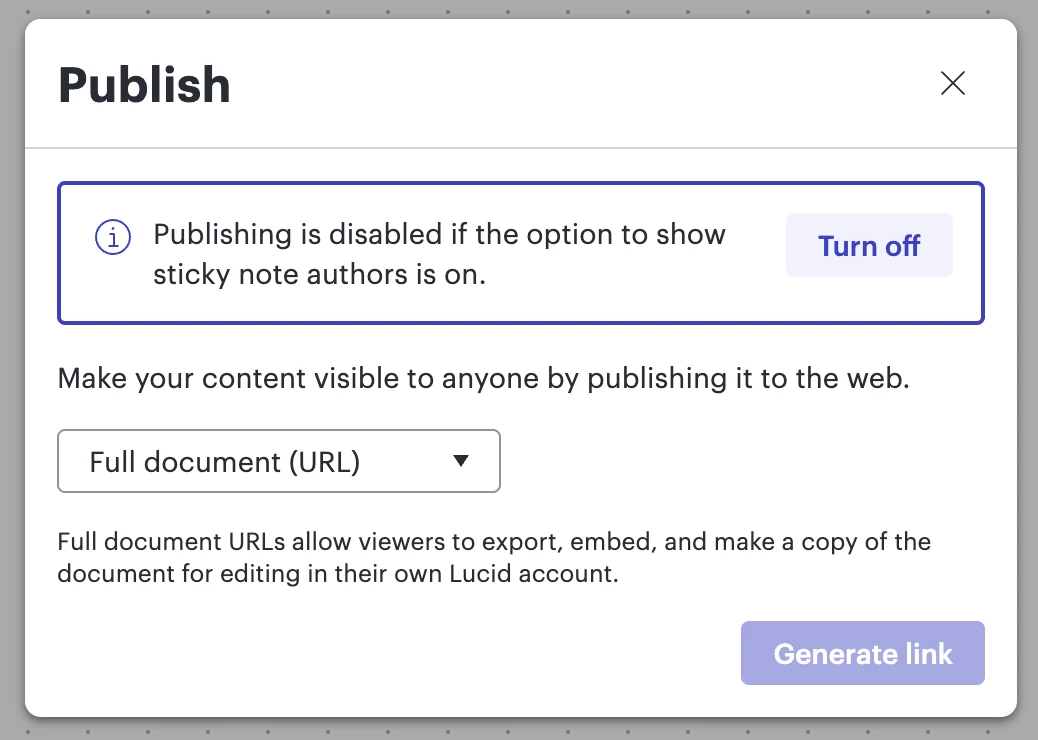
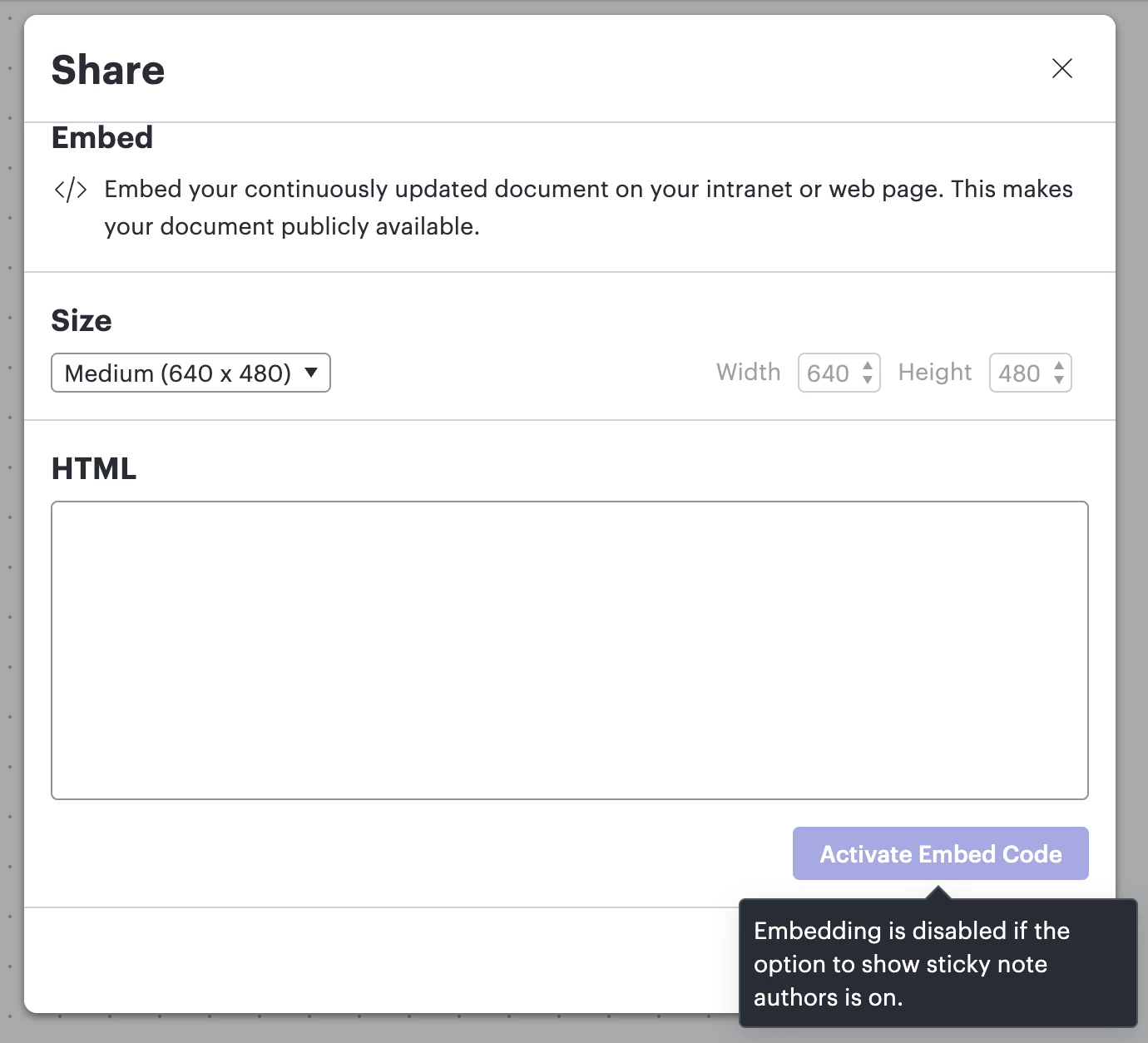
For anyone else who may come across this thread, if you’re embedding your document and coming across the message “Embedding is disabled if the option to show sticky note authors is on.”, turn off sticky note authors following these steps:

  • In Lucidspark, follow these steps. Select the Collaborators button at the top right of your document, select Settings to expand additional setting options, and then toggle off Show authors.
  • In Lucidchart: Select the Menu button at the top left of your document, select View, hover over Show/Hide, select/deselect Show authors. (ensure that show authors does not have a checkmark)

Comments

Forum|alt.badge.img+1
  • Author
  • May 19, 2026

To add a bit more detail. It appears that embedding is disabled if “the option to show sticky note authors is on”.


This setting is not enabled on this document. I have even tried to toggle it on/off to see if that resolved the issue and yet it hasn’t.


The other thing, is that I can view the embedded diagram in IT Glue just fine, but other members of my team cannot due to the error I posted originally.

What I see.


What other see


Forum|alt.badge.img+1
  • Author
  • May 20, 2026

Much excite, a Colleague of mine found that we were able to resolve this by going to Share > Publish and then it gave the option to disable sticky note authors. No other settings in the GUI actually disabled this.


Ambar D
Forum|alt.badge.img+12
  • Lucid community team
  • May 21, 2026

Hi ​@RTownsend, thank you for posting in the Lucid Community!

I’m happy to hear that the setting to turn off sticky note authors via the Publish menu helped here. Is this now fully resolved, or are you still running into any errors?

It’s interesting to hear that the setting was turned off for you, yet you were still receiving that message when trying to embed. 

If you’re still experiencing issues here, I’d love to take a closer look at the document that you’re having trouble with embedding. Could you share a temporary Document Support PIN for this document? This will help me take a closer look at what’s going on. This PIN is safe to post in this thread because it is only accessible by members of the Lucid support staff. You can find steps for generating a Support PIN in this Lucid Help Center article: Generate a Lucid Support PIN


Forum|alt.badge.img+1
  • Author
  • May 21, 2026

Thanks for the response ​@Ambar D 

We were able to move past the issue, but we have ran into other documents affected by it. I would like it if you can take a look and see what you can determine. Graphically our documents showed that “showing sticky note authors” was off in two places in the GUI, but on under the publish section of the GUI.

duhdzDo6EauklkRb85zOhclUwDfGJSeBjA182637674


Ambar D
Forum|alt.badge.img+12
  • Lucid community team
  • May 22, 2026

Thank you for sharing that PIN ​@RTownsend, certainly we’ll take a closer look and continue investigating here. I am raising this internally and hope to have more information for you shortly.
 

Are you still having trouble with the ‘Activate Embed Code’ button being greyed out, despite show sticky note authors being toggled off as shown below? Or is this portion now resolved?

Are you still able to see the embedded diagrams, but your colleagues are still running into the error message?

Thank you for your help and patience as we look into this.


Forum|alt.badge.img+1
  • Author
  • May 22, 2026

After finding out we could disable that feature via the “Publish” menu, we have had no issues, but needed to disable for each document we had issues with.


Ambar D
Forum|alt.badge.img+12
  • Lucid community team
  • Answer
  • May 26, 2026

Hi ​@RTownsend, thank you for confirming! At this time, it is expected behavior that publishing or embedding Lucid documents requires turning off ‘show authors’.

I’ve shared your experience here with our product team! I’ve included your note that while the Publish menu does have the ability to turn off this setting, there is currently no option to do so within the Embed menu.


It seems like you’ve been able to turn off this setting for your documents! I’m happy that this has been resolved for you.

For anyone else who may come across this thread, if you’re embedding your document and coming across the message “Embedding is disabled if the option to show sticky note authors is on.”, turn off sticky note authors following these steps:

  • In Lucidspark, follow these steps. Select the Collaborators button at the top right of your document, select Settings to expand additional setting options, and then toggle off Show authors.
  • In Lucidchart: Select the Menu button at the top left of your document, select View, hover over Show/Hide, select/deselect Show authors. (ensure that show authors does not have a checkmark)