
Solved
Restore large Lucid documents
I downloaded, backup of my lucidchart which is around 1 GB, however while trying to restore, I am getting timeout error and only ~20 documents are uploaded. I have 5000+ documents
I downloaded, backup of my lucidchart which is around 1 GB, however while trying to restore, I am getting timeout error and only ~20 documents are uploaded. I have 5000+ documents
Hi everyone!
I wanted to provide an update and recent improvement on this post!
We have made significant updates on our Backup/Restore feature. Here are the steps below to backup and restore your documents:
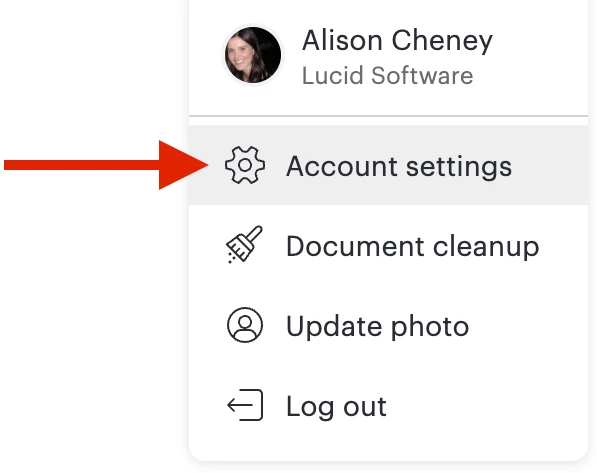
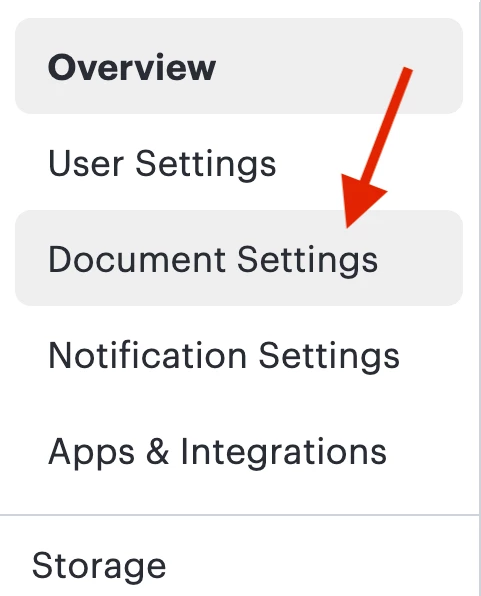
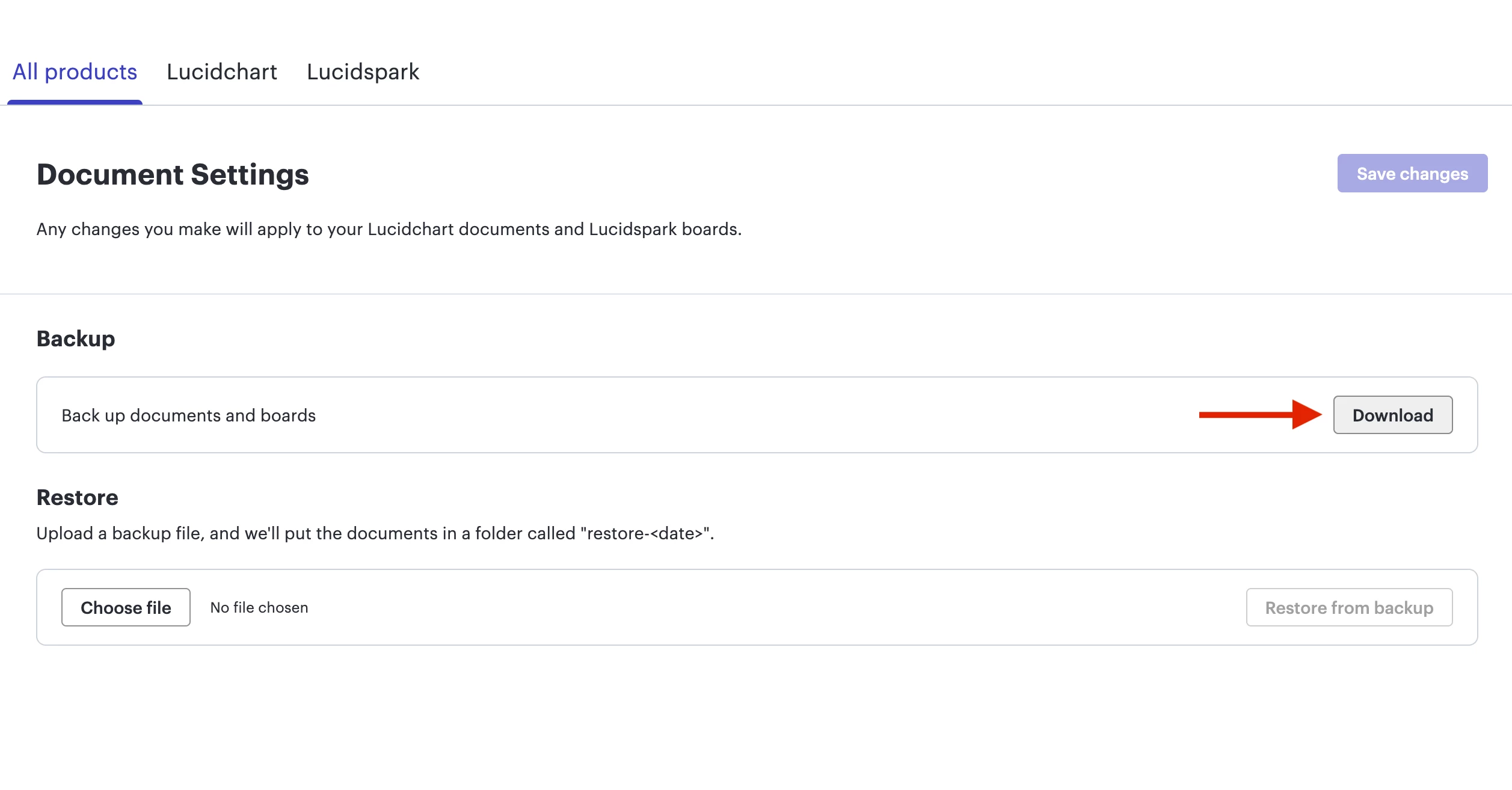
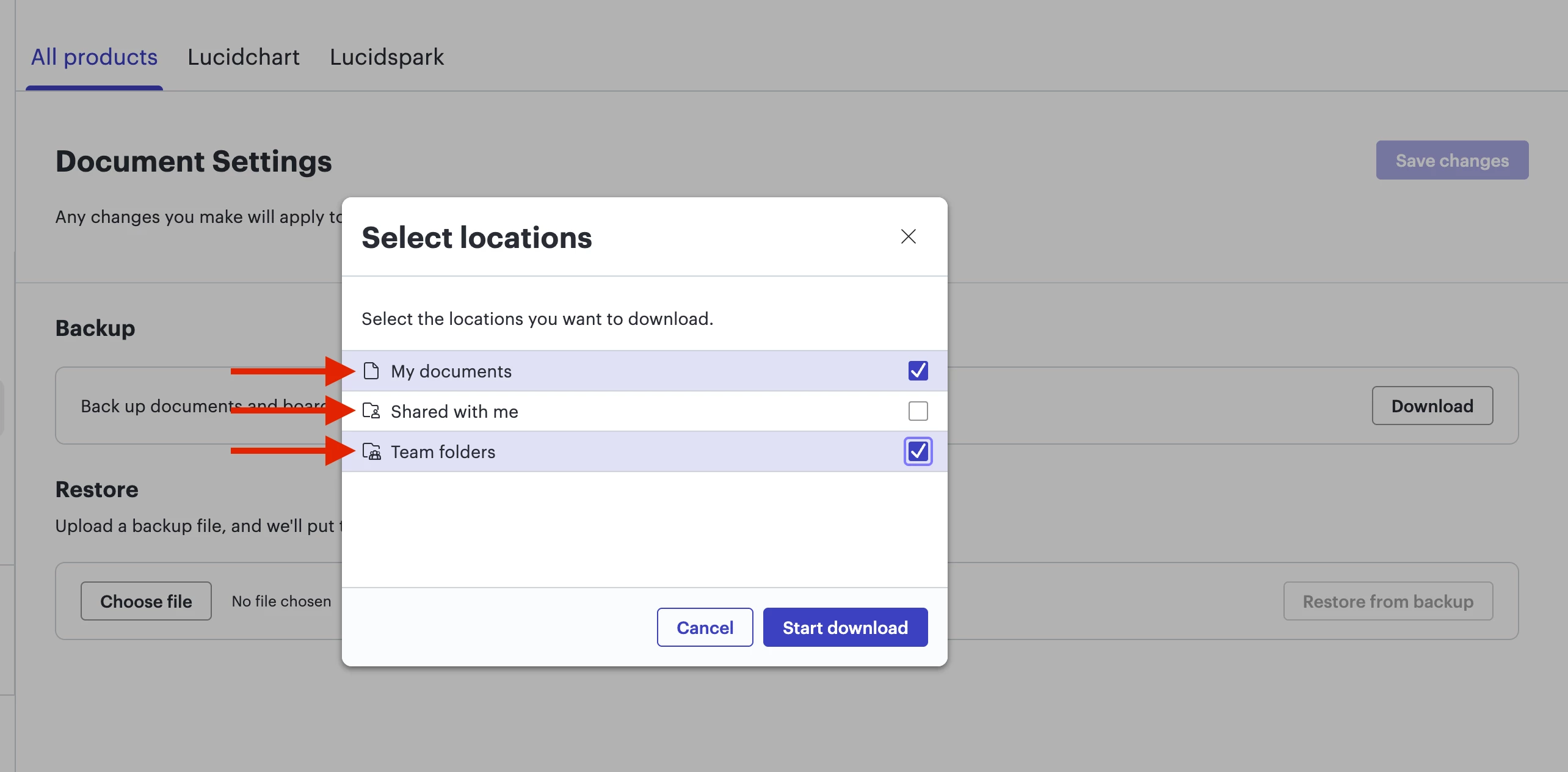
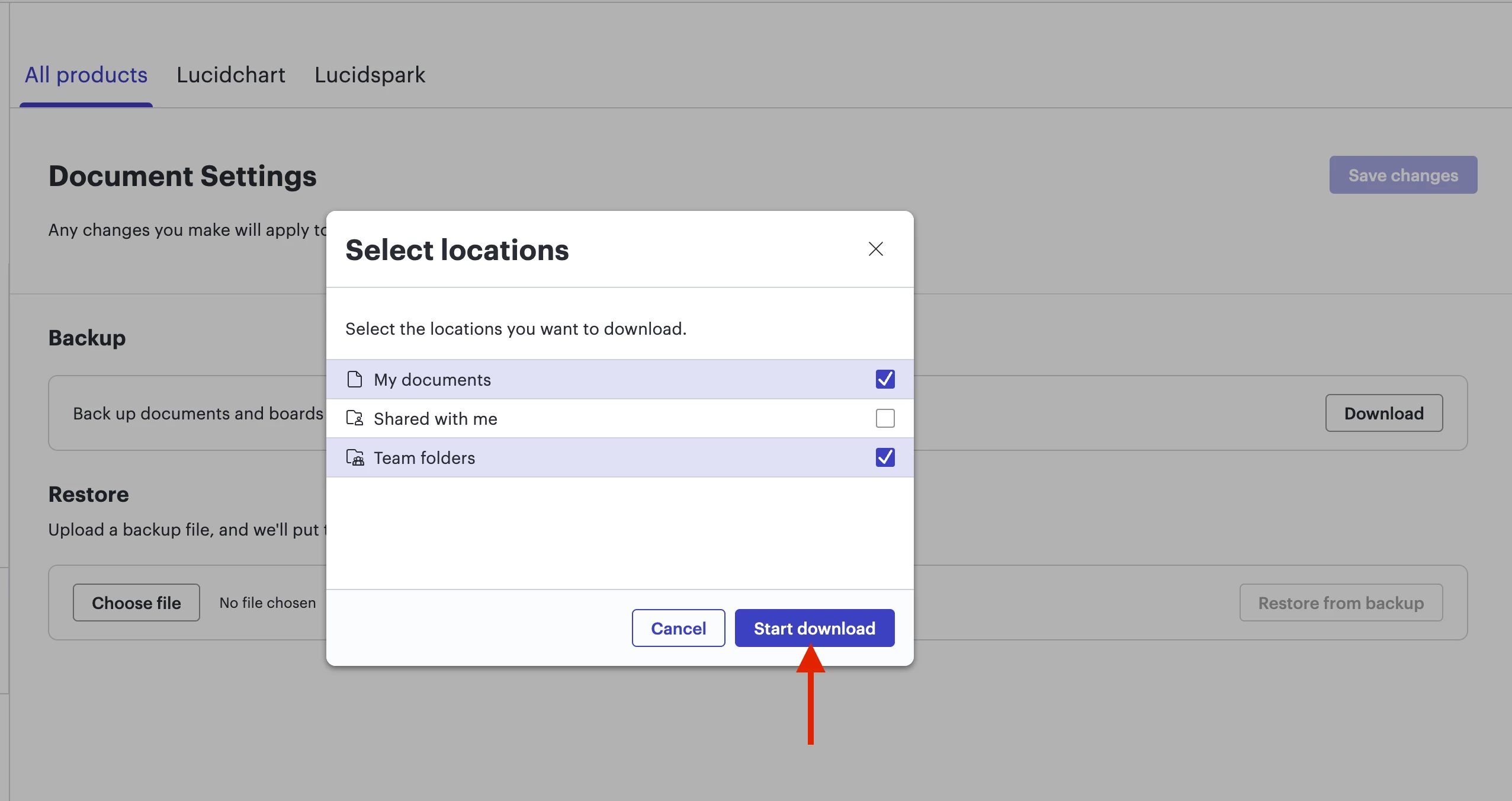
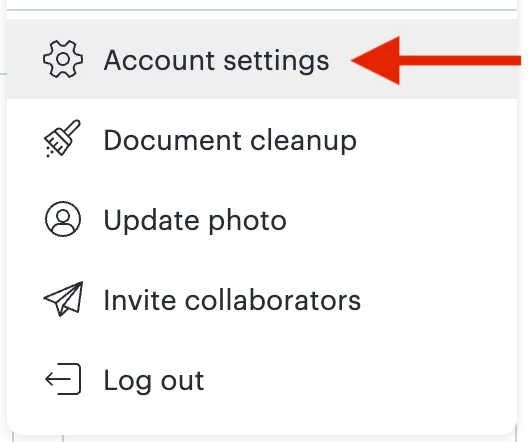
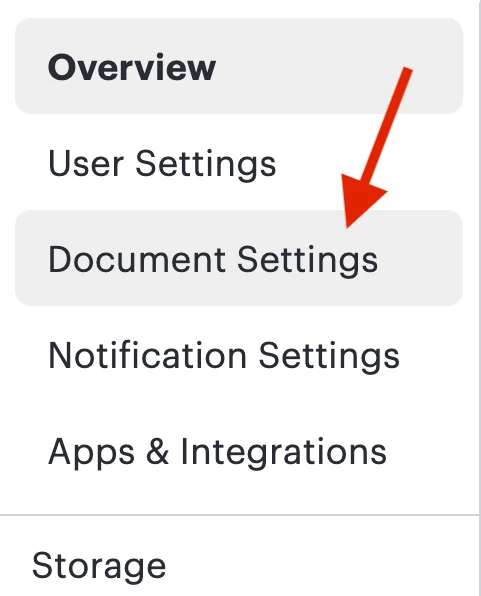
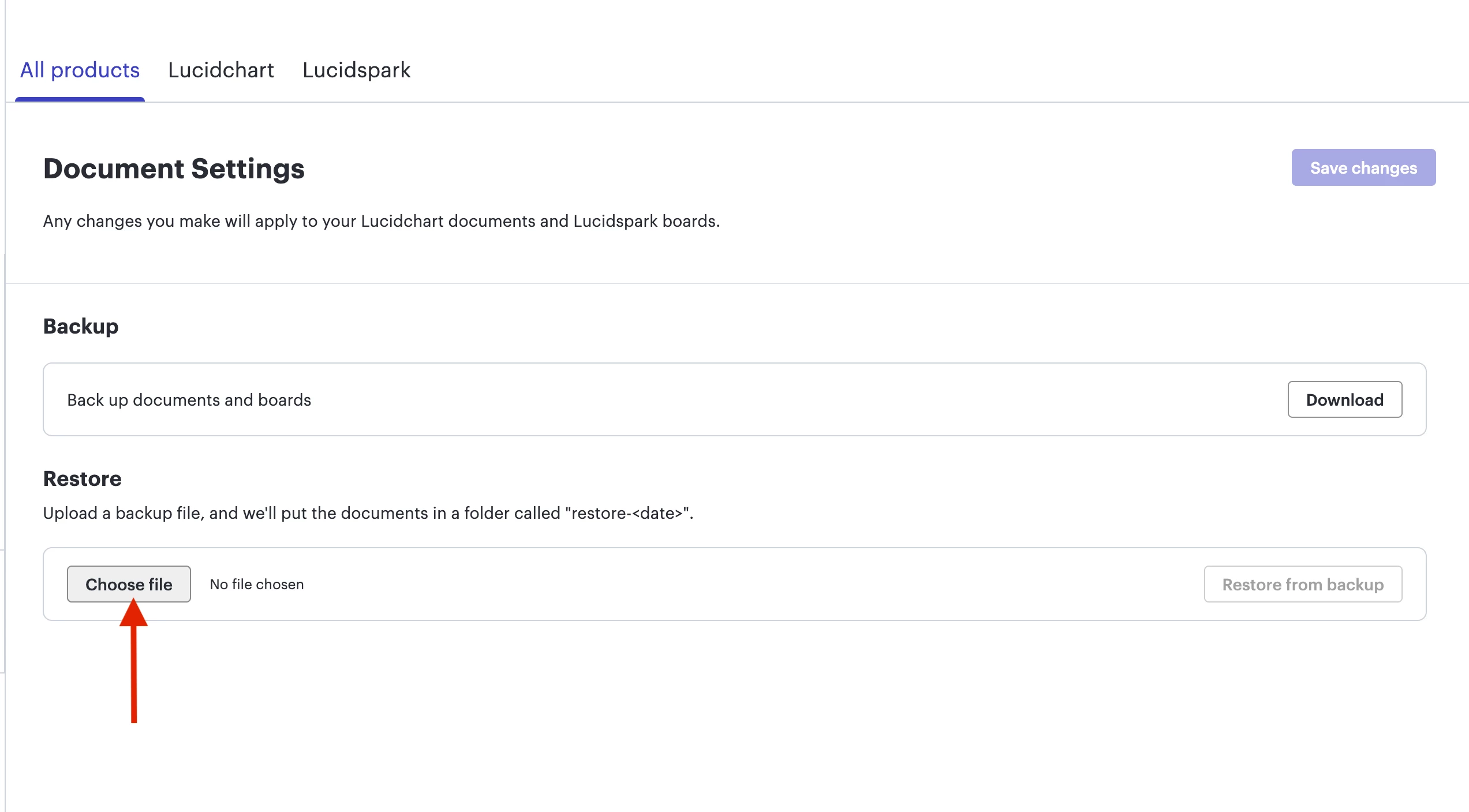
If the file is too large, a notification will appear prompting you to click Download to break the file into multiple smaller files.

After these have been downloaded to your device, you can upload them one by one using the steps in this section.
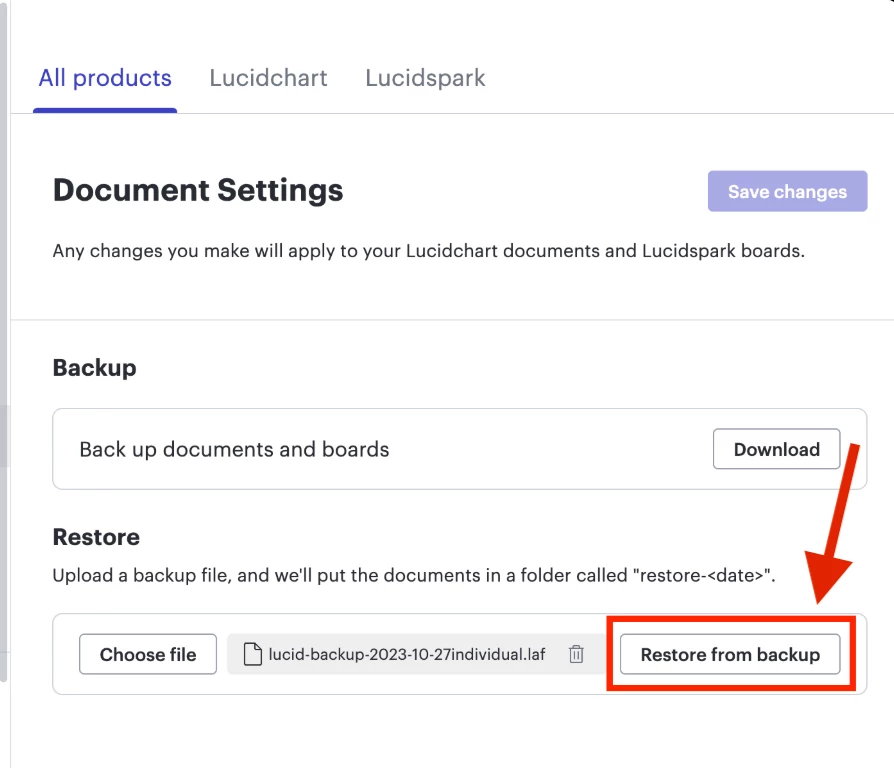
Here are some things to keep in mind:
Please refer to this help center article if you have additional questions!
A Lucid or airfocus account is required to interact with the Community, and your participation is subject to the Supplemental Lucid Community Terms. You may not participate in the Community if you are under 18. You will be redirected to the Lucid or airfocus app to log in.
A Lucid or airfocus account is required to interact with the Community, and your participation is subject to the Supplemental Lucid Community Terms. You may not participate in the Community if you are under 18. You will be redirected to the Lucid or airfocus app to log in.
Enter your E-mail address. We'll send you an e-mail with instructions to reset your password.
 Your privacy choices


