Jay A101
September 8, 2020
Solved

Resize Lucidchart shapes without moving other shapes

  • September 8, 2020
  • 14 replies
  • 1368 views

Hello. I have a PROCESS shape extended to a long rectangle. I have a bunch of other shapes connected to it. I would like to extend the rectangle to the right without all of the existing connections shifting.
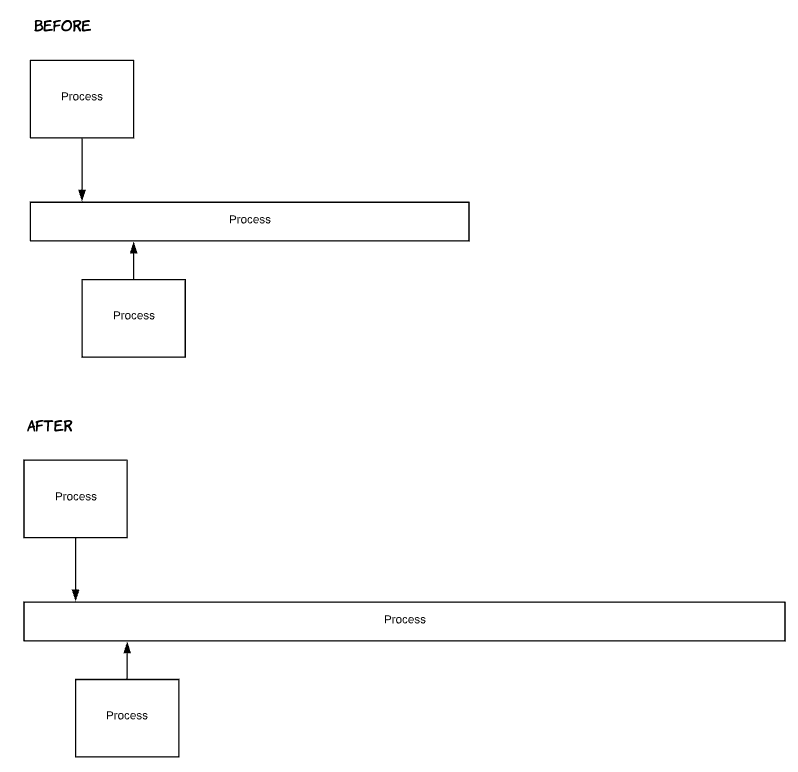
Is there a way that I can drag the right border without dragging the arrows with it?


Thank you


Best answer by ECC

Feature request added


Comments

February 5, 2025

I really wish this was a feature. The Line Connections workaround is not desirable. 
My team and I spend so much time resizing shapes and readjusting connections. Very frustrating and lost time resulting in abandoned detail thus reduced chart accuracy. 

Still love this product. Thanks!!

ECCAnswer
February 5, 2025

Feature request added


Micah
Lucid community team
February 5, 2025

Hi ​@ECC - my sincere apologies for the frustration this has caused. I certainly understand how this would be an improvement to your workflow, especially when it’s difficult to anticipate the final state or size of a diagram. Thank you for submitting such a well-articulated feature request!

April 21, 2026

One thing you can do is select the shape then Cut (Ctrl + X) and Paste (Ctrl + V). You can then resize it, but you do lose the connections to the shape