I have ADO-linked parent cards in a timeline. After discussing with stakeholders, we agreed that we want to communicate completion status through a status code and not through effort or the completion of child work items. I want to turn the progress bars off on my timelines. But I cannot find a way to do that through the Azure DevOps settings panel. It is a radio button to choose either child effort or number of work items, but there is no option for “none”. How can I turn them off?

Remove progress bar from parent cards
Best answer by Leianne C
Hi
To locate this, please select a card and click the pencil icon to edit details.
- Select a parent card on the board.
- Click the Edit details icon from the context menu that appears.

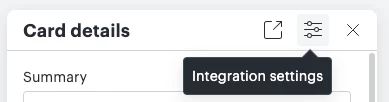
- Select the Integration settings icon from the top-right corner of the panel that appears.

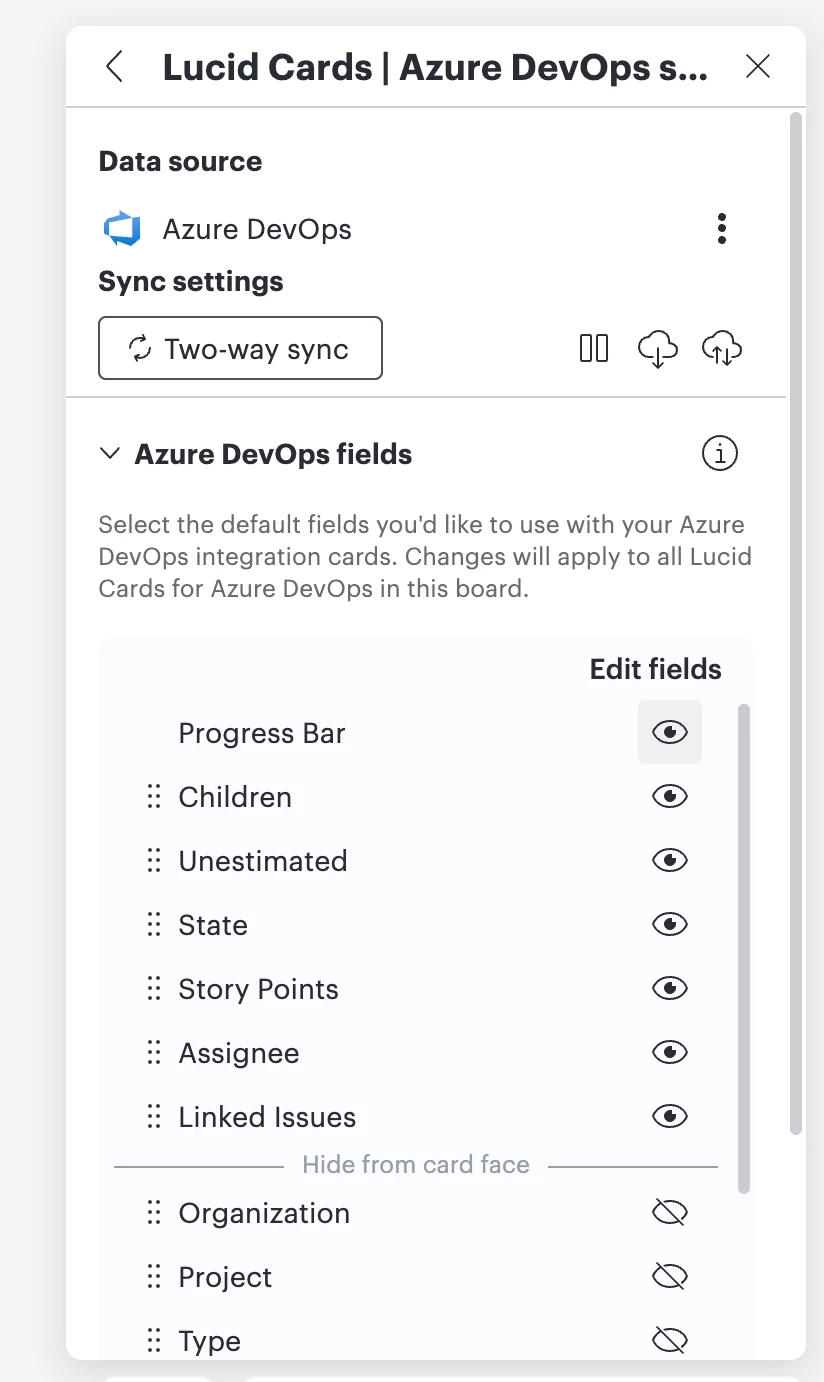
- From there, you should be able to select ‘Azure DevOps fields’ (not Parent Cards) and hide the ‘Progress Bar’ option:

Could you please give this a try and let me know if you have any trouble with this? Feel free to let me know if you have any questions!
Create an account in the community
A Lucid or airfocus account is required to interact with the Community, and your participation is subject to the Supplemental Lucid Community Terms. You may not participate in the Community if you are under 18. You will be redirected to the Lucid or airfocus app to log in.
Log in to the community
A Lucid or airfocus account is required to interact with the Community, and your participation is subject to the Supplemental Lucid Community Terms. You may not participate in the Community if you are under 18. You will be redirected to the Lucid or airfocus app to log in.
Log in with Lucid Log in with airfocus
Enter your E-mail address. We'll send you an e-mail with instructions to reset your password.