Question

Org Chart in Lucidchart reflecting Drop down/Picklist

  • January 28, 2026
  • 1 reply
  • 10 views

Forum|alt.badge.img

I’m trying to have my org chart visually show relationship status with colors, without manually changing colors. 

For instance: 
Column in Sheets: “Known Relationship” 

Picklist of “Yes” or “No” 

If “Yes,” I want to reflect Green in Lucid Charts, If “No,” reflect read 


I looked into this, and is there are “If / Then” statements, but the examples it gave weren’t relevant and I don’t think transferrable to this use case. Thanks. 

Comments

alison cheney
Forum|alt.badge.img+4
  • Lucid community team
  • January 31, 2026

Hi ​@orgcharter012,

Thanks for posting in the Lucid community!


Here are a few steps to visually show the relationship status with colors, without having to manually change them in Lucidchart. 


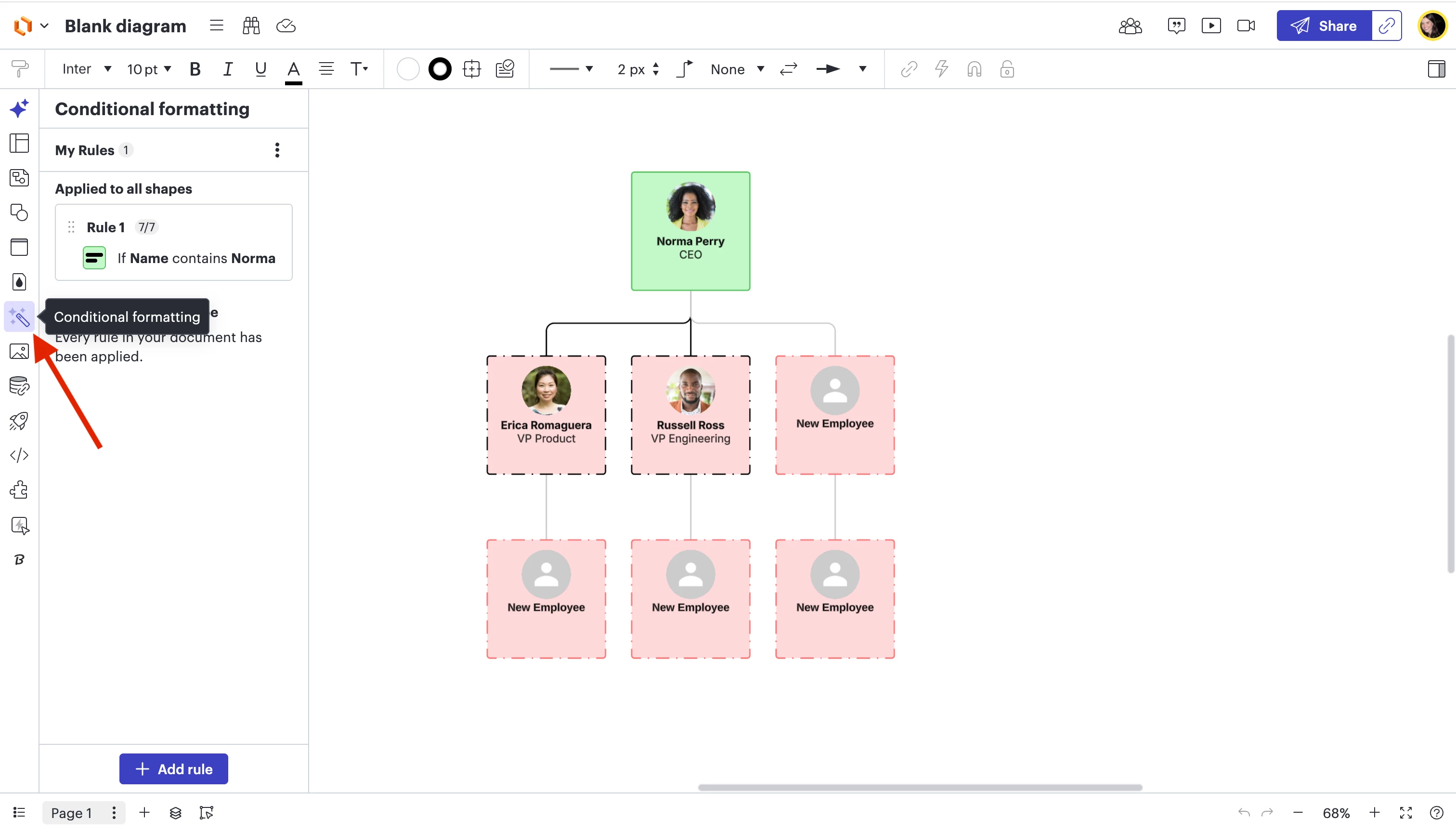
Step 1: Click the wand icon on the left toolbar and select + Add Rule. (see screenshot below)


Step 2: In the "If" dropdown, select Shape Data. Then, a second dropdown will appear where you can specifically pick your "Known Relationship" column.

Step 3: Select “Contains” then select “Yes” or “No”. 

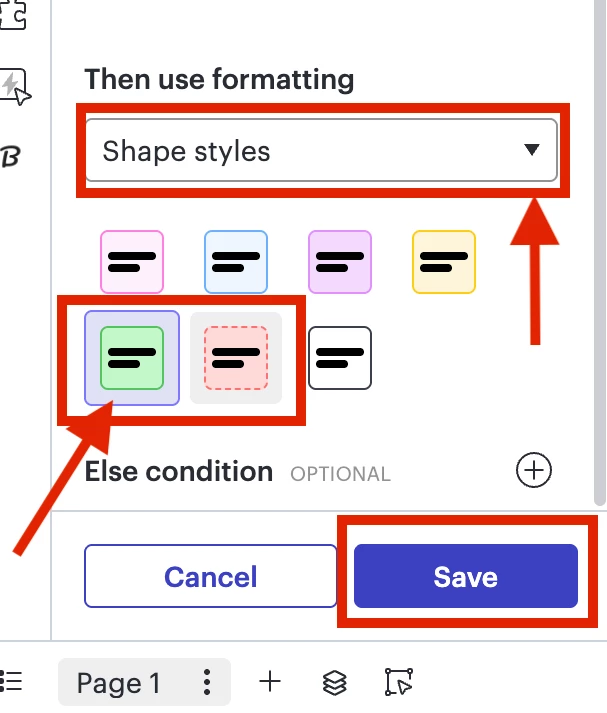
Step 4: Under the "Then use formatting" section, select “Shape Styles” and pick the green or red fill color and hit “Save”. (see screenshot below)


Please refer to this help center article on conditional formatting in Lucidchart and this article on Org chart customization if you have any more questions!