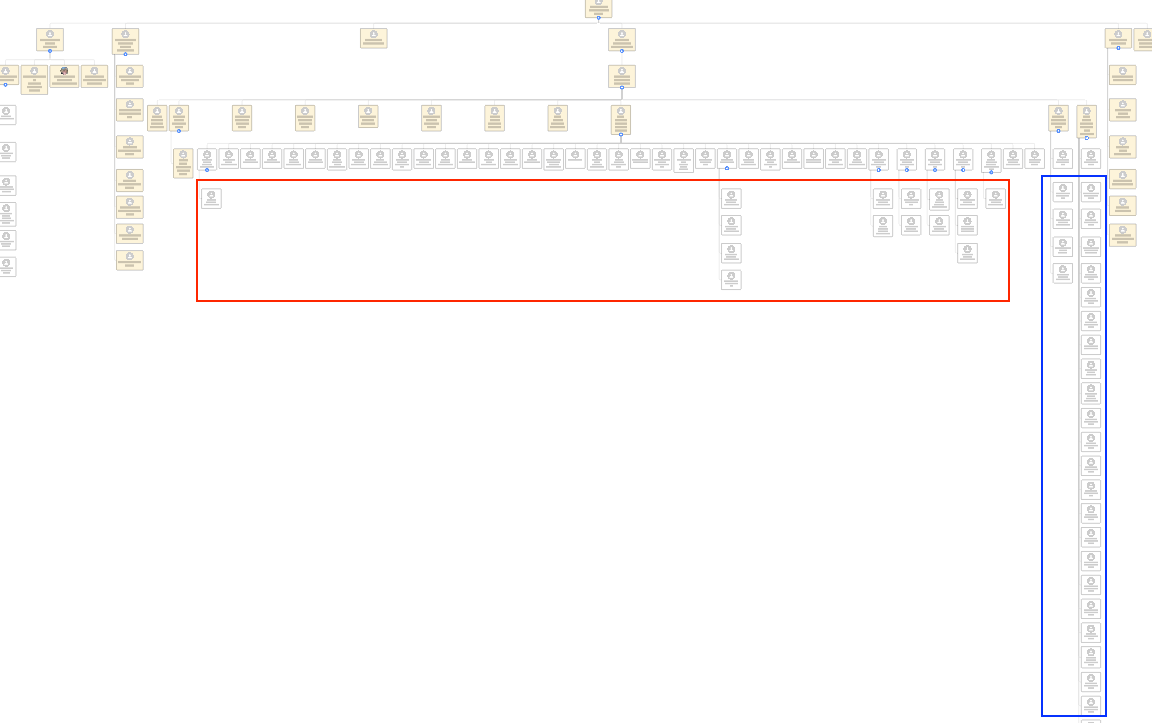
I have an org chart in a Google Sheets that captures the org levels… however one manager shows the layout not in the format chosen (vertical); the layout for this manager maps out horizontally.
Any suggestions for this to:
Force config according to the Layout Style chosen
Ensure any refresh doesn’t revert back to this format, which would be a real headache
Hi @mohara viiz, thank you for sharing the screenshot - this is exactly what I needed!
Using your screenshot as an example, I can see that the employees circled in red are the direct reports of those who report to the manager in question. However, the employees circled in blue do not have direct reports.
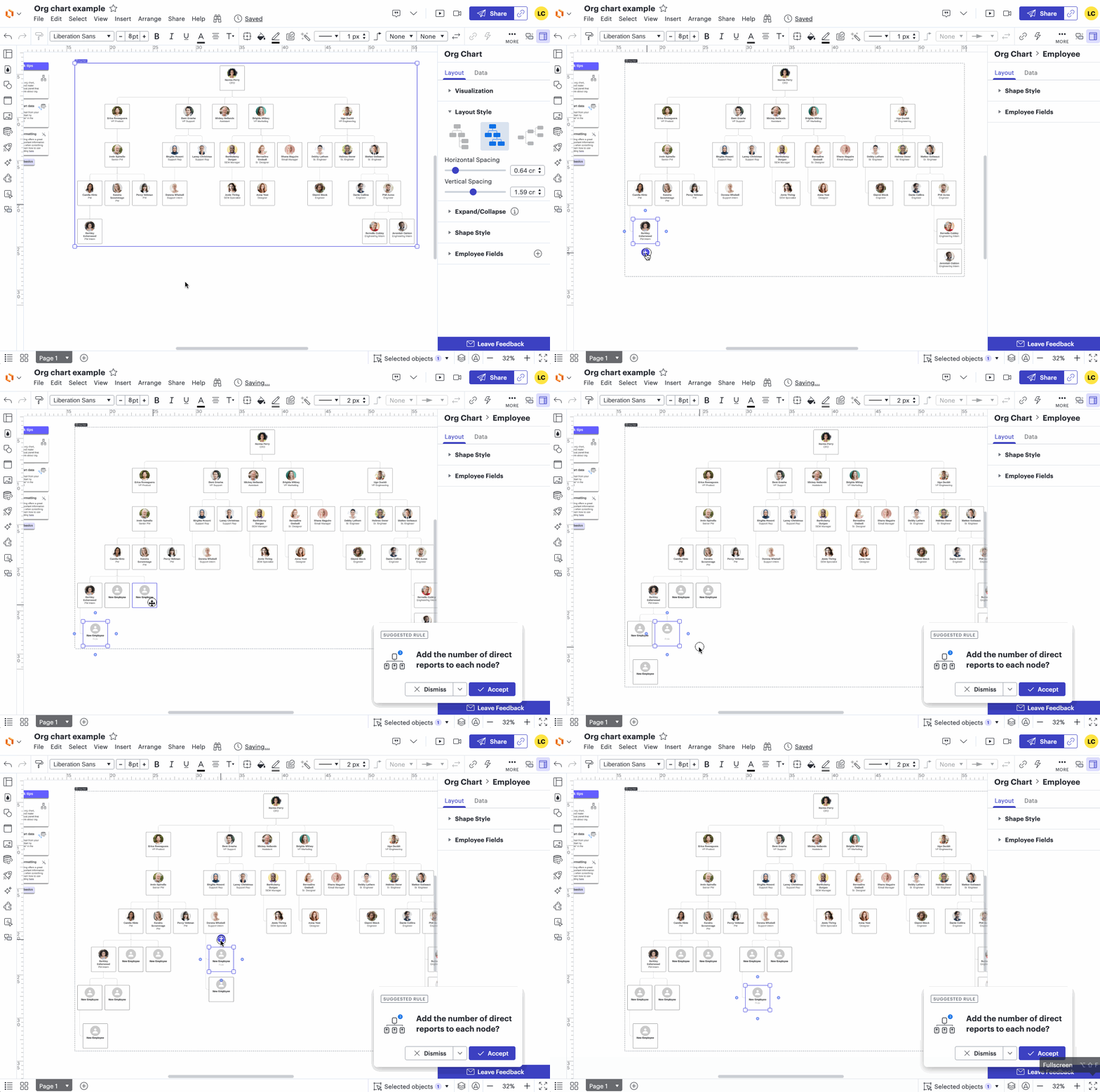
Unfortunately, this is expected behavior for the vertical layout style. Only employees at the lowest level will be shown in a vertical style. I’ve attached a GIF demonstrating this behaviour:
That said, we’re very interested in your feedback and committed to continually improving our products. If possible, could you please upvote the following idea post and share any additional details about your use case or what you’d like to see in this experience there? This will help to refine feedback and properly capture the popularity of the request. Thank you!
Finally, for more information on how Lucid manages feedback via this community, take a look at this post:
We appreciate your willingness to provide your requests and feedback in the Lucid Community!
I think it would be nice if we could define the vertical layout style and specify a parameter to determine the number of collaborators at which the layout should switch from horizontal to vertical.
Thanks for your post! With the vertical layout style, your org chart will display the bottommost level vertically, while all levels above it will be arranged horizontally.
Please let me know if you have any additional questions!
A Lucid or airfocus account is required to interact with the Community, and your participation is subject to the
Supplemental Lucid Community Terms.
You may not participate in the Community if you are under 18. You will be redirected to the Lucid or airfocus app to log in.
A Lucid or airfocus account is required to interact with the Community, and your participation is subject to the
Supplemental Lucid Community Terms.
You may not participate in the Community if you are under 18. You will be redirected to the Lucid or airfocus app to log in.


 Your privacy choices


