Question

Order of entries in dynamic table synced with Jira

  • February 9, 2026
  • 1 reply
  • 13 views

Forum|alt.badge.img

Hello community,

we are successfully syncing a dynamic table in Lucidspark with Jira by using a JQL query. Unfortunately an “ORDER BY” clause in the query does not have any effect on the visualization in the table. Of course we can rearragnge items in the table manually but then we would not be fully in sync with Jira anymore. Is there any way how we can

  • enable that items in a dynamic table are actually orderd like in the result of the JQL query or
  • order rows in a dynamic table by one of the field of the underlying jira issues?

Our Usecase is something like a representation of an ordered/prioritzed backlog.

Comments

alison cheney
Forum|alt.badge.img+4
  • Lucid community team
  • February 10, 2026

Hi ​@Simson,

Thank you for posting in the Lucid Community!

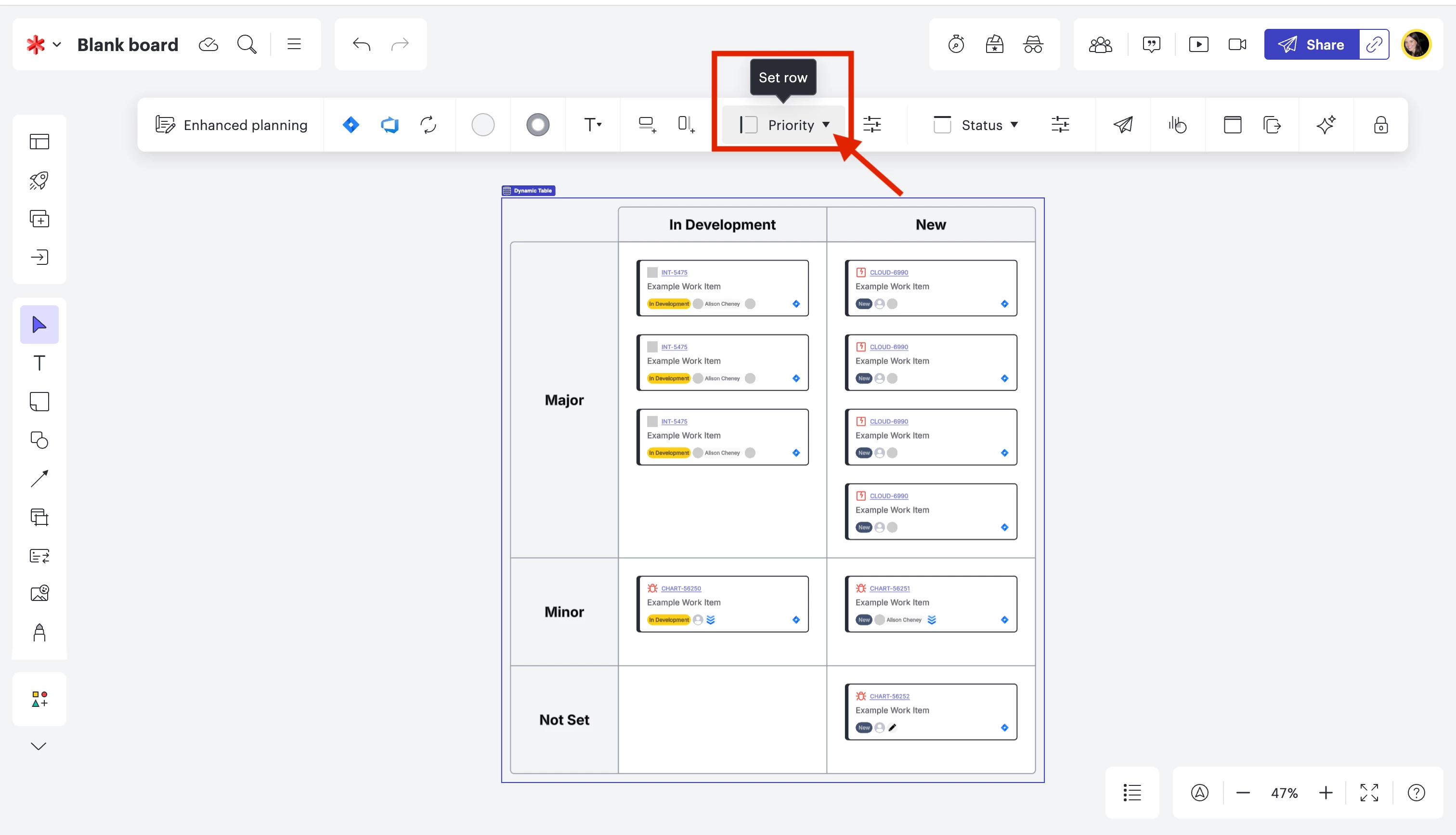
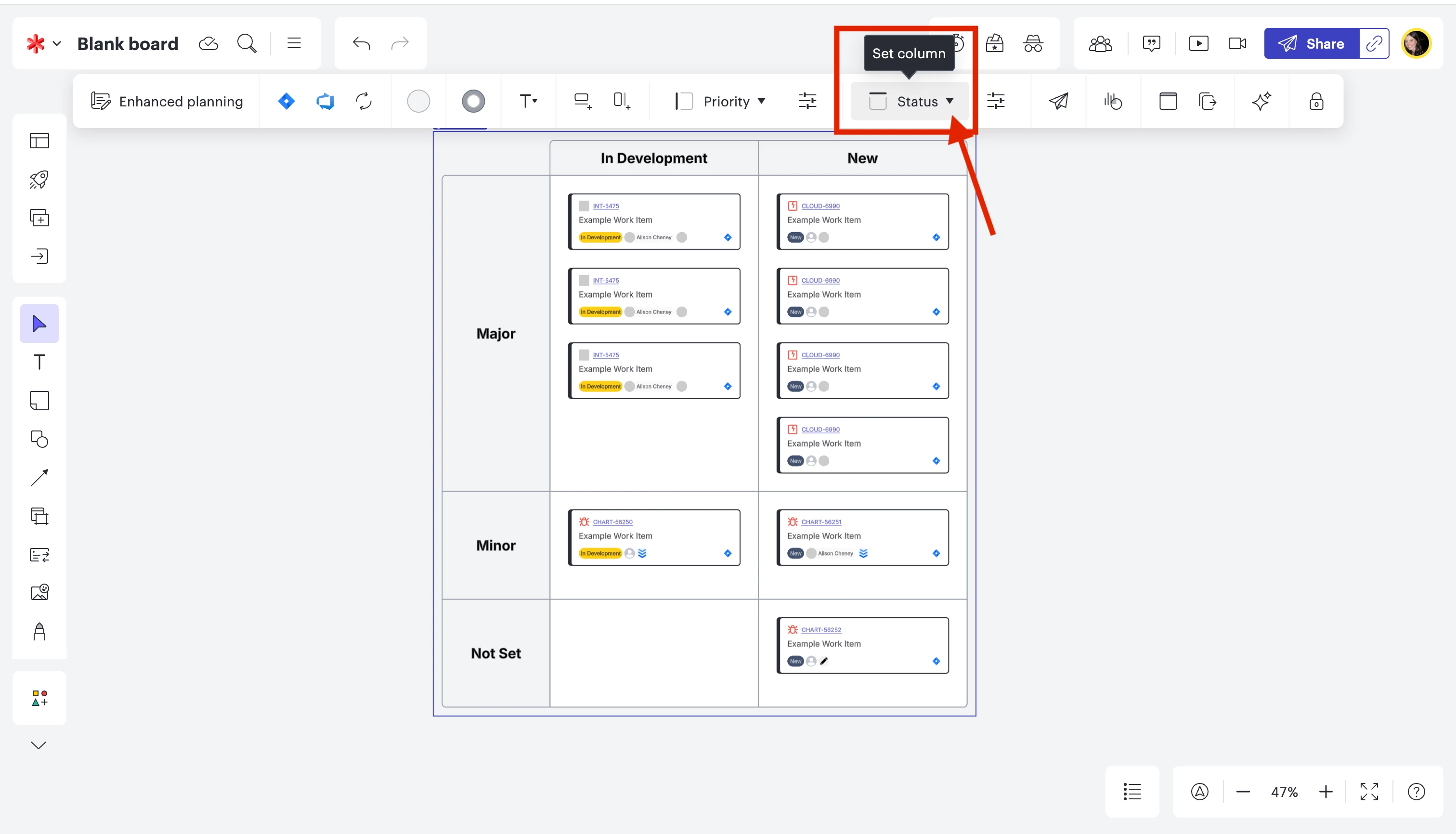
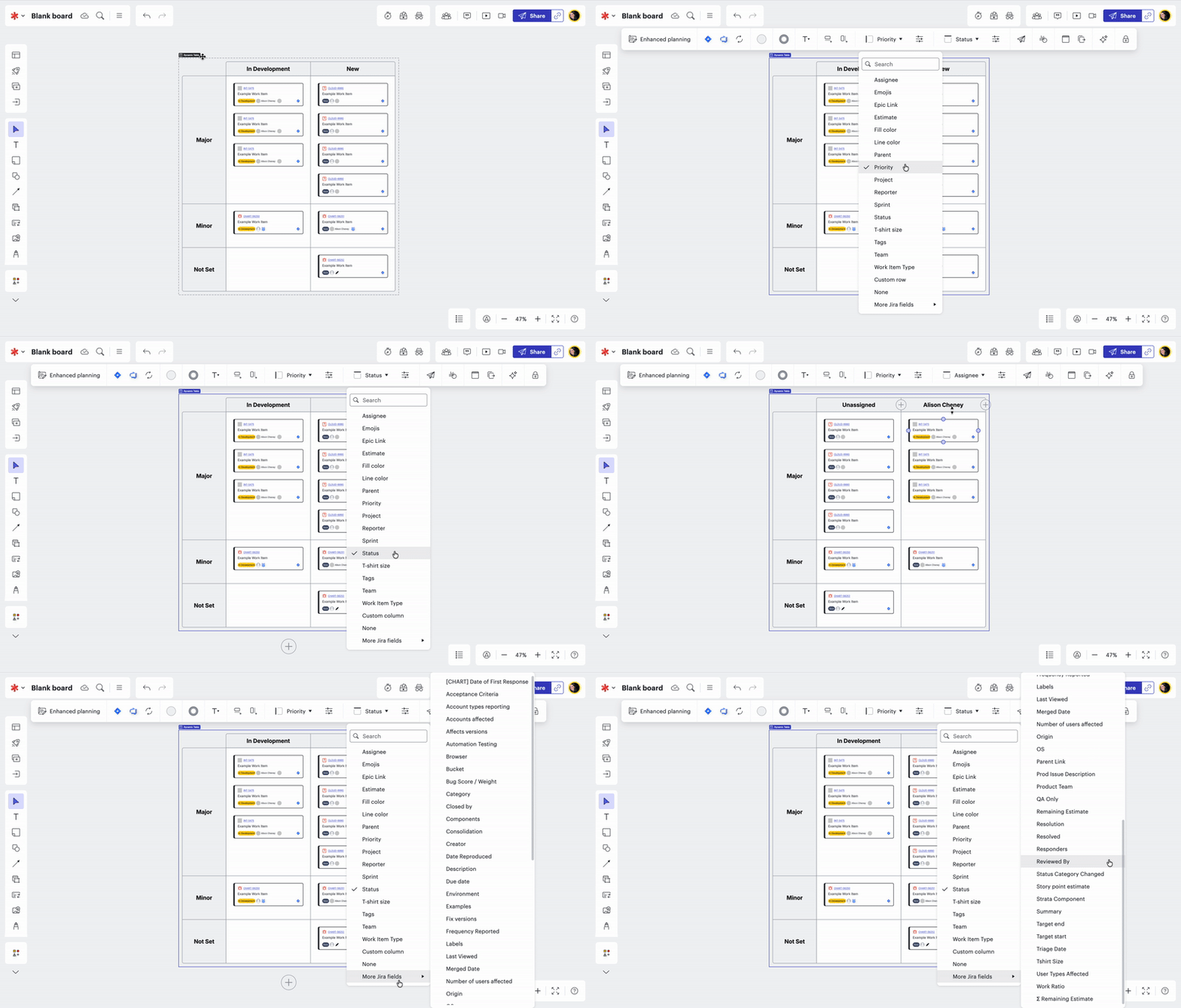
The most efficient way to organize your dynamic table by using Jira fields is to Set your rows and columns. (see screenshots below)

Click “Set row” and pick the specific Jira field you want shown in the rows on your dynamic table. Once you Set the row to this specific field, it will automatically adjust the table based off the fields in your Jira cards.​​​


Click “Set column” and pick the specific Jira field you want shown in the columns on your dynamic table. Once you Set the column to this specific field, it will automatically adjust the table based off the fields in your Jira cards.


Please view this Gif below for a brief tutorial. 

*Note: When you select “Set column” you can hover over “More Jira fields” to view more fields.

This help center article is very helpful when formatting your Dynamic table. Please let me know if you have any additional questions!