February 2, 2024
Solved

Numbering pages

  • February 2, 2024
  • 11 replies
  • 375 views

We are using lucid to create a large document.  It was so large, that I had to build it in different sections.  now when I export to a pdf and want to put it all together, I am having difficulty with the page numbers.  I know that you can enter page numbers in the master document for each section, but what if I want the numbering to start at something other than “1”.  How do I do that?

Best answer by Addie

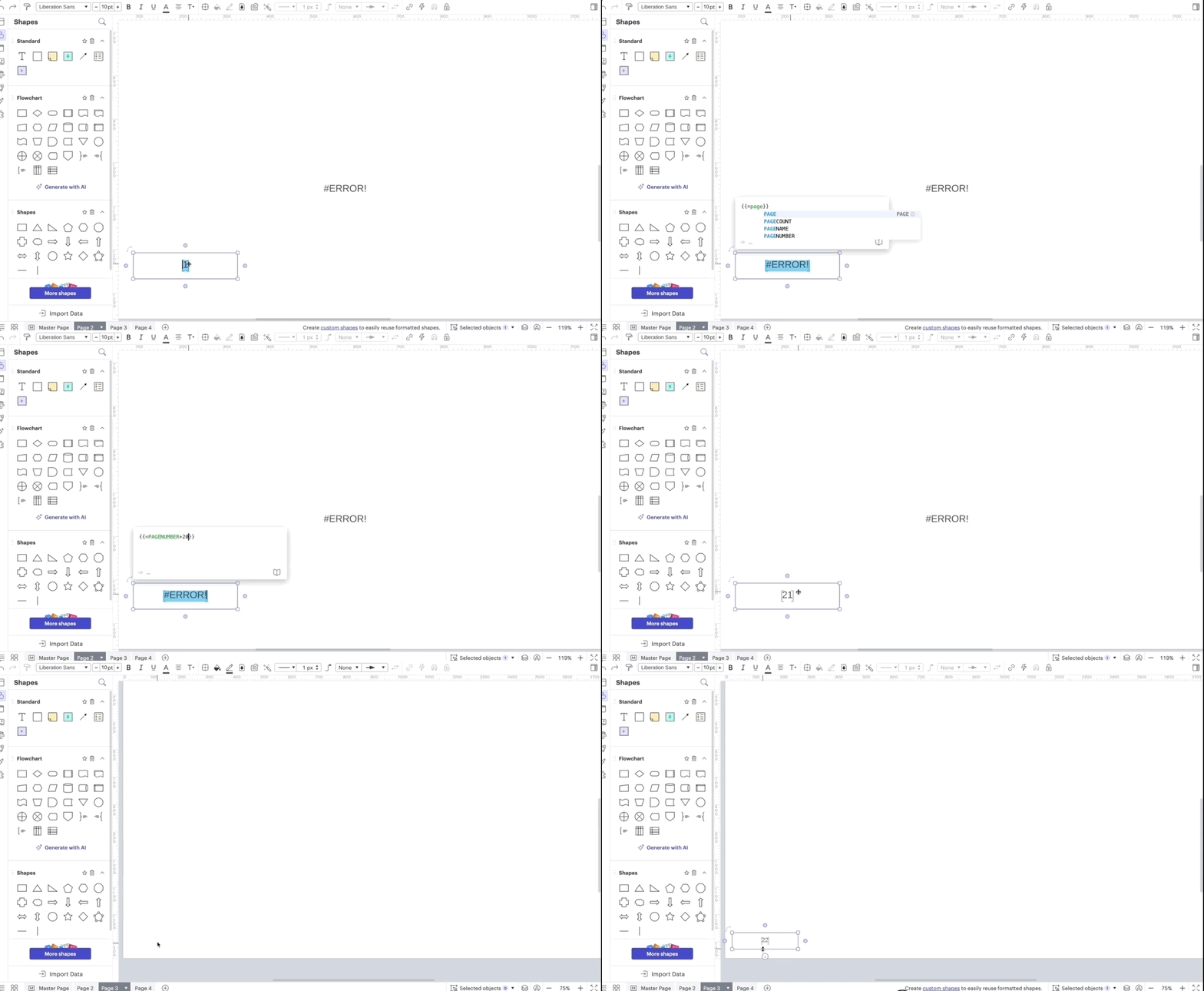
Hi @zimmek1, thanks for the reply and apologies for the confusion! It looks like this formula doesn’t work on a master page. We’ve passed on this feedback for our product team to take a look.

For now, a workaround you can try is writing the original formula, and then copying and pasting the text onto each page, and based on the page, it will automatically calculate each page number.

Apologies for the trouble! Thanks for your help and patience. 

Comments

Addie
AddieAnswer
March 12, 2024

Hi @zimmek1, thanks for the reply and apologies for the confusion! It looks like this formula doesn’t work on a master page. We’ve passed on this feedback for our product team to take a look.

For now, a workaround you can try is writing the original formula, and then copying and pasting the text onto each page, and based on the page, it will automatically calculate each page number.

Apologies for the trouble! Thanks for your help and patience. 

Addie