
Solved

No search results appearing with simple keywords in Lucid docs list

  • November 18, 2025
  • 8 replies
  • 46 views

Forum|alt.badge.img+1

For a couple of weeks now, I experience a sharp drop in the quality of the search results when I use the search bar on the documents page. The search became basically useless.


To make a very simple example, when i search for “blank diagram”, there should be a couple of hundreds Lucid documents listed, as a result of, you know, colleagues (and me) creating documents and forgetting to name them.

Let’s have a look into my folder “My documents”, documents sorted in alphabetical order, section B:
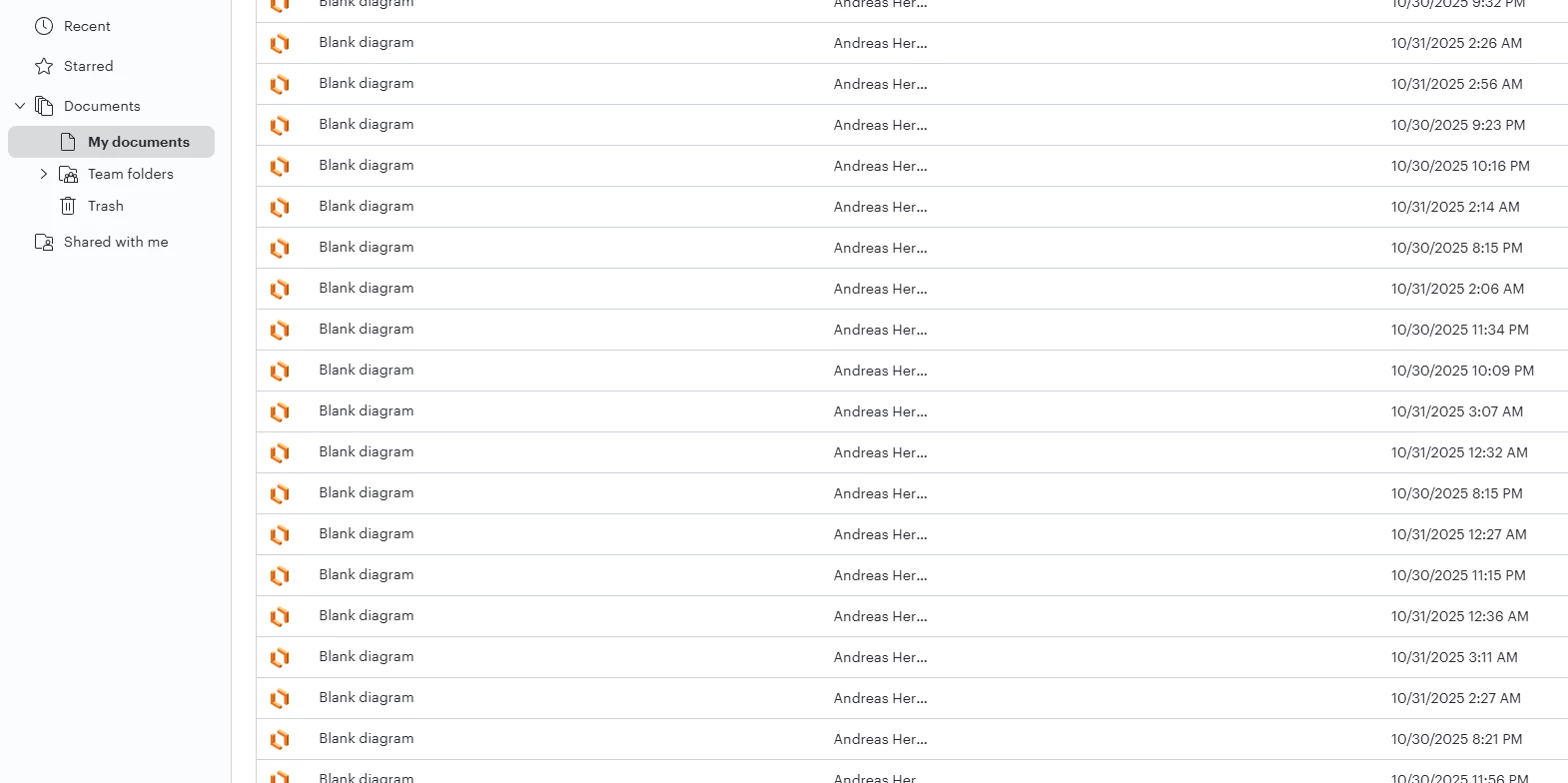
 

However, the result is this:
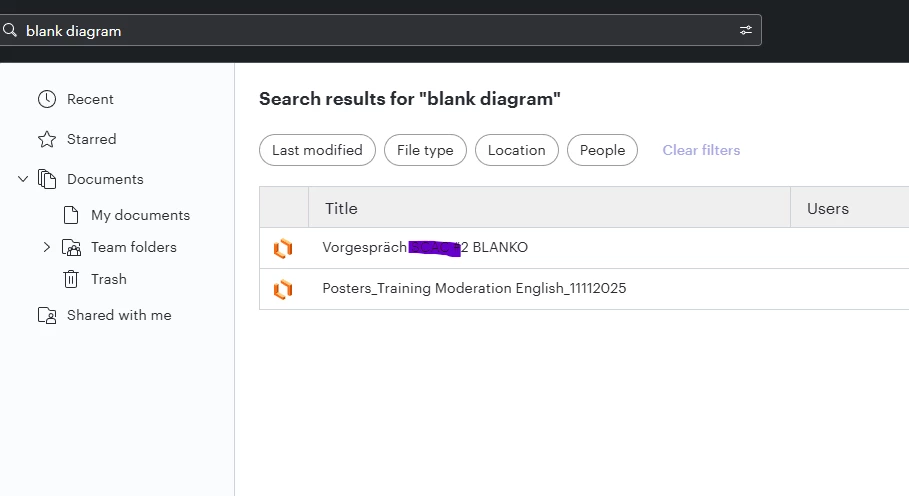


My colleagues have the same problem. I was wondering if anybody else was experiencing that kind of issue.


 

Best answer by Zuzia S

@AndreasH I have good news! Our development team has let me know that the issue should now be resolved. I’m sorry for any inconvenience this may have caused. If you’re still seeing the issue or have any other questions, feel free to reach out. I’m happy to help!

Comments

Humas1985
Lucid Legend Level 10
Forum|alt.badge.img+24
  • Lucid Legend Level 10
  • November 19, 2025

Hi ​@AndreasH 

You’re correct that search on the documents page is currently returning far fewer results than expected for simple keywords like blank diagram. This appears to be a limitation in how results are surfaced rather than an issue with your setup.

For now, the best workaround is to navigate via folders, filters, or the Recent Documents view when you know roughly where a file lives. This behavior has been reported to the team

To learn more - Advanced search results have a bug | Community

Hope this helps - Happy to help further!!
Thank you very much and have a great one!
Warm regards


Zuzia S
Forum|alt.badge.img+8
  • Lucid community team
  • November 21, 2025

Hi ​@AndreasH thanks for posting in the Community and thank you ​@Humas1985 for chiming in!

@AndreasH I was not able to reproduce the issue on my end. Could you share a Technical Support PIN for your account? This will help me take a closer look at what’s going on. This PIN is safe to post in this thread because it is only accessible by members of the Lucid support staff. You can find steps for generating a Support PIN in this  Help Center article .

Cheers!


Forum|alt.badge.img+1
  • Author
  • November 21, 2025

Hi ​@Zuzia S , thank you for looking into the problem.

Perhaps it has something to do with the migration of our documents to a server in Europe? It feels like the issues exist since then, but I am not sure. 

Anyway, the technical support pin:

iup2Ot705wrvyoCyMsOfJgcyN4V18JVLEy146970524


Thank you for looking into it!


Zuzia S
Forum|alt.badge.img+8
  • Lucid community team
  • November 24, 2025

@AndreasH thanks so much for following up with this information!

I was able to reproduce the issue you are experiencing and reported it to our developer team. I will get back to you in this thread as soon as we have further insights. 

I appreciate your continued collaboration!


Forum|alt.badge.img+1
  • Author
  • November 24, 2025

thank you ​@Zuzia S , I appreciate the effort and I am looking forward to hear from you :)


Zuzia S
Forum|alt.badge.img+8
  • Lucid community team
  • Answer
  • November 25, 2025

@AndreasH I have good news! Our development team has let me know that the issue should now be resolved. I’m sorry for any inconvenience this may have caused. If you’re still seeing the issue or have any other questions, feel free to reach out. I’m happy to help!


Forum|alt.badge.img+1
  • Author
  • November 26, 2025

@Zuzia S  Thank you, that helped indeed! No more desperate rummaging through folders and folders 😄

And thanks to the development team as well :)


Zuzia S
Forum|alt.badge.img+8
  • Lucid community team
  • November 26, 2025

@AndreasH I am happy to hear! 

Please do not hesitate to post in the Community if anything else comes up. We love hearing form everyone!



