

NEW! Build Intelligent Org Charts with Lucid MCP
We are thrilled to announce an update to the Lucid MCP (Model Context Protocol) Server. You can now generate professional, intelligent org charts instantly, right from your preferred AI client.
The Lucid MCP Server now supports creating intelligent org chart diagrams in Lucid. This means your charts aren't just boxes and lines, they are structured visualizations that are easy to manage.
You can now generate org charts in two ways with your connected LLM:
- Text Prompts: Simply describe your hierarchy (e.g., "Create an org chart where Sarah manages the Engineering and Product leads") and the MCP will work your LLM to create a diagram of your organization.
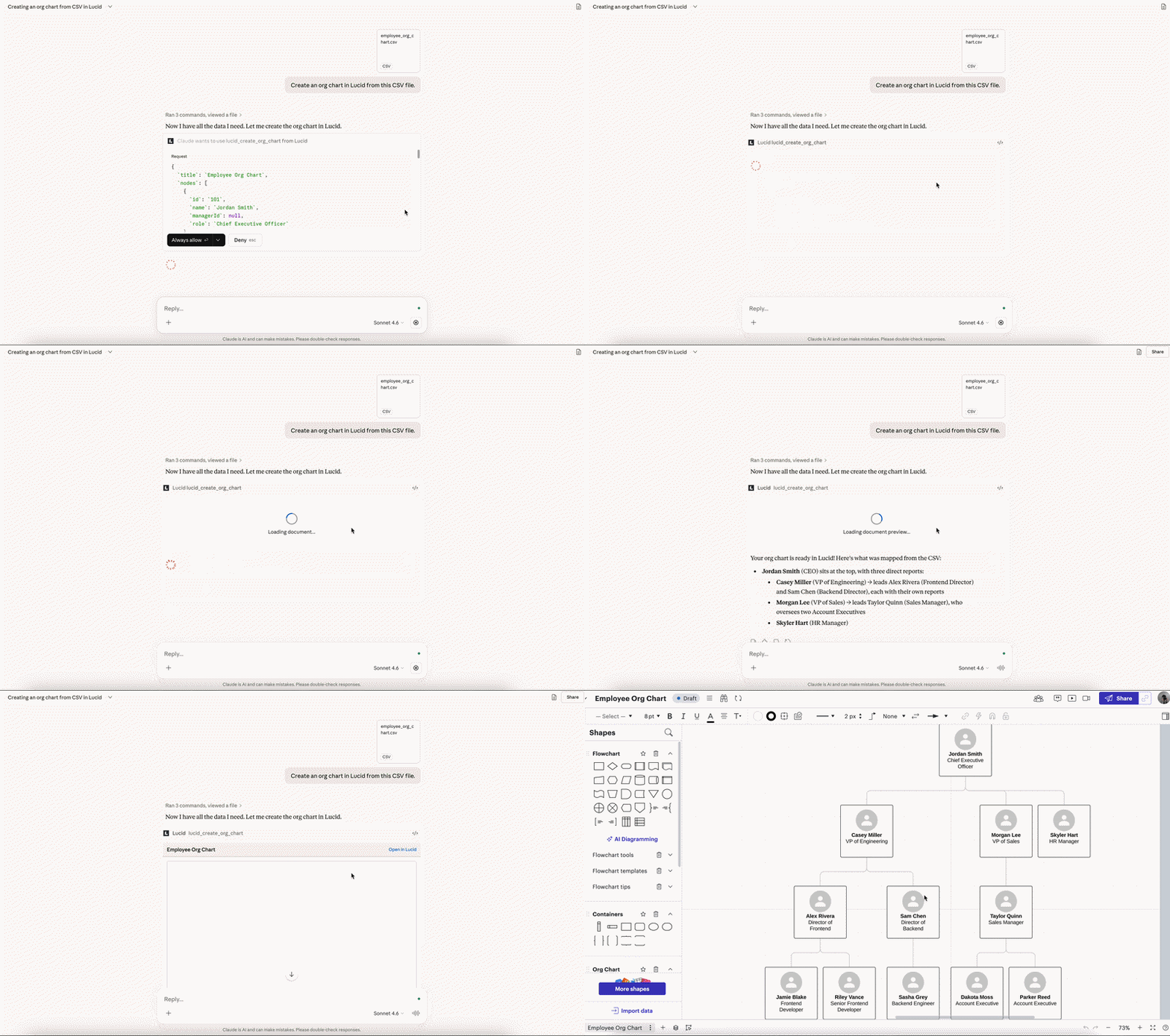
- CSV Uploads: Upload a CSV file with your employee data to your LLM, and the MCP will render a visual hierarchy for you in Lucid.
By adding this feature to your AI workflow, you no longer have to jump between different apps to visualize your team structure. This feature removes bottlenecks, letting you focus on the big picture.
What is the Lucid MCP Server?
The Lucid Model Context Protocol (MCP) server acts as a digital bridge, connecting your Lucid account to any AI tool with an available MCP client, such as ChatGPT, Claude, and Microsoft Copilot. With the Lucid MCP server enabled, you can use natural language to locate documents, generate new diagrams, and share documentation with your team, enhancing your AI-driven workflow.
For more information, check out this Help Center article.
Additional Resources
 Your privacy choices


