Hey @jono sinclair, I’m Brendan, a UX Designer at Lucid. I can appreciate that these changes will take some getting used to. We are in the process of unifying interactions between our two products (Lucidspark and Lucidchart) and these line creation updates are part of that. I read through your posts. The solution provided to use master pages is one option, but I also thought of a couple of additional workarounds that might be easier.
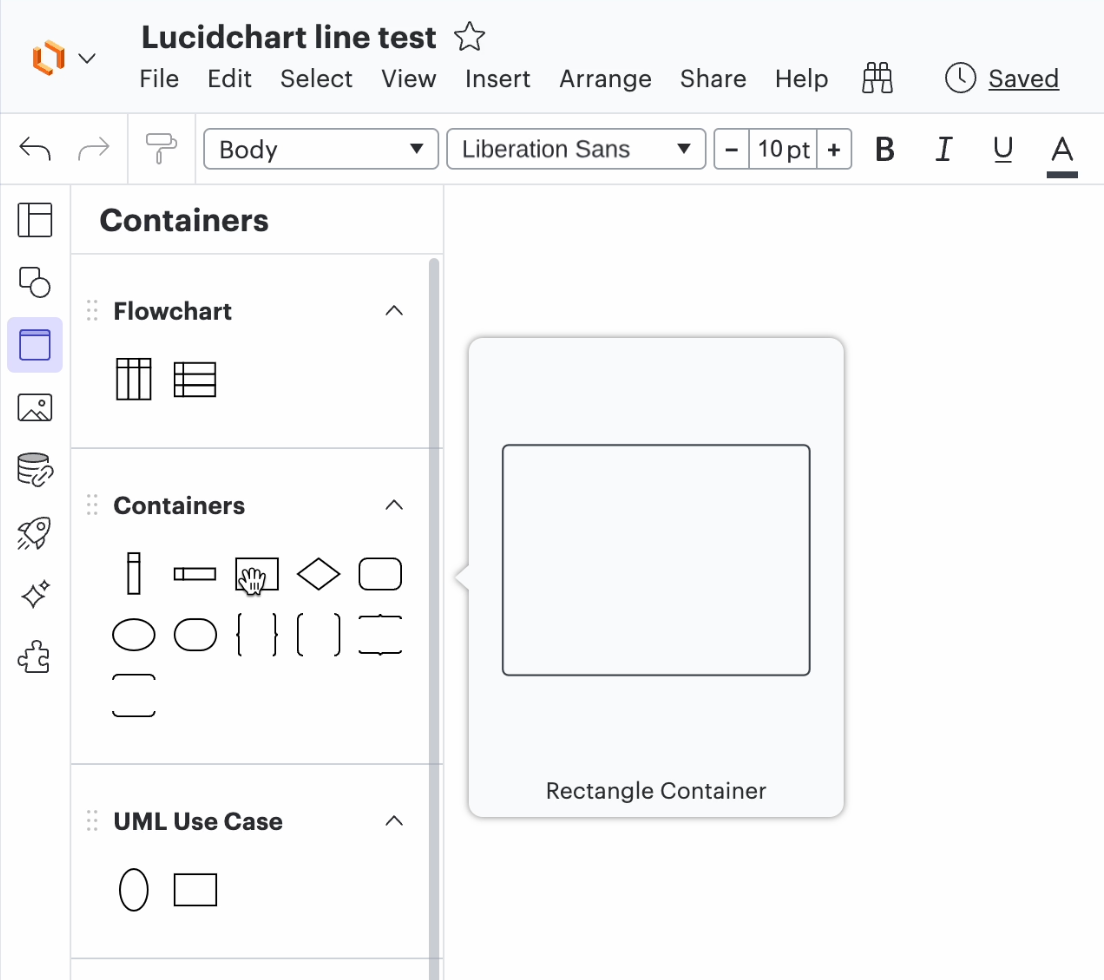
First, you could use a rectangle container instead of a rectangle shape for your page border. Containers are meant to be background elements, so they shouldn’t interfere with your efforts to drag lines out from the edges of shapes the way they are currently on your documents. This is a good option if you want to have multiple boxes on one page.
You can find containers in the container panel on the Lucidchart left toolbar
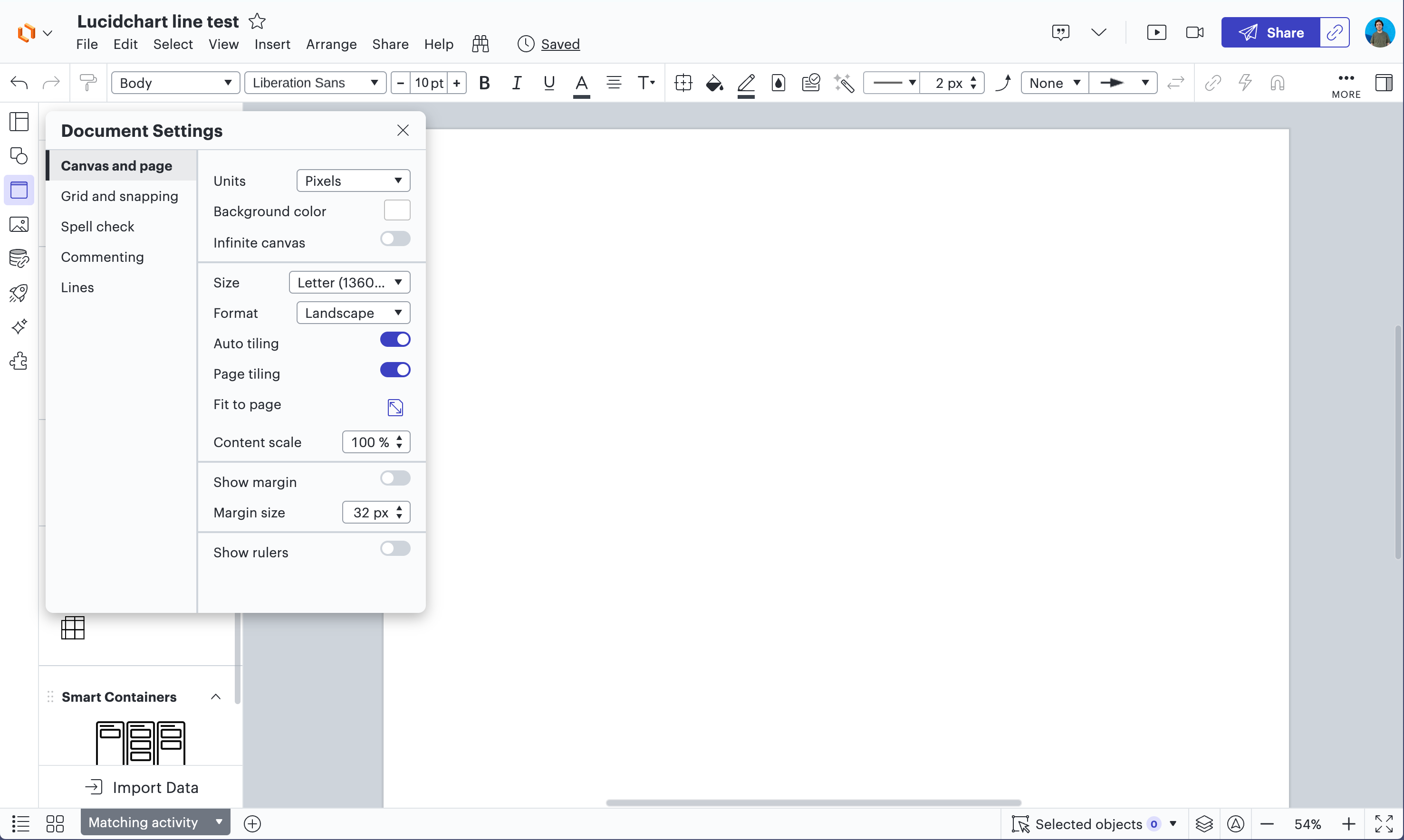
Second, you could try turning off infinite canvas. You can do this in document settings. This is a good option if you only want one box per page and has additional benefits if you need to print or export at a specific size.
You can find document settings under the “File” menu, or by right clicking anywhere on the canvas
I hope this helps. Please let us know if you have any further questions or feedback!
That makes sense as I changed settings troubleshooting the “vanishing” line. This is my first time back using LucidChart after over 10 years, so I’m coming up the learning curve again. Love the software.
A Lucid or airfocus account is required to interact with the Community, and your participation is subject to the
Supplemental Lucid Community Terms.
You may not participate in the Community if you are under 18. You will be redirected to the Lucid or airfocus app to log in.
A Lucid or airfocus account is required to interact with the Community, and your participation is subject to the
Supplemental Lucid Community Terms.
You may not participate in the Community if you are under 18. You will be redirected to the Lucid or airfocus app to log in.


 Your privacy choices


