Solved

Mermaid generate diagram can't be imported to Google doc

  • November 18, 2024
  • 5 replies
  • 600 views

Forum|alt.badge.img+2

Hey there,

It’s super cool to see that Lucid is going to support Mermaid. However it seems not working well with google doc. I used to use UML generated diagram, it can be import to google doc via Lucid add-on. It’s very convenience when I make a change in the diagram. I just need to click update image in the google lucid add-on. I hope you are aware of this issue of Mermaid and can fix it ASAP.

Thanks 

Best answer by Amelia W

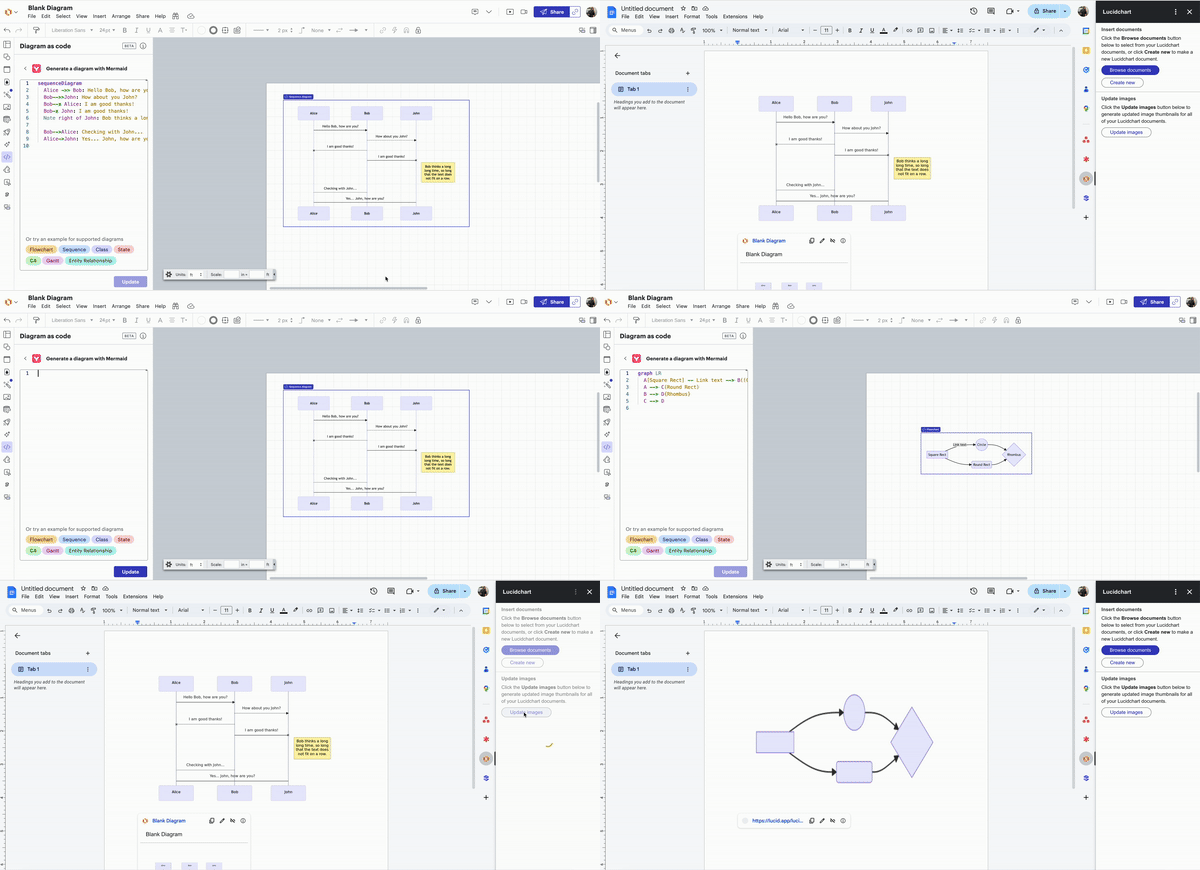
HI ​@Yun, thanks for posting in the Lucid Community! Can you please provide some more details about the issue you are experiencing specifically related to Mermaid? You should be able to use the Update images to reflect changes made to your Mermaid digram as with all Lucid documents (see example GIF below). I appreciate your help and patience!


Comments

Amelia W
Forum|alt.badge.img+9
  • Lucid support team
  • Answer
  • November 18, 2024

HI ​@Yun, thanks for posting in the Lucid Community! Can you please provide some more details about the issue you are experiencing specifically related to Mermaid? You should be able to use the Update images to reflect changes made to your Mermaid digram as with all Lucid documents (see example GIF below). I appreciate your help and patience!


Forum|alt.badge.img+2
  • Author
  • November 26, 2024

@Amelia W Oh yeah, it works today. It didn’t work at the time when I post this question here. Now we are good. Thanks for the response.


Amelia W
Forum|alt.badge.img+9
  • Lucid support team
  • December 2, 2024

Hi ​@Yun, I’m glad to hear that! I’m not sure what would’ve caused that issue, so if you see that behavior again, please let me know. 


Forum|alt.badge.img+2
  • Author
  • April 16, 2025

@amaan-igs The lucid google doc plugin not working well with Mermaid. The generated flowchart doesn’t have text in the image when trying to insert to google doc


Ambar D
Forum|alt.badge.img+13
  • Lucid community team
  • June 29, 2026

Jumping in this thread to share that you can now generate editable Lucid shapes from your Mermaid syntax! 🎉 Copy your syntax and paste it into your Lucid document. The result will be native, editable shapes that you can format and move around freely! 

After you’ve created your diagram from Mermaid syntax, you can then add your diagram into Google Docs easily following these instructions.

Shown below you’ll see the diagram that I created in Lucidchart by copy/pasting the Mermaid syntax directly into the canvas. I’ve then edited the colors of the diagram, and added it into Google Docs. 


Learn more about this update here:

 Do you have additional feedback? Let us know what you’d like to see in this post: