Oct 20, 2026 11:31 PM UTC
Solved

Lucidchart to Smartsheet Integration: file is not in the same order

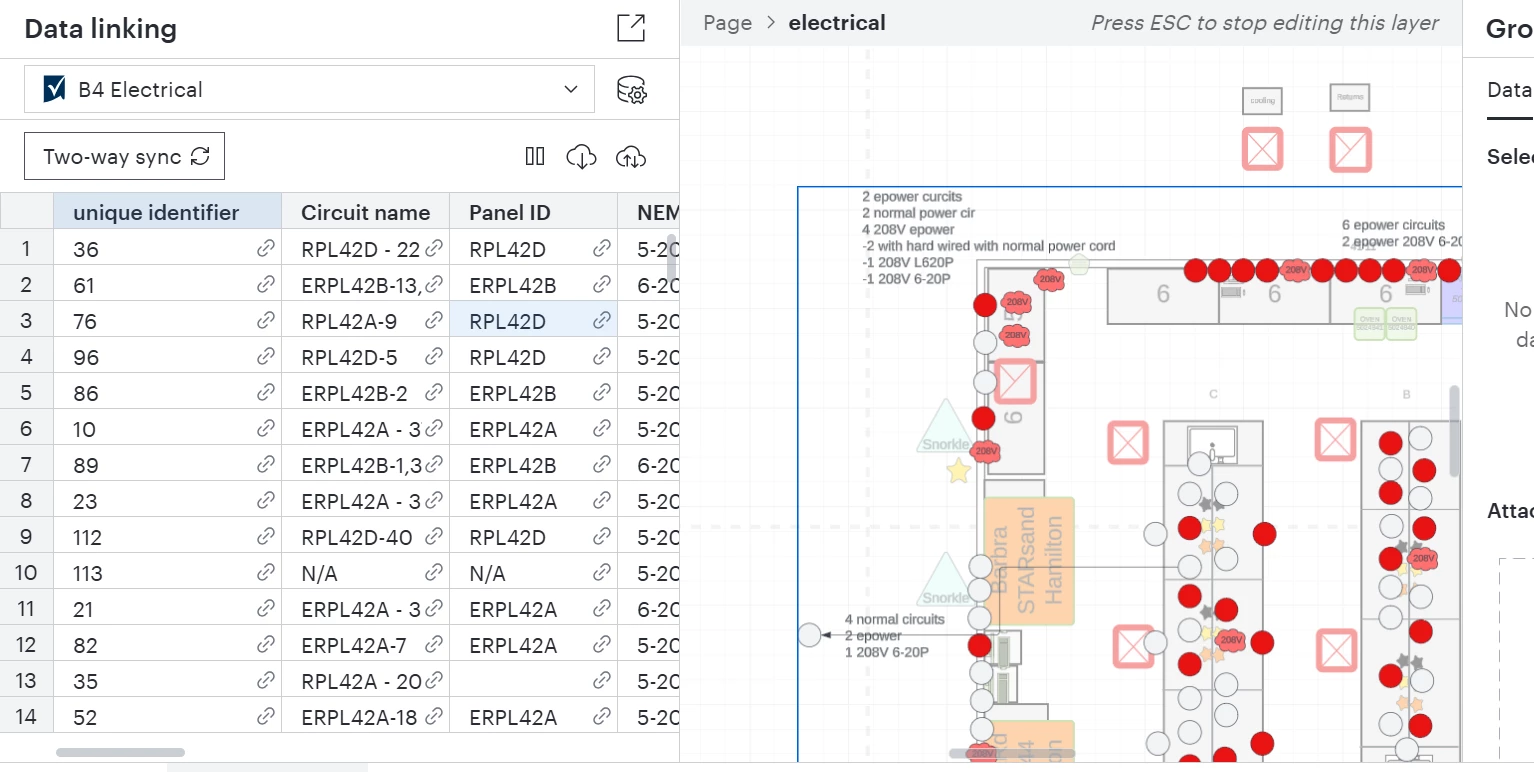
i noticed when using data link feature with Smartsheets and notice when its converted over its out of order and is capped to 100 rows. i created a unique identifier to help me do the linking to the objects but is this a Cap to the feature? or are there work arounds. Thanks! 
 

Sylvia X
Sylvia XAnswer
Lucid support team
Oct 29, 2026 4:18 AM UTC

Hi ​@sshen1, thanks for following up here with that PIN! Just to confirm, when you mention that your dataset is out of order, are you expecting that the unique identifier column be in order? For example, row 1 should be unique identifier 1 and so forth? 

Could you confirm if re-importing your dataset works? When you try the re-import, could you make sure to select the Unique identifier column as your reference key column? 

Please let me know if that doesn’t work!

Comments

Sylvia X
Lucid support team
Oct 22, 2026 12:32 AM UTC

Hi ​@sshen1, thanks for posting in the Lucid Community. I can confirm that there isn’t a limit to the number of rows you can import in this feature.

As a first step, could you please try “refreshing the dataset” to see if that helps? You can follow these steps here to refresh your dataset. 

If the issue persists, would you mind sharing the following information so we can help take a closer look?

  • Can you please send a temporary Support PIN for this document? This will allow me to take a closer look at the issue you’re experiencing. For more information on generating a Support PIN, check out this Help Center article.
  • Could you confirm what the reference key column is for your dataset?

This information will allow us to investigate further. If you have any questions, please feel free to comment below! 


Translate
sshen1Author
Oct 26, 2026 6:30 PM UTC

thanks for you help Sylvia, pin for the sheet i am working on. sheet “scaled layout” which is 3rd from the left


duT24ej4z3vQ60mv4h1TD5FDlbRd6O83lJ165395718

Translate
Sylvia X
Sylvia XAnswer
Lucid support team
Oct 29, 2026 4:18 AM UTC

Hi ​@sshen1, thanks for following up here with that PIN! Just to confirm, when you mention that your dataset is out of order, are you expecting that the unique identifier column be in order? For example, row 1 should be unique identifier 1 and so forth? 

Could you confirm if re-importing your dataset works? When you try the re-import, could you make sure to select the Unique identifier column as your reference key column? 

Please let me know if that doesn’t work!

Translate