Answer

Lucidchart grid display issues on Ubuntu Chrome: sub-grid not showing

  • November 26, 2025
  • 4 replies
  • 19 views

Forum|alt.badge.img+1

Hey there,

I’ve been using Lucid for a few years, generally just for simple diagramming. I’ve noticed recently that the grid lines have gotten much lighter and lost the 4x4 “sub-grid” within each major grid cell.

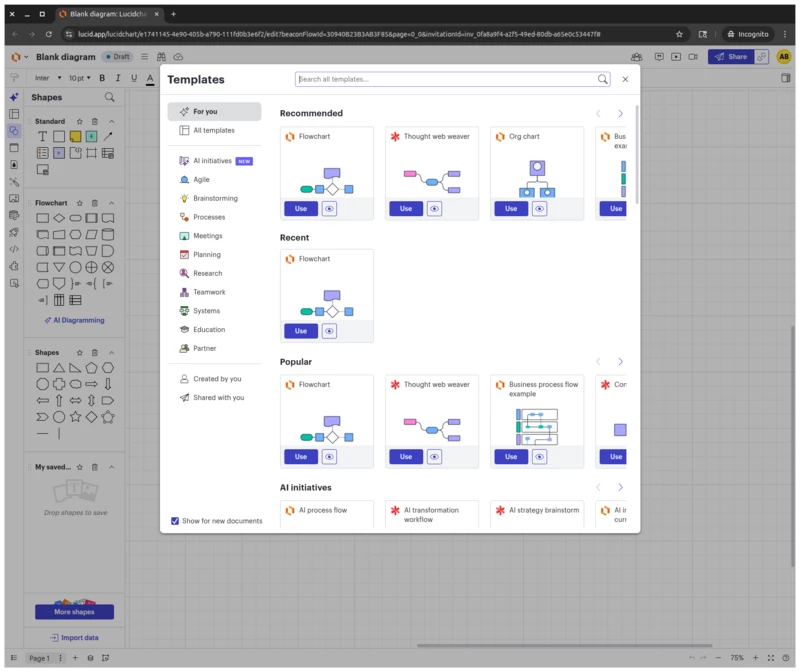
When I create a blank diagram and get prompted to select a template, the grid appears behind that dialog as I’d expect (see attached `lucid_grid_expected.png`). As soon as I exit out of the dialog, however, I lose the sub-grid and dark grid lines get very light (see attached `lucid_grid_light.png`).

Oddly, I’ve also noticed that when I go try and take a screen shot and want to select a region of the screen, the grid appears add I’d expect, but only under the selection area (see attached `lucid_grid_screenshot.png`). When I actually take the screenshot and look at the image, the grid is light and large.

I’ve played with all the various grid settings, and it is indeed enabled, set to line, etc, but can’t seem to get back to the grid I know and love.

I’m running in Ubuntu 22.04, which is not new. My browser is Google Chrome, also nothing new, and that’s currently at version `142.0.7444.134 `. I’ve tried in incognito to make sure this wasn’t a result of any extension weirdness.

Any help on this would be greatly appreciated! I never knew how attached I was to the grid.
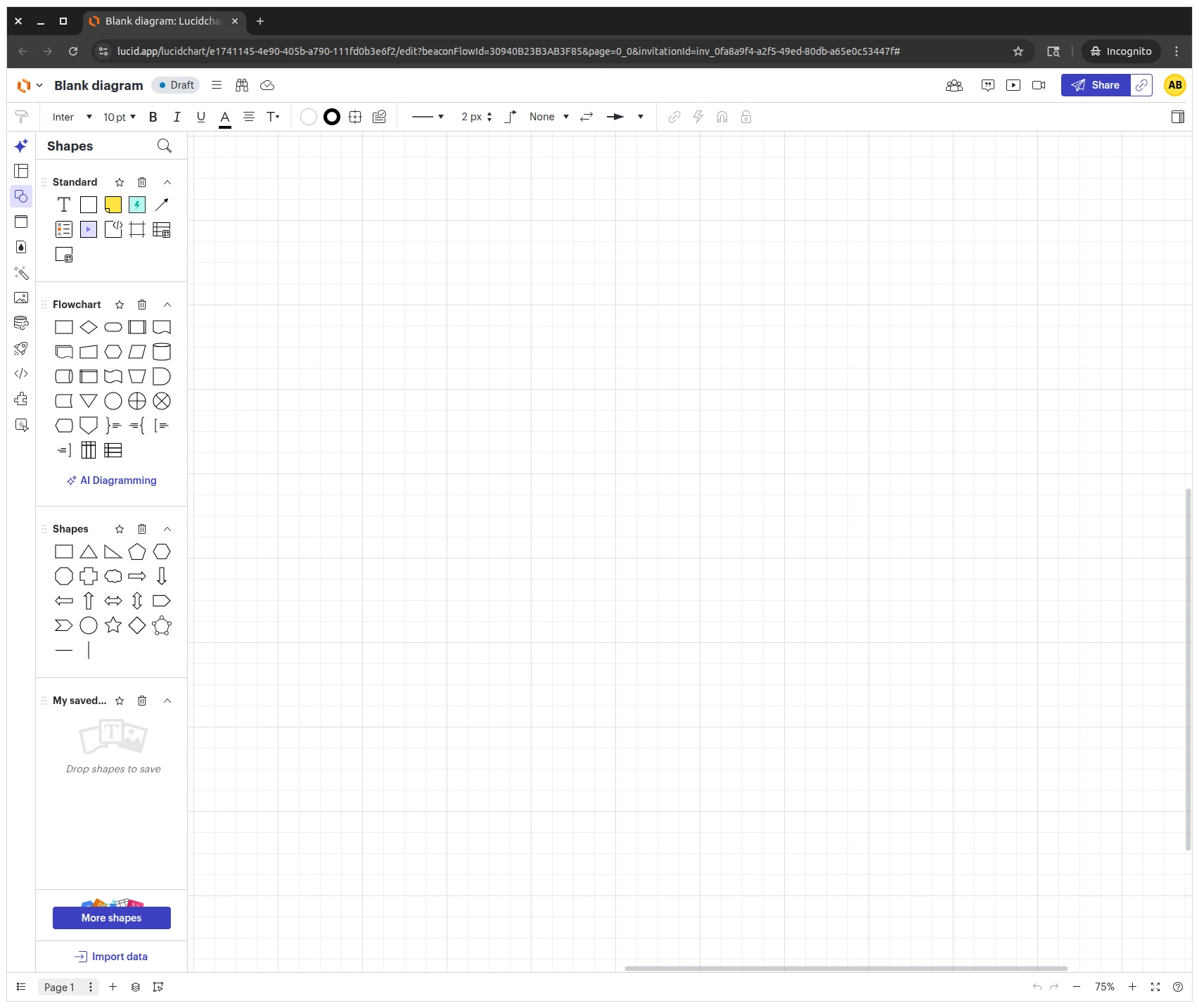
lucid_grid_light.png
lucid_grid_expected.png
lucid_grid_screenshot.png


Best answer by Zuzia S

Hi ​@ab_br, thanks for posting in the Community and for sharing your experience with the grid in Lucidchart!

Unfortunately, the behaviour in the first screenshot you have provided (lucid_grid_light.png) is expected when opening a blank diagram. More information on Grid and snapping can be found in our Help Center article on Board Settings.

However, I would like to have a closer look into the behaviour in lucid_grid_screenshot.png. Could you please provide the following information?:

  • A detailed description of the steps taken (mouse clicks, shortcuts, etc) leading up to the behaviour on that photo
  • A screenshot of your grid and snapping settings when this photo was taken

I appreciate your help and patience!

Comments

Zuzia S
Forum|alt.badge.img+8
  • Lucid community team
  • Answer
  • November 28, 2025

Hi ​@ab_br, thanks for posting in the Community and for sharing your experience with the grid in Lucidchart!

Unfortunately, the behaviour in the first screenshot you have provided (lucid_grid_light.png) is expected when opening a blank diagram. More information on Grid and snapping can be found in our Help Center article on Board Settings.

However, I would like to have a closer look into the behaviour in lucid_grid_screenshot.png. Could you please provide the following information?:

  • A detailed description of the steps taken (mouse clicks, shortcuts, etc) leading up to the behaviour on that photo
  • A screenshot of your grid and snapping settings when this photo was taken

I appreciate your help and patience!


Forum|alt.badge.img+1
  • Author
  • December 1, 2025

Hi Zuzia,
 

Thanks for the quick response! I just did some more experimentation, and I’m realizing that what I’m seeing in these images might be differing from what you are. For some reason, this is only happening when I’m plugged into an external monitor; the sub-grid appears as I’d expect when I’m unplugged and looking at my laptop screen. To make things weirder, this happens not only when viewing Lucid in-browser, but also when viewing screenshots of Lucid. What I’m seeing with my monitor plugged in is what you see outside of the screen shot area in `lucid_grid_screenshot.png`, whereas I’d expect to see what’s inside the selected region (and I do see that on my laptop screen).

I have to imagine this is something wonky with Linux, since the grid does appear as I’d expect when a “shadow” is cast on the grid by the dialog (like in `lucid_grid_expected.png`) or by another open window sitting in front of the browser window containing Lucid. It’s worth noting I’m seeing the same symptom across two identical laptops both running Ubuntu 22.04.

I have two other identical monitors I can try later this week as a sanity check, but since this is happening both with Lucid open in-browser and when viewing screenshots of the session, I’m inclined to believe this is a by-design visualization setting in Lucid that’s not agreeing with my setup, as opposed to a resolvable bug. As such, I think we’re safe to out this thread. That said, if you’re willing to keep it open for another 48 hours, I can definitely test on another identical monitor and circle back with a definitive answer!


Forum|alt.badge.img+1
  • Author
  • December 2, 2025

After trying on another display, I can confirm it’s something to do with the display. It’s beyond weird, but not a change in Lucid. Apologies for not catching prior to posting; we can close this out!


Zuzia S
Forum|alt.badge.img+8
  • Lucid community team
  • December 3, 2025

@ab_br thank you for having a closer look into this! There is indeed a high chance that the lines might look lighter on an external monitor. Glad to hear your test on another display confirmed it is monitor-related and not a Lucid change.

If anything else comes up, feel free to start a new thread! We love hearing from everyone.