Question

Lucid diagram shared link not working on Jira/Confluence

  • March 1, 2026
  • 6 replies
  • 19 views

Forum|alt.badge.img+1

Hi there,

Could you please advise whether it is a bug that shared diagram cannot be viewed/Edited by members in Organizational groups?


Steps to reproduce the issue:

  1. Create a new diagram on Lucid
  2. Enable shareable link and leave the org permission with default edit and share permission 
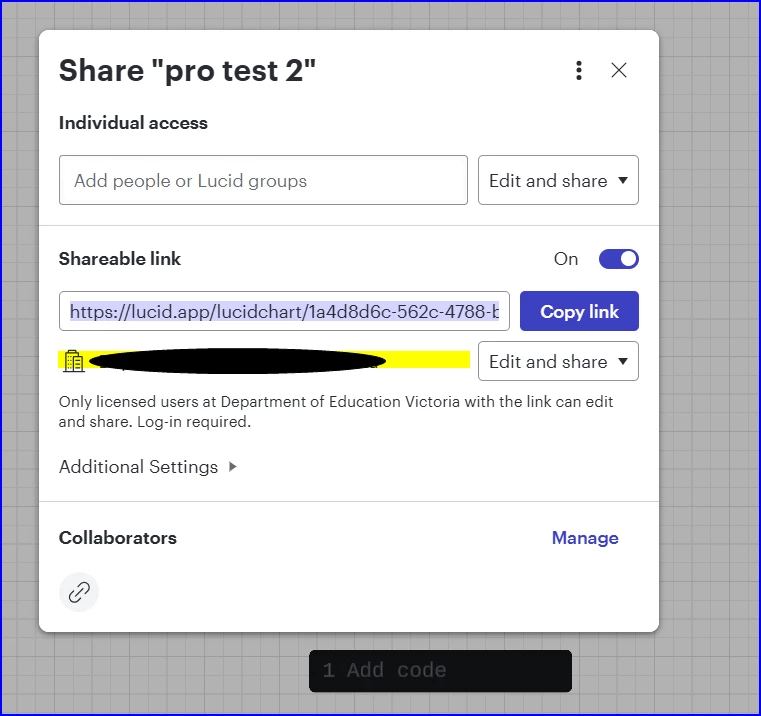
     

  3. Log onto Confluence/Jira and embed the shared link to a  Confluence page/jira ticket

Expected result: user (who is not creator of the diagram but a member of the org) can view & edit the diagram on Jira/Confluence

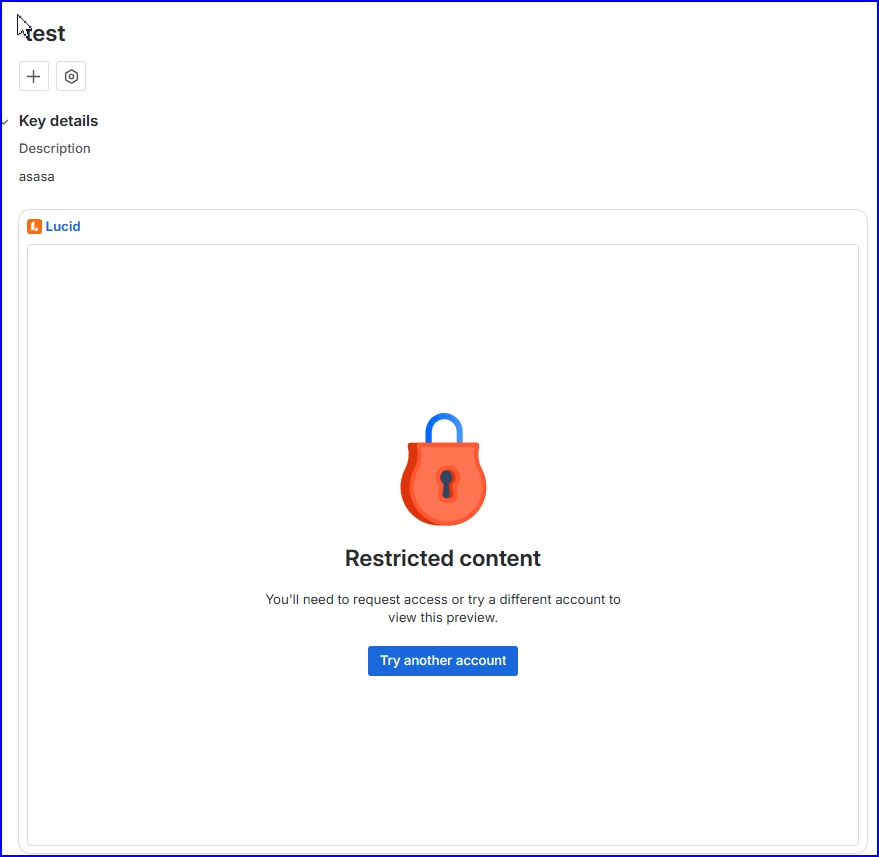
Actual result: The user can only view the diagram on Confluence without edit permission, the user cannot view the diagram on Jira with “restricted content” information.
 

Thanks and regards

Hailin

Comments

Leianne C
Forum|alt.badge.img+15
  • Lucid support team
  • March 2, 2026

Hi ​@hailin, thank you for posting in the community. Just to clarify, are you using our Confluence app to embed your diagrams into Confluence pages? Or, are you embedding this by pasting a Lucid document shareable link directly in Confluence? 

If you haven’t already, could you please try re-embedding the document using the add-on and let us know if you see any improvements? Please let me know if this is not the case for you or if you have any additional questions! 


Forum|alt.badge.img+1
  • Author
  • March 2, 2026

Hi Leianne,

I tried 3 scenarios for testing Diagram embedded using Lucid shared link on confluence:

  1. without Confluence connector and share the diagram to the org group with edit permission. For User who is a member of the group but not author of the diagram on Confluence
    • Expected: User can view and edit the diagram
    • Actual: User cannot view the diagram
  2. with the connector but no connector configuration and share the diagram to the org group with edit permission.
    • Expected: Access based on diagram permission configured on Lucid side
    • Actual: Confluence: View only
  3. with the connector and the configuration and share the diagram to the org group with edit permission.
    • Expected: Access based on permission configured on Lucid side
    • Actual: Confluence: View only no matter what permission granted on Lucid side


Forum|alt.badge.img+1
  • Author
  • March 3, 2026

Hi ​@Leianne C ,

I have provided detailed steps for reproducing the issue.


Regards

Hailin


Leianne C
Forum|alt.badge.img+15
  • Lucid support team
  • March 4, 2026

Hi ​@hailin, thank you for sharing that information. To clarify, by “with the connector and configuration” do you mean you inserted the document by clicking the +insert elements and selecting Lucidchart? Or did you simply paste the share link generated from Lucidchart into the Confluence editor? 

If you haven’t already, could you please try embedding the document through the integration by following the steps outlined here? Please let me know if the issue persists after trying this! 


Forum|alt.badge.img+1
  • Author
  • March 4, 2026

Hi @Leianne

The issue doesn’t occur when using Lucid Confluence macro to create diagram.

The issue occurs when simply pasting the share link generated from Lucidchart or URL of the Lucid Diagram into a Confluence page.


Regards

Hailin


Leianne C
Forum|alt.badge.img+15
  • Lucid support team
  • March 5, 2026

Hi ​@hailin, thank you for giving that a try! I can confirm that the issue you experienced with pasting links directly into a Confluence page is expected behaviour. This is because pasted links have limited capabilities including that they don't inherit permissions from the Confluence page, can't be edited from the Confluence page, and aren't possible to open in Lucid.

If you’d like users to edit the document, you will need to embed it using the Lucid Confluence macro. 

Hope this helps. Please feel free to let us know if you have any additional questions!