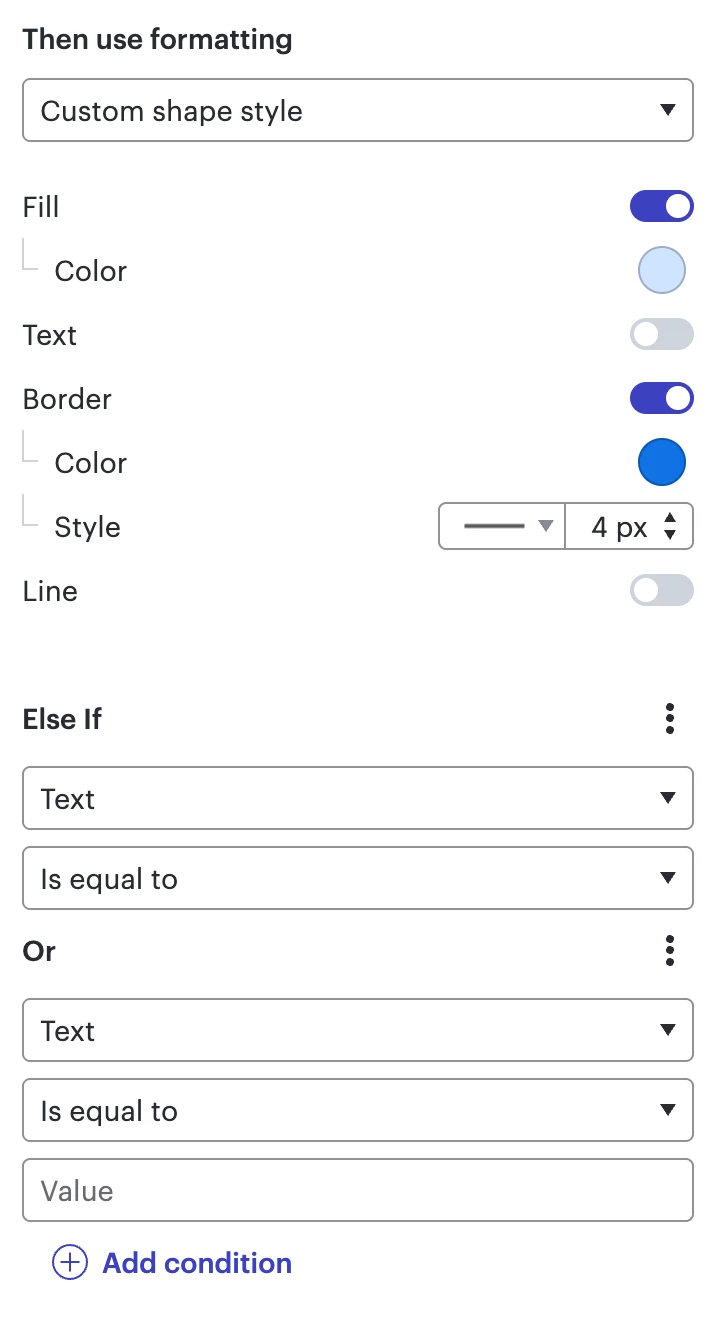
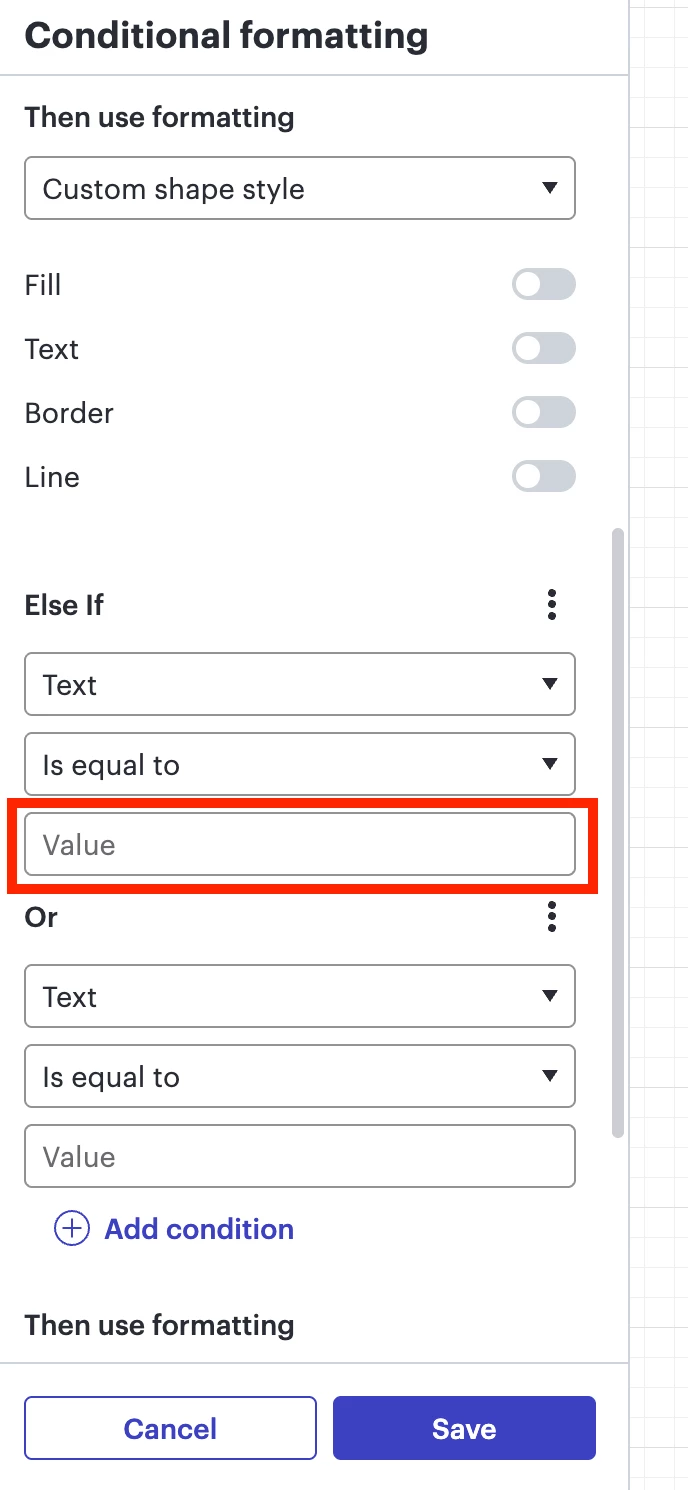
The Value field is not shown. I can make it appear, by switching from “Text” to “Shape Type” (which also has a third element), then switching back to “Text”.
Note that a second “Or” (included below) will show the Value field without the above workaround.
Best answer by Ambar D
Thank you for posting in the Lucid Community @OliverU, I’m happy to help here!
Would you mind confirming if you’re seeing this across multiple documents, or just one? I’ve been unable to reproduce this on my end while testing, and am able to see the value box as shown below.
Could you share a temporary Document Support PIN for one of your documents that you’re seeing this on? This will help me take a closer look at what’s going on. This PIN is safe to post in this thread because it is only accessible by members of the Lucid support staff. You can find steps for generating a Support PIN in this Lucid Help Center article: Generate a Lucid Support PIN.
Thanks in advance for your help and patience as I look into this!
Thank you for posting in the Lucid Community @OliverU, I’m happy to help here!
Would you mind confirming if you’re seeing this across multiple documents, or just one? I’ve been unable to reproduce this on my end while testing, and am able to see the value box as shown below.
Could you share a temporary Document Support PIN for one of your documents that you’re seeing this on? This will help me take a closer look at what’s going on. This PIN is safe to post in this thread because it is only accessible by members of the Lucid support staff. You can find steps for generating a Support PIN in this Lucid Help Center article: Generate a Lucid Support PIN.
Thanks in advance for your help and patience as I look into this!
A Lucid or airfocus account is required to interact with the Community, and your participation is subject to the
Supplemental Lucid Community Terms.
You may not participate in the Community if you are under 18. You will be redirected to the Lucid or airfocus app to log in.
A Lucid or airfocus account is required to interact with the Community, and your participation is subject to the
Supplemental Lucid Community Terms.
You may not participate in the Community if you are under 18. You will be redirected to the Lucid or airfocus app to log in.




 Your privacy choices


