Answer

Lines and connecting points behaving oddly in Lucidchart

  • November 21, 2025
  • 2 replies
  • 14 views

Forum|alt.badge.img

I have a service blueprint where I am connecting boxes together with arrowed lines. Today, the connections are behaving bizarrely, where Lucid will change the start and ending connection point locations to less desirable locations e.g. from centers of box edges to off to the side. 

Lucid will also generate random and mis-placed line skips as well. How can I disable some AI or other feature doing this?



Best answer by Humas1985

Hi ​@sht 

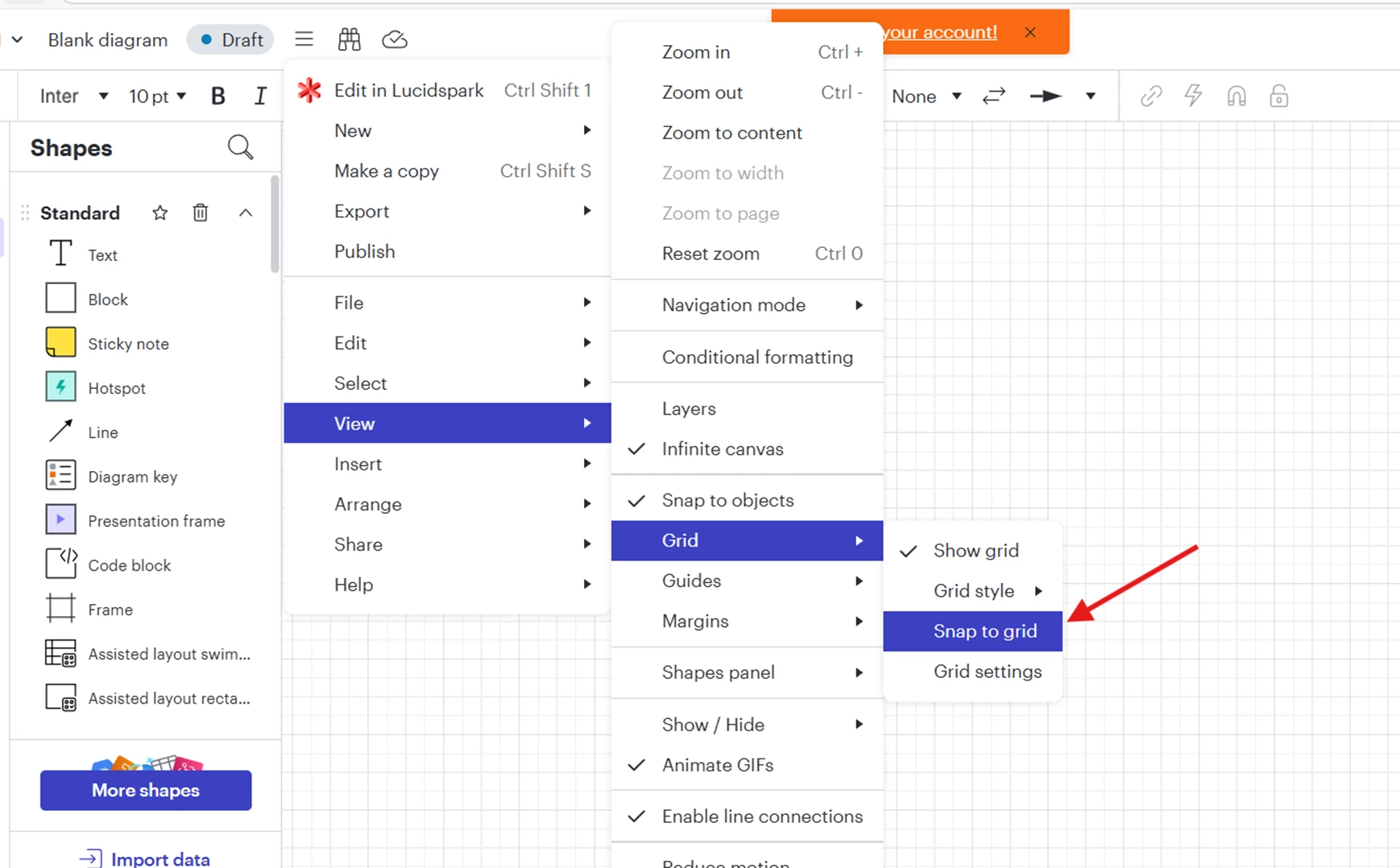
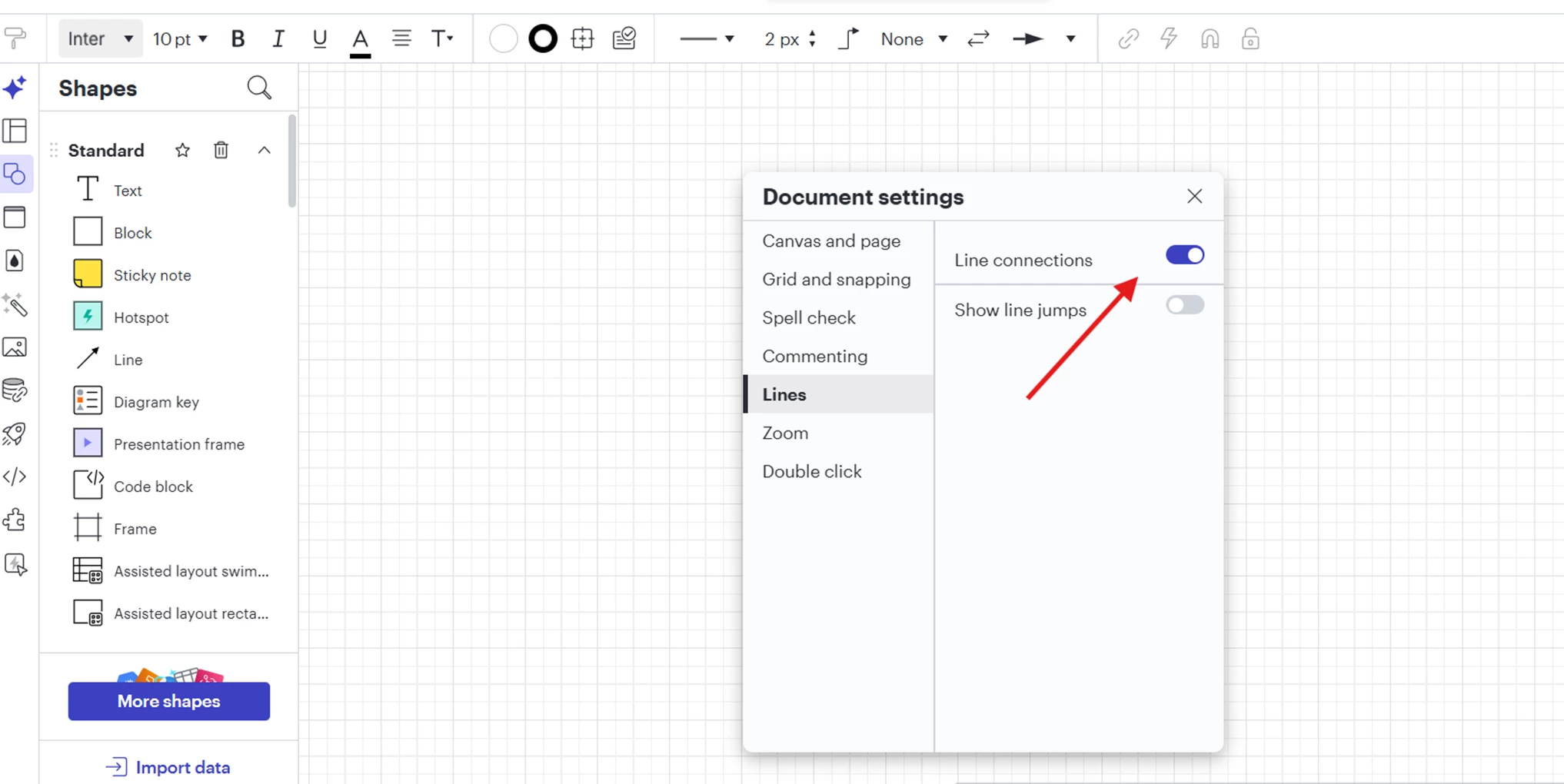
Try to turn off - Line connections and Snap to grid as shown below or reducing grid size) because large snapping radii can pull lines toward shapes unexpectedly


Hope this helps - Happy to help further!!
Thank you very much and have a great one!
Warm regards

Comments

Humas1985
Lucid Legend Level 10
Forum|alt.badge.img+24
  • Lucid Legend Level 10
  • Answer
  • November 22, 2025

Hi ​@sht 

Try to turn off - Line connections and Snap to grid as shown below or reducing grid size) because large snapping radii can pull lines toward shapes unexpectedly


Hope this helps - Happy to help further!!
Thank you very much and have a great one!
Warm regards


Leianne C
Forum|alt.badge.img+15
  • Lucid support team
  • November 26, 2025

Hi ​@sht, thank you for posting in the community! Just wanted to share some additional troubleshooting steps if the issue is still happening. Would you mind confirming if this line behaviour happens in a new blank document? This will help us determine if the issue is document specific. Please feel free to let us know if you have any questions!