Solved

Just starting and not sure which template to use

  • March 12, 2026
  • 3 replies
  • 17 views

Forum|alt.badge.img+1

I am trying to create a questionnaire with some logic jumps and would like to map this project out.  Unfortunately, I am not sure which free template I might start with.  Any ideas?  Thanks.

Best answer by alison cheney

Hi ​@Jigsawman,

Thank you for posting in the Lucid Community!

The best way to create a questionnaire and map your project out with some logic jumps would be to use our Flowchart feature in Lucid. 

Here are a couple of resources you can use to create and manage your Flowchart in Lucid with step-by-step instructions:

You can build a flowchart from scratch, or use one of our Flowchart templates


Here’s how to add the Flowchart template:

  1. Navigate to the Lucid Home Page.
  2. Click Templates from the navigation menu at the bottom-left of the screen.
  3. Search “Flowchart”.
  4. Choose a template.
  5. Click Use template.
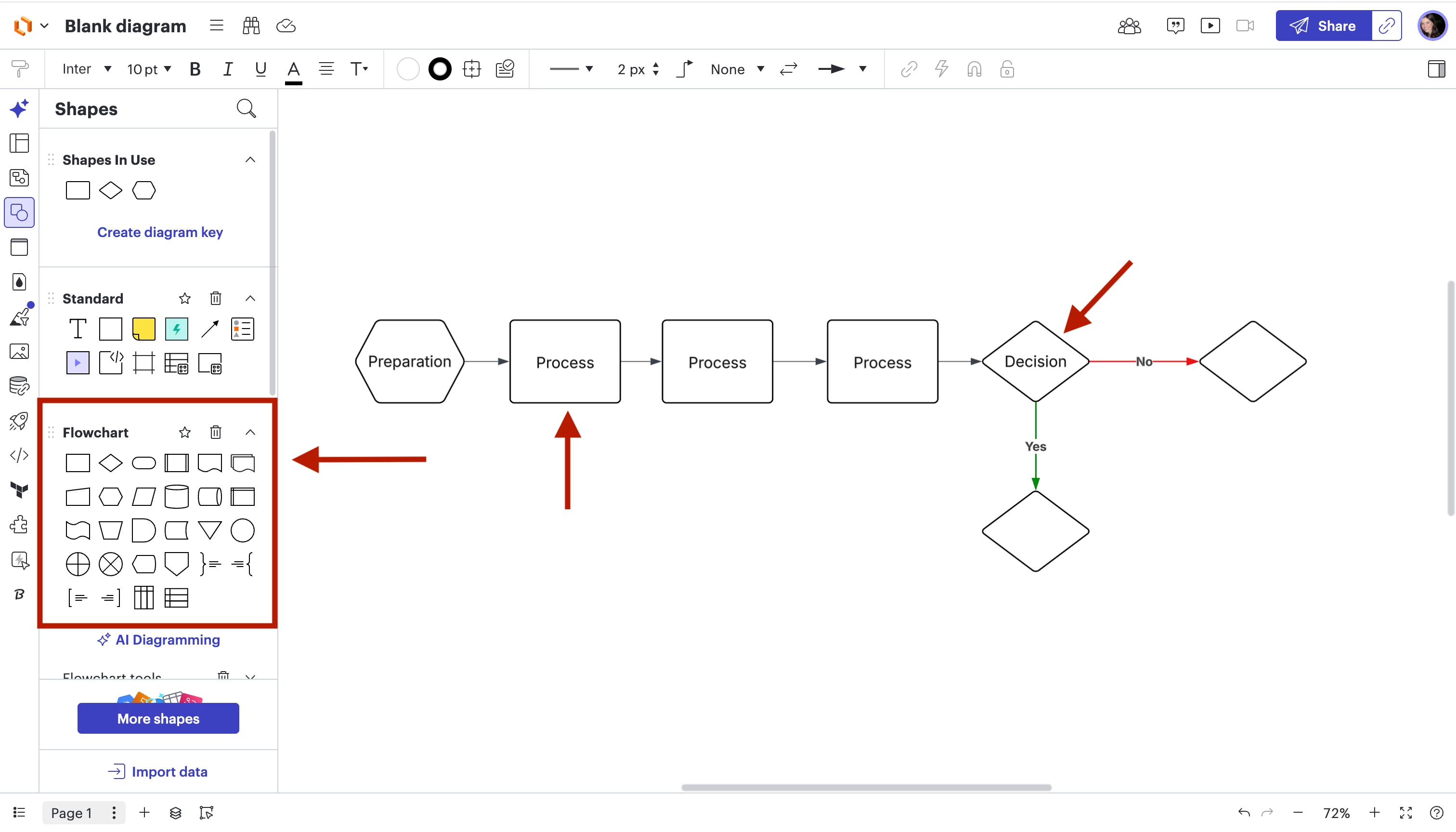
Here is a screenshot showing what a simple Flowchart could look like, but you can customize it to fit your project.

Please let me know if you have any additional questions and I am happy to jump in and help answer them!

Comments

alison cheney
Forum|alt.badge.img+4
  • Lucid community team
  • Answer
  • March 13, 2026

Hi ​@Jigsawman,

Thank you for posting in the Lucid Community!

The best way to create a questionnaire and map your project out with some logic jumps would be to use our Flowchart feature in Lucid. 

Here are a couple of resources you can use to create and manage your Flowchart in Lucid with step-by-step instructions:

You can build a flowchart from scratch, or use one of our Flowchart templates


Here’s how to add the Flowchart template:

  1. Navigate to the Lucid Home Page.
  2. Click Templates from the navigation menu at the bottom-left of the screen.
  3. Search “Flowchart”.
  4. Choose a template.
  5. Click Use template.
Here is a screenshot showing what a simple Flowchart could look like, but you can customize it to fit your project.

Please let me know if you have any additional questions and I am happy to jump in and help answer them!


Forum|alt.badge.img+1
  • Author
  • March 16, 2026

Thanks.  I appreciate the input.


alison cheney
Forum|alt.badge.img+4
  • Lucid community team
  • March 16, 2026

Hi ​@Jigsawman,

It's my pleasure to help! Please don't hesitate to let me know if there is anything else I can do for you. 

This community is dedicated to supporting your work in Lucid's products. If other product questions arise, or if you'd like to share how you use Lucid, you can  create a new topic!