Solved

Issues with documents loading in Lucid

  • January 12, 2026
  • 28 replies
  • 151 views

Forum|alt.badge.img+1

Hi Lucid Support Team,

I’m experiencing an issue opening one of my Lucid Chart documents and would appreciate assistance.

Issue details:
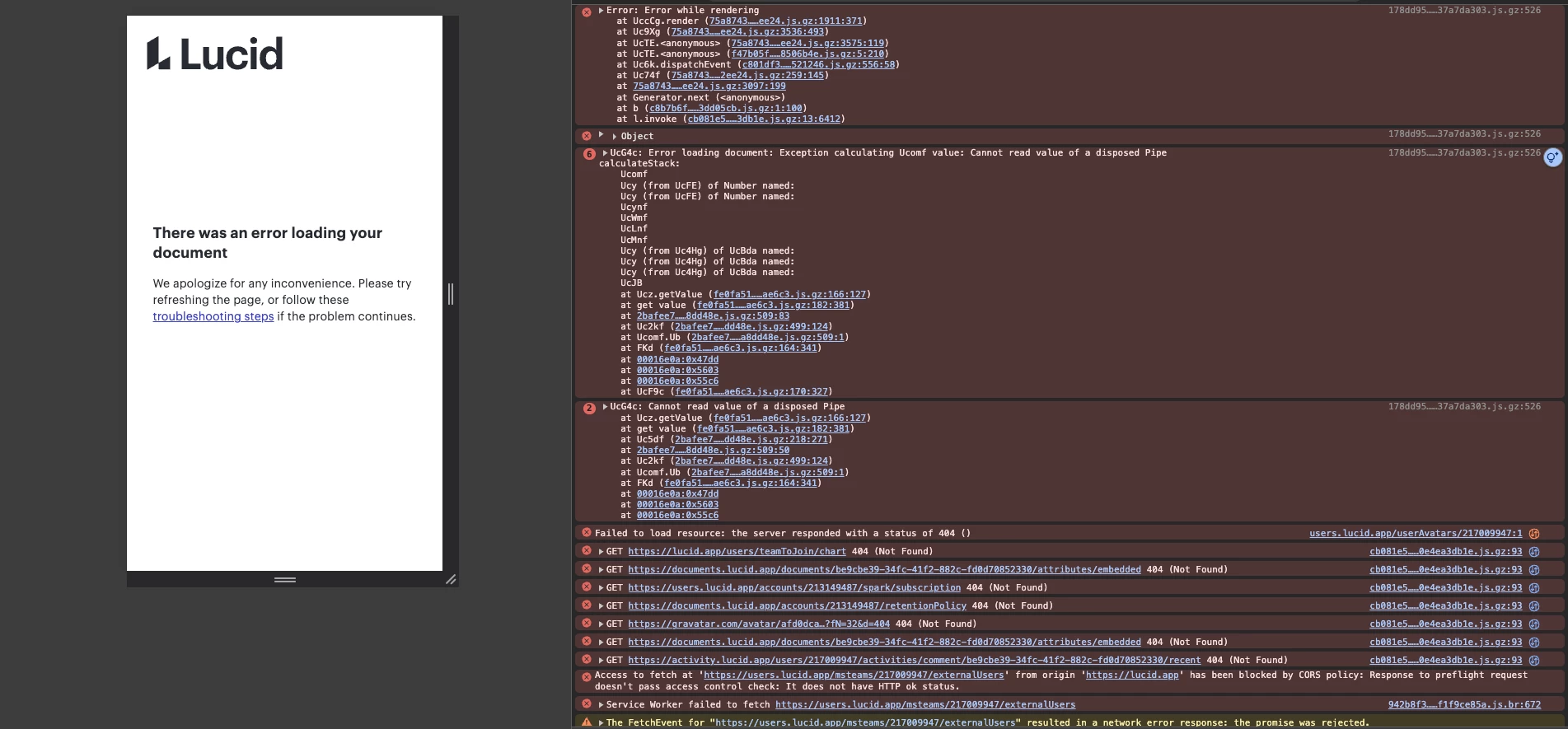
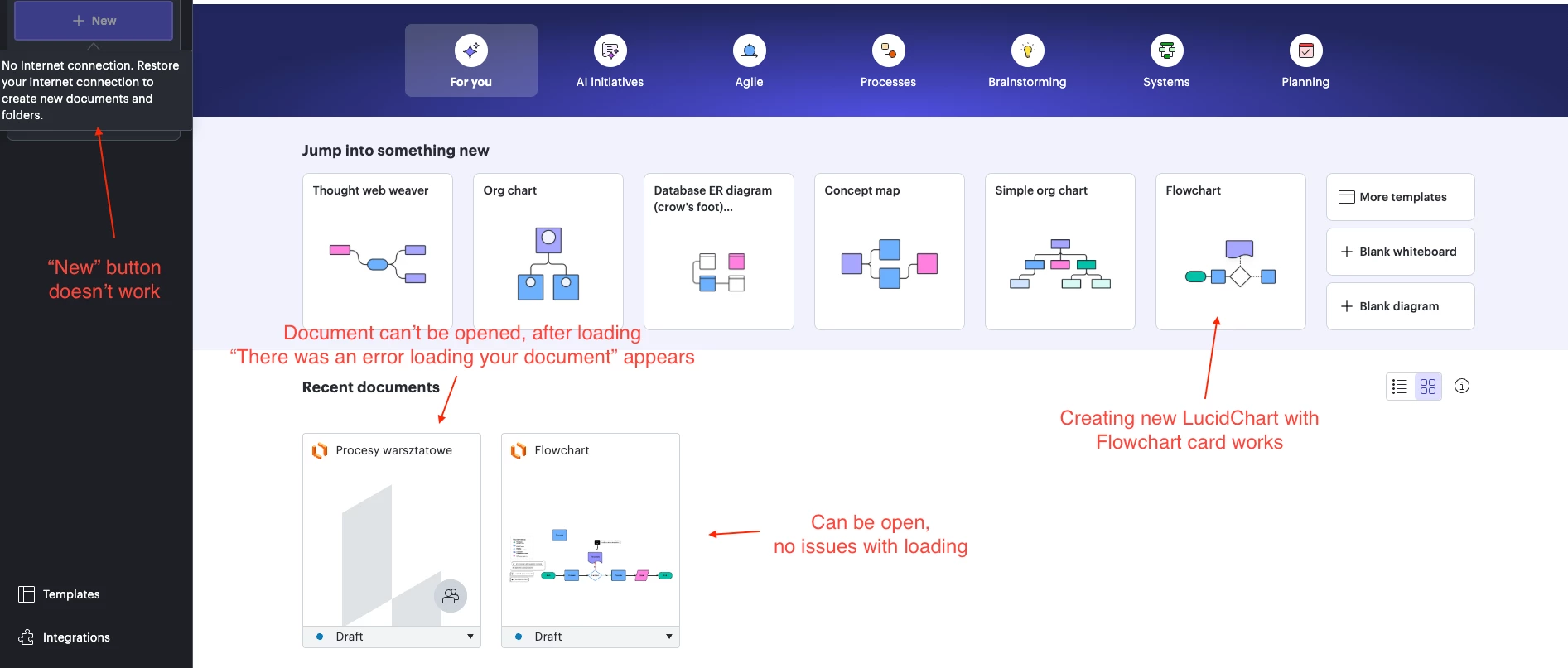
I worked on a document titled “Procesy warsztatowe” last week, but now it won’t open. After the loading screen, I receive the message:

“There was an error loading your document.”

Another document named “Flowchart” loads without any problem.

At the same time:

  • The “New” button is disabled.

  • I get a notification stating I don’t have an internet connection.

  • However, the main dashboard cards load correctly, and I can create a new document by clicking the “Flowchart” card.

What I’ve tried so far:

  • Refreshed the page.

  • Logged out and back in.

  • Cleared browser cache (Chrome, latest version).

  • Tried on another computer and a different network connection.

  • Incognito page

I’m currently on a trial account, and it’s important for me to test Lucidchart to evaluate whether it can be adopted by my team.

Could you please help me resolve this issue as soon as possible?

Best answer by alison cheney

Hi ​@designer.person,

Our engineers have repaired your document! There is a copy of the document with the word REPAIRED appended to the title in the docs list. You should be able to open it. Please let me know if you have any additional questions, and thank you for your patience as we worked to solve this!

Comments

alison cheney
Forum|alt.badge.img+4
  • Lucid community team
  • January 12, 2026

Hi ​@designer.person,


Thanks for posting in the Lucid Community! These steps below will help me take a closer look at the issue you’re experiencing.

  • Could you please share a Technical Support PIN for your account? This PIN is safe to post in this thread because it is only accessible by members of the Lucid support staff. You can find steps for generating a Support PIN in this Lucid Help Center article: Generate a Lucid Support PIN.
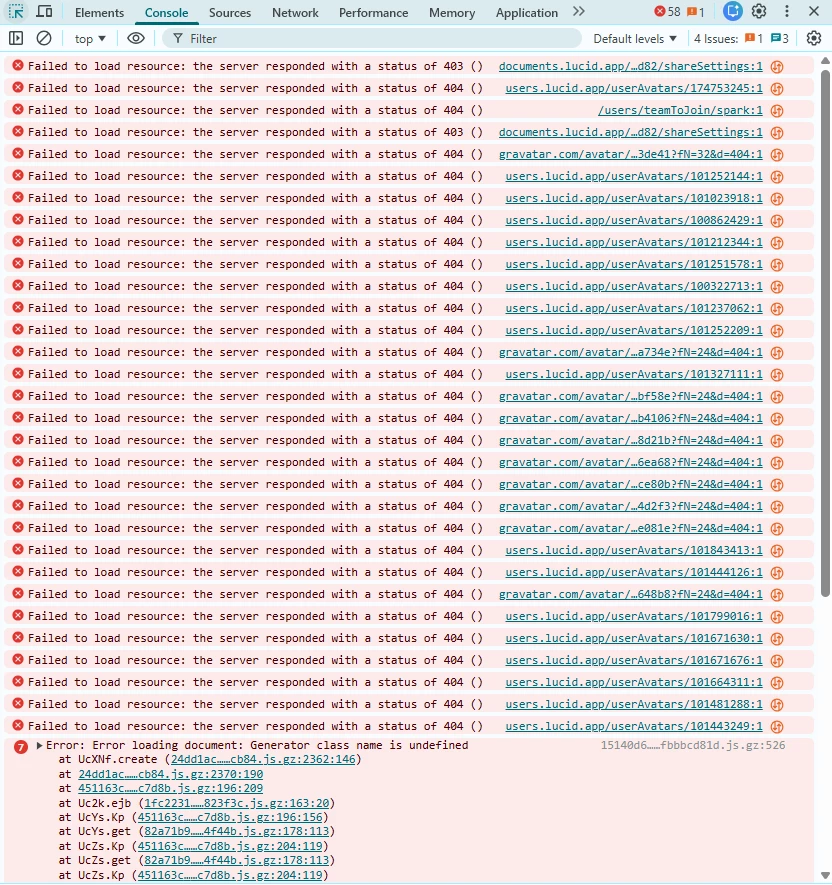
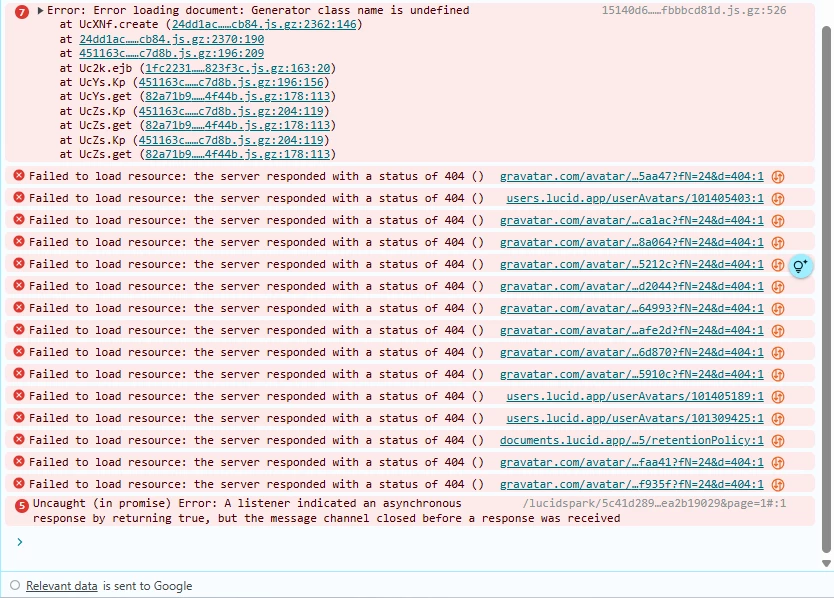
  • Could you send a screenshot of the associated Javascript Console output after reproducing the issue. You can open your Javascript Console by pressing Ctrl+Shift+J (if your computer is a Windows/Linux) OR Cmd+Opt+J (if your computer is a Mac). Here is a link to our help center article on how to open the JavaScript console.

Thanks in advance for your help and patience!


Forum|alt.badge.img+1

PIN: iuGkljJwADTw3eBAk3zLhRlkDoMf7yZ7Gi217009947


Forum|alt.badge.img+1


Forum|alt.badge.img+1

178dd95……37a7da303.js.gz:526Error: Error while rendering at UccCg.render (75a8743……ee24.js.gz:1911:371) at Uc9Xg (75a8743……ee24.js.gz:3536:493) at UcTE.<anonymous> (75a8743……ee24.js.gz:3575:119) at UcTE.<anonymous> (f47b05f……8506b4e.js.gz:5:210) at Uc6k.dispatchEvent (c801df3……521246.js.gz:556:58) at Uc74f (75a8743……2ee24.js.gz:259:145) at75a8743……ee24.js.gz:3097:199 at Generator.next (<anonymous>) at b (c8b7b6f……3dd05cb.js.gz:1:100) at l.invoke (cb081e5……3db1e.js.gz:13:6412)


178dd95……37a7da303.js.gz:526

  1. Object

6

178dd95……37a7da303.js.gz:526UcG4c: Error loading document: Exception calculating Ucomf value: Cannot read value of a disposed Pipe calculateStack: Ucomf Ucy (from UcFE) of Number named: Ucy (from UcFE) of Number named: Ucynf UcWmf UcLnf UcMnf Ucy (from Uc4Hg) of UcBda named: Ucy (from Uc4Hg) of UcBda named: Ucy (from Uc4Hg) of UcBda named: UcJB at Ucz.getValue (fe0fa51……ae6c3.js.gz:166:127) at get value (fe0fa51……ae6c3.js.gz:182:381) at2bafee7……8dd48e.js.gz:509:83 at Uc2kf (2bafee7……dd48e.js.gz:499:124) at Ucomf.Ub (2bafee7……a8dd48e.js.gz:509:1) at FKd (fe0fa51……ae6c3.js.gz:164:341) at00016e0a:0x47dd at00016e0a:0x5603 at00016e0a:0x55c6 at UcF9c (fe0fa51……ae6c3.js.gz:170:327)

2

178dd95……37a7da303.js.gz:526UcG4c: Cannot read value of a disposed Pipe at Ucz.getValue (fe0fa51……ae6c3.js.gz:166:127) at get value (fe0fa51……ae6c3.js.gz:182:381) at Uc5df (2bafee7……dd48e.js.gz:218:271) at2bafee7……8dd48e.js.gz:509:50 at Uc2kf (2bafee7……dd48e.js.gz:499:124) at Ucomf.Ub (2bafee7……a8dd48e.js.gz:509:1) at FKd (fe0fa51……ae6c3.js.gz:164:341) at00016e0a:0x47dd at00016e0a:0x5603 at00016e0a:0x55c6

users.lucid.app/userAvatars/217009947:1 Failed to load resource: the server responded with a status of 404 ()

cb081e5……0e4ea3db1e.js.gz:93 GEThttps://lucid.app/users/teamToJoin/chart 404 (Not Found)

cb081e5……0e4ea3db1e.js.gz:93 GEThttps://documents.lucid.app/documents/be9cbe39-34fc-41f2-882c-fd0d70852330/attributes/embedded 404 (Not Found)

cb081e5……0e4ea3db1e.js.gz:93 GEThttps://users.lucid.app/accounts/213149487/spark/subscription 404 (Not Found)

cb081e5……0e4ea3db1e.js.gz:93 GEThttps://documents.lucid.app/accounts/213149487/retentionPolicy 404 (Not Found)

cb081e5……0e4ea3db1e.js.gz:93 GEThttps://gravatar.com/avatar/afd0dca…?fN=32&d=404 404 (Not Found)

cb081e5……0e4ea3db1e.js.gz:93 GEThttps://documents.lucid.app/documents/be9cbe39-34fc-41f2-882c-fd0d70852330/attributes/embedded 404 (Not Found)

cb081e5……0e4ea3db1e.js.gz:93 GEThttps://activity.lucid.app/users/217009947/activities/comment/be9cbe39-34fc-41f2-882c-fd0d70852330/recent 404 (Not Found)

Access to fetch at 'https://users.lucid.app/msteams/217009947/externalUsers' from origin 'https://lucid.app' has been blocked by CORS policy: Response to preflight request doesn't pass access control check: It does not have HTTP ok status.

942b8f3……f1f9ce85a.js.br:672 Service Worker failed to fetchhttps://users.lucid.app/msteams/217009947/externalUsers

The FetchEvent for "https://users.lucid.app/msteams/217009947/externalUsers" resulted in a network error response: the promise was rejected.

942b8f3……f1f9ce85a.js.br:672 Uncaught (in promise) TypeError: Failed to fetch

cb081e5……0e4ea3db1e.js.gz:93 GEThttps://users.lucid.app/msteams/217009947/externalUsers net::ERR_FAILED

cb081e5……0e4ea3db1e.js.gz:93 GEThttps://activity.lucid.app/users/217009947/activities/documentShared/be9cbe39-34fc-41f2-882c-fd0d70852330/recent 404 (Not Found)

cb081e5……0e4ea3db1e.js.gz:93 GEThttps://activity.lucid.app/users/217009947/activities/comment/be9cbe39-34fc-41f2-882c-fd0d70852330/recent 404 (Not Found)

cb081e5……0e4ea3db1e.js.gz:93 GEThttps://users.lucid.app/accounts/213149487/lucidscale/subscription 404 (Not Found)

cb081e5……0e4ea3db1e.js.gz:93 GEThttps://users.lucid.app/accounts/213149487/spark/subscription 404 (Not Found)

cb081e5……0e4ea3db1e.js.gz:93 GEThttps://documents.lucid.app/documents/be9cbe39-34fc-41f2-882c-fd0d70852330/attributes/embedded 404 (Not Found)

cb081e5……0e4ea3db1e.js.gz:93 GEThttps://documents.lucid.app/documents/be9cbe39-34fc-41f2-882c-fd0d70852330/attributes/embedded 404 (Not Found)


Understand this err


Forum|alt.badge.img
  • January 13, 2026

Also having the same issue, interested in the resolution


iul7BdnhA3nzq17V5DY3hp1PJD1X313gYc174753245


alison cheney
Forum|alt.badge.img+4
  • Lucid community team
  • January 13, 2026

Hi ​@designer.person & ​@MConnors!

Thank you for responding in the Lucid Community! I’m sorry you’re having trouble with this, but I’m happy to help. I wanted to ask a few clarifying questions so I can take a closer look at the issue you’re experiencing.


@designer.person,

Thank you for sending your technical support pin. I was able to reproduce the issue you are experiencing, and received the same error. I have a couple follow-up questions for you to clarify and get to the bottom of this:

  • It looks like this error you are experiencing is for one document, (not multiple) is that correct?
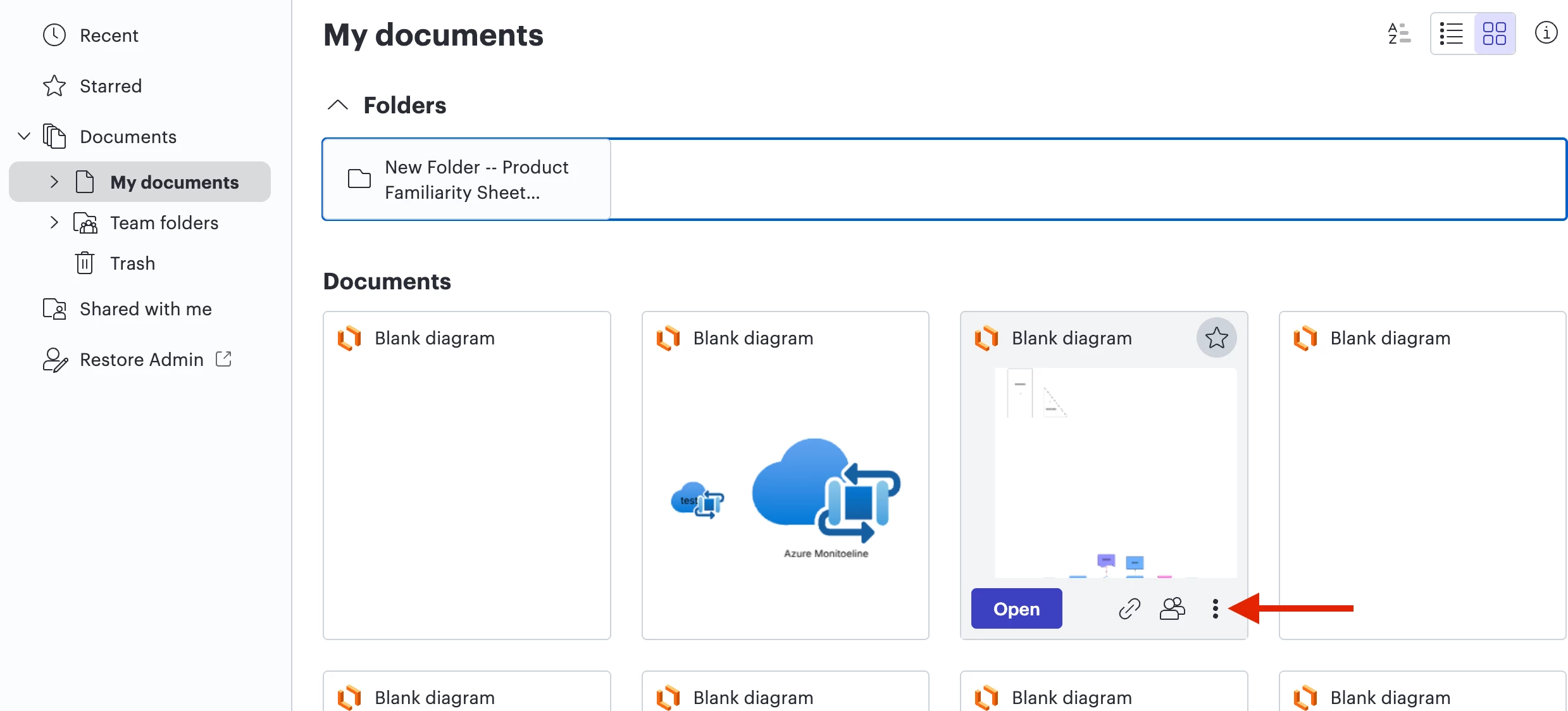
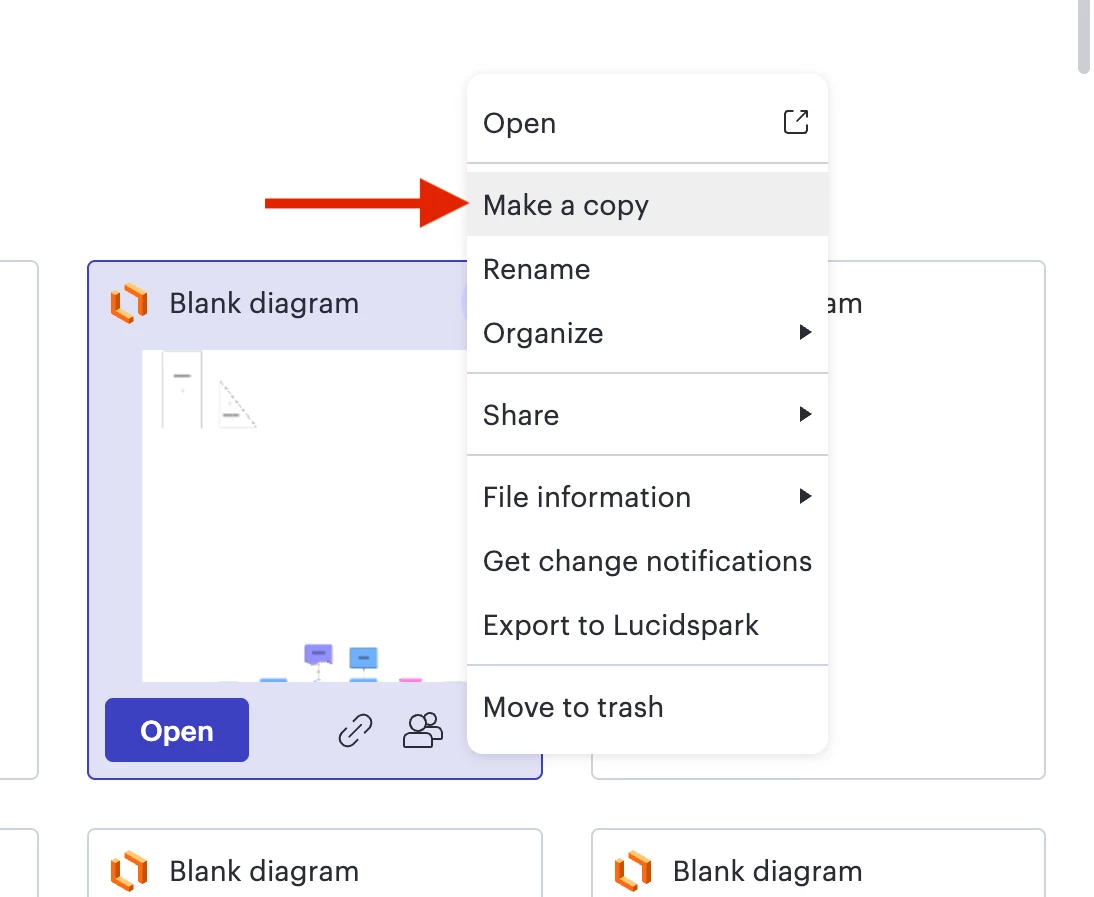
  • Have you tried duplicating your document by making a copy of it (see screenshots below)?
  • Once you have made a copy of your document, does the issue persist?


Click the three horizontal dot menu


Select “Make a copy”


@MConnors

Thank you for sending your technical support pin. I want to clarify a few things with you to take a closer look:

  • Are you experiencing this issue with one document or multiple documents?
  • Could you try opening your document in a private or incognito window to help us narrow down the potential cause?
  • Could you also try connecting to a different network or disconnecting from your VPN (if applicable)? Sometimes account performance issues can be related to internet security/speed or browser issues. These steps will help us eliminate that possibility.
  • Could you please send a screenshot of the exact issue/error you are seeing.
  • Have you tried duplicating your document by making a copy of it (see screenshots above).
  • Once you have made a copy of your document, does the issue persist?


The errors you are receiving are definitely strange, and we will do everything we can to get to the bottom of this! Thank you for your help and patience!


Forum|alt.badge.img+1

@alison cheney Unfortunately, the issue persists even after making a copy. That’s correct the issue is with only one document but my account is new and it’s my first document as I am testing Lucid with a trial account. I have created another test document (visible on my first screenshot) and issue didn’t appear for this test document. 


Forum|alt.badge.img
  • January 14, 2026

@alison cheney I have done everything you listed, it’s not just me it’s my whole team that accesses this single document and we’re on all different networks. 

I have made copies, went incognito, went on VPN, off VPN, work network, home network. It’s always the same result. 


Forum|alt.badge.img
  • January 14, 2026

@alison cheney also something to note. 

The document I’m having troubles with was one we had transfered over when JAM Boards went away. 


alison cheney
Forum|alt.badge.img+4
  • Lucid community team
  • January 14, 2026

Hi ​@MConnors & ​@designer.person,

Thanks for getting back to me with that additional information. I believe you have identified a bug, and I have reported this to our development team. I apologize for any disruption this may cause, and I will update this thread with any new information about a fix. Please follow along on this thread for updates, and post any additional questions or concerns below.


Forum|alt.badge.img+1

That’s a pity. We’ll likely not continue with Lucid after the trial, as we need a reliable tool that ensures we can access our clients’ documents at any time without risking data loss.


alison cheney
Forum|alt.badge.img+4
  • Lucid community team
  • January 15, 2026

Hi ​@designer.person,

I sincerely apologize for the disruption here. I realize how much this impacts your workflow and want you to know I am committed to keeping you informed. I will provide updates on this thread with any new information about a fix. Please follow along on this thread for updates, and post any additional questions or concerns below.


Thank you for your patience.


Forum|alt.badge.img+1

Could you please send us a copy of this document in any exportable format? We’d like to be able to import it into another program or possibly use it with your AI to regenerate the project based on the existing one.


alison cheney
Forum|alt.badge.img+4
  • Lucid community team
  • January 16, 2026

Hi ​@designer.person,

I have escalated this matter to our internal team for immediate review. Since the document isn't opening correctly right now, it’s also blocking the export tool. Please be assured that this is not the standard of service we strive for, nor is it the expected behavior of our platform. While our developers work on a permanent resolution, our primary focus is manually restoring your access to the document as quickly as possible. Thank you for your patience.


alison cheney
Forum|alt.badge.img+4
  • Lucid community team
  • January 21, 2026

Hi ​@designer.person & ​@MConnors,

To ensure we can continue our investigation without delay, could the two of you please generate and share a new Technical Support PIN? It appears the previous one has timed out for security reasons.

This PIN is safe to post in this thread because it is only accessible by members of the Lucid support staff. You can find steps for generating a Support PIN in this Lucid Help Center article: Generate a Lucid Support PIN. Thank you for your patience.


Forum|alt.badge.img+1

iub2jNTiyekackoCiClF4OSHJp2pBqwFly217009947


Forum|alt.badge.img+1

Please note that my trial has already ended :) Not sure if it impacts anything in your troubleshooting. 


alison cheney
Forum|alt.badge.img+4
  • Lucid community team
  • January 21, 2026

Hi ​@designer.person,

Thank you for sending over the support pin! Our engineers are actively working on this, and I will provide an update as soon as possible.


alison cheney
Forum|alt.badge.img+4
  • Lucid community team
  • Answer
  • January 22, 2026

Hi ​@designer.person,

Our engineers have repaired your document! There is a copy of the document with the word REPAIRED appended to the title in the docs list. You should be able to open it. Please let me know if you have any additional questions, and thank you for your patience as we worked to solve this!


Forum|alt.badge.img+1

@alison cheney I am very grateful for the assistance! Honestly I didn't expect it to be recreated. All seems correct now. I will let you know if encounter any error again. 


alison cheney
Forum|alt.badge.img+4
  • Lucid community team
  • January 22, 2026

Hi ​@designer.person,

It's my pleasure! Please don't hesitate to let me know if there is anything else I can do for you. Have a great rest of your day.


Forum|alt.badge.img+1

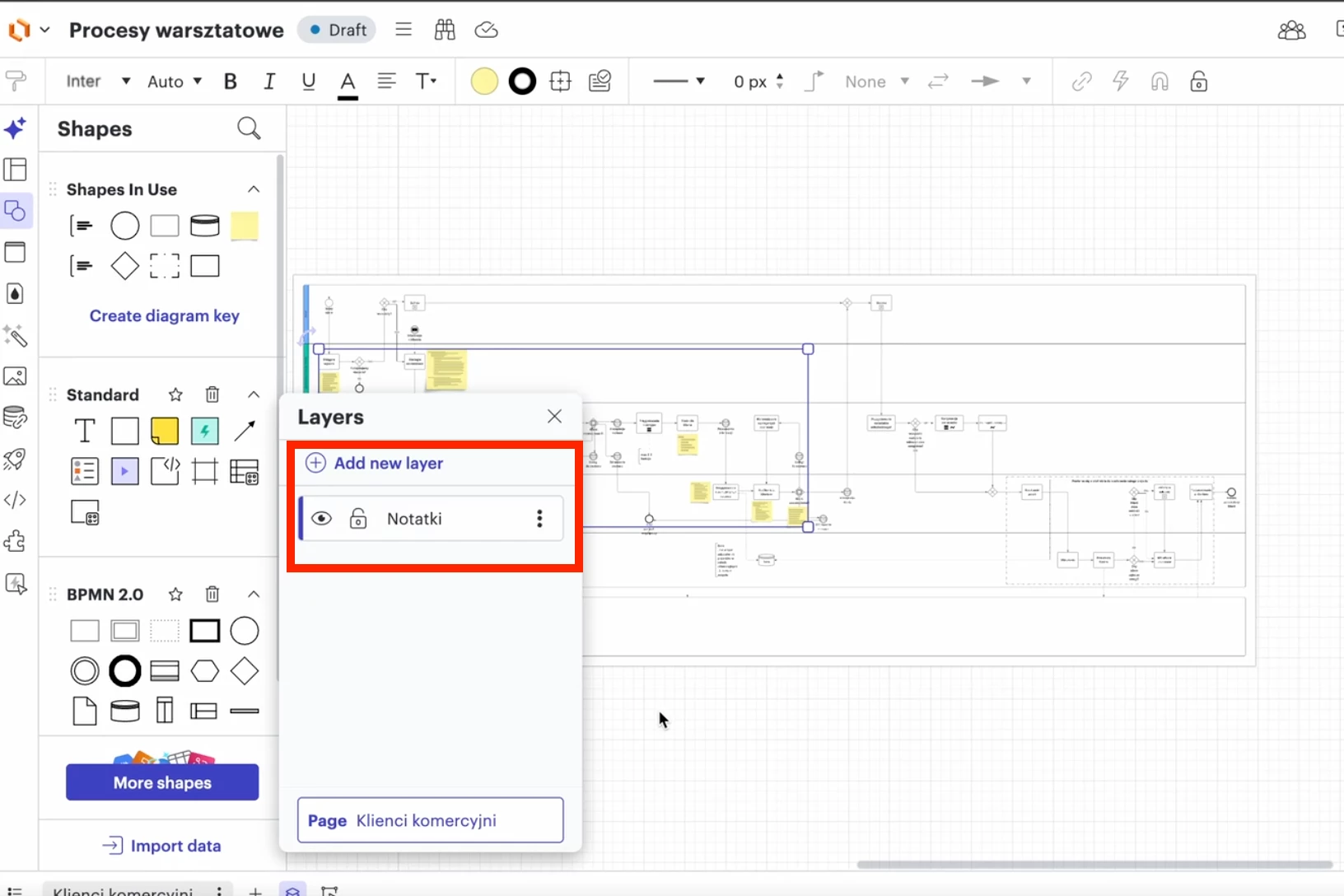
I have just noticed that only main page of my document got recreated and my document is still missing one layer called “Notatki”.  Would you be able to restore it for me as well? It’s the layer with yellow sticky notes. 


alison cheney
Forum|alt.badge.img+4
  • Lucid community team
  • January 23, 2026

Hi ​@designer.person,

Thank you for your response!

I followed up with our engineering team, and they've confirmed that all original data has been restored in the repaired version.

To clarify, when you say “layer” are you referring to a specific page? Our engineers currently see the Klienci komercyjni and Inkubatory pages, but we are not seeing one labeled Notatki. Thank you for providing more details so we can take a closer look.


Forum|alt.badge.img+1

In the repaired version, the layer named “Notatki” is missing. Please refer to the screenshot from the original version for reference. I hope this helps.


Forum|alt.badge.img
  • January 26, 2026

@alison cheney 


here is my PIN iuP6tXPP8uOUQtBrl0fPry7YuQ3Rp1V8Jd174753245


your request got lost in email traffic