March 19, 2025
Solved

Issue: Icons Not Aligning Properly with Flowchart Lines in Lucidchart
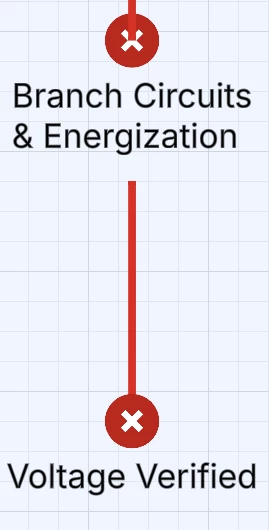

I'm trying to place icons along my flowchart lines in Lucidchart, but they keep appearing either above or below the line instead of aligning properly. I’ve tried repositioning them and disabling snap-to-grid, but the issue persists. The icons don’t seem to attach to the lines correctly, and sometimes they shift unpredictably.
Attached is a photo for reference.
The X on Voltage verified is displayed correctly above the line, but the Branch Circuits X is placed below the line.

 

Kelsey Gaag
Lucidite
March 20, 2025

Hi ​@Saboshi, 

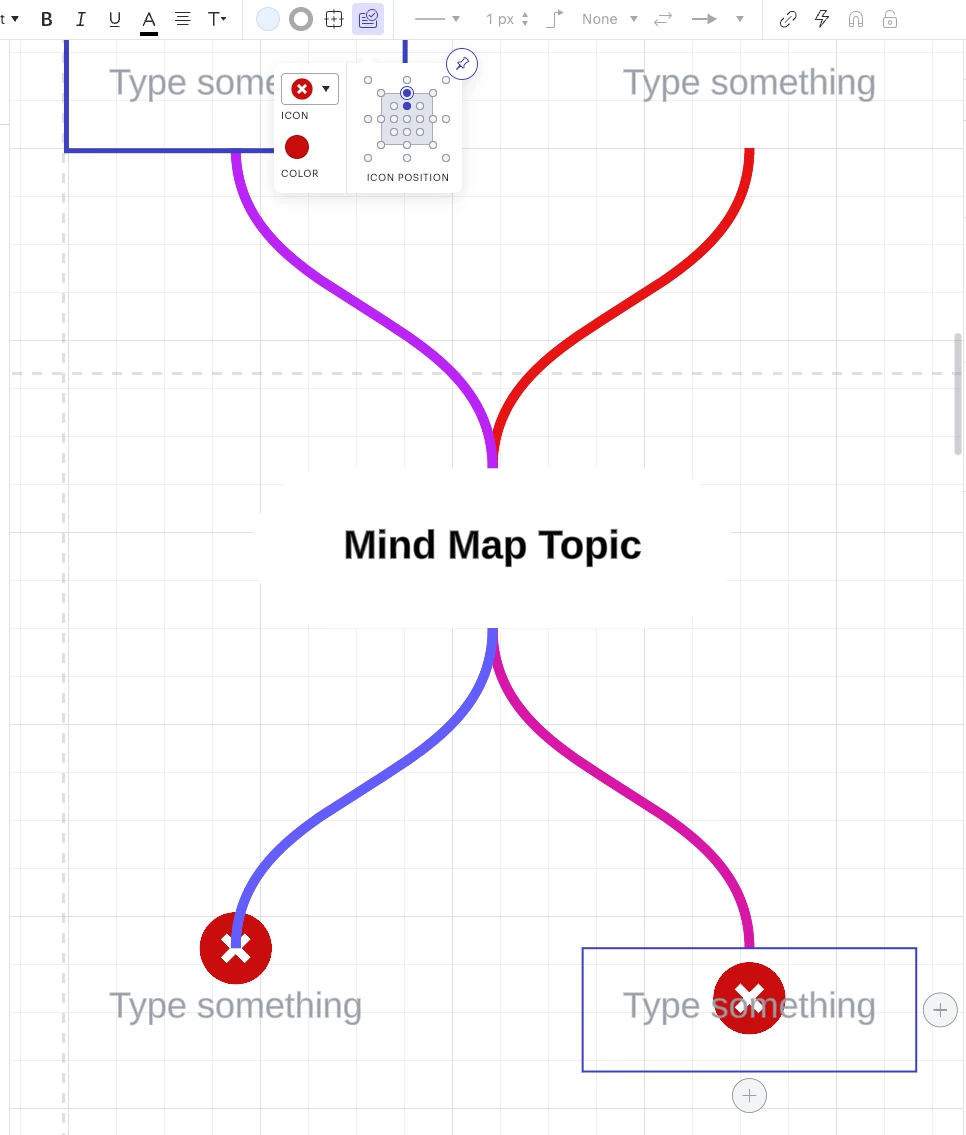
Thank you for posting in the Lucid Community! To clarify, Icons only display on shapes and text boxes, but not on lines. In this situation, you can change the position of the icons around the text box in the icon tab. However, they do no natively connect to lines, so the position can either be in front of or behind the line where it connects to the shape.


Comments

SaboshiAuthor
March 19, 2025

I apologize, it isn’t a flowchart it’s a mindmap

Translate
Kelsey Gaag
Lucidite
March 20, 2025

Hi ​@Saboshi, 

Thank you for posting in the Lucid Community! To clarify, Icons only display on shapes and text boxes, but not on lines. In this situation, you can change the position of the icons around the text box in the icon tab. However, they do no natively connect to lines, so the position can either be in front of or behind the line where it connects to the shape.


Translate