

Improving how shareable links work 🔗
Update June 21st, 2026: This feature is released and no longer in beta.
You’ll see a single entry labeled “share link” in your collaborator list, and users who access via the share link are not listed individually as collaborators. Any changes you make to permissions will immediately apply to everyone using the share link.
For more information, check out the Create a shareable link section of the Share with collaborators in Lucid article from the Help Center.
We are currently testing new logic for shareable links to give you more centralized control over who can see and edit your work.
What’s changing
Previously, when someone clicked a shareable link, they were automatically added to your document as a permanent collaborator. This meant that if you later changed the link’s permissions, those original users kept their old access levels unless you manually updated them one by one.
With this improvement, users who access a document via a link are no longer added as individual collaborators. Instead, in your collaborator list, you will see a single entry for "Share link."
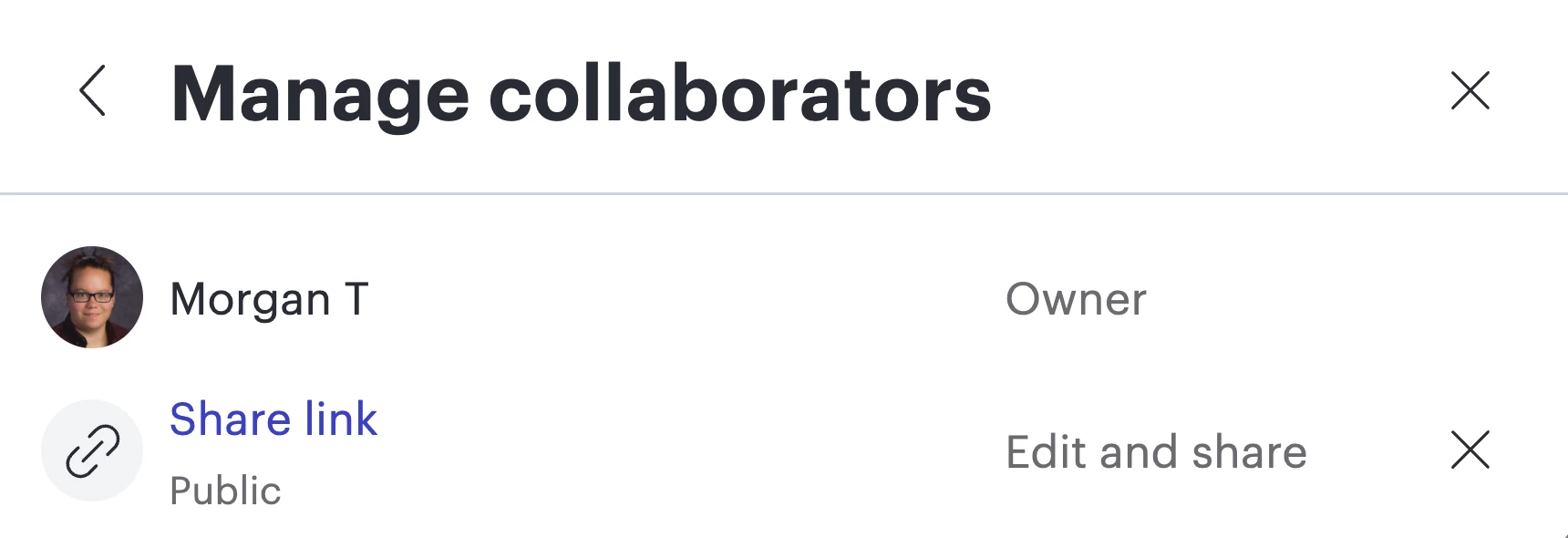
Additionally, access for users joining via a shareable link is now tied directly to the link’s current settings. If you update the “Shareable link” permissions (e.g. from Edit to View), that change immediately applies to everyone using that link—even if they have accessed the document before. If you toggle off a shareable link, users who had previously accessed a document via shareable link will no longer have access to the document.
Individual collaborators will not be affected by changes to the shareable link. If you’ve added a specific person to a document as a collaborator they are still added as an individual collaborator and their permissions remain tied to their collaboration. If a user has both individual access and shareable link access, their permissions will default to the more privileged access.
Why this matters
This change makes it much easier to "revoke" or "downgrade" access for a large group of people at once without having to scrub your collaborator list for individual names.
Timeline
Please note: this feature is currently in beta and being rolled out gradually to ensure a smooth experience. Because of this, not all users will see this change in their Lucid account. We expect the full rollout to be completed in early March.
We’d love to hear your feedback on this new flow! Drop a comment below if you have questions about how this affects your current workflows.
 Your privacy choices


