Answer

How to set a default text size for mind maps in Lucidchart

  • April 10, 2025
  • 1 reply
  • 42 views

Forum|alt.badge.img+1

The default font size for the mind map = 8pt.

How exactly do I set a default text size? Is there an instruction video or doc that you can share?

This question was raised in community a year ago, but the answer was vague and not helpful.

Please help.
Best answer by Michelle S

Hi ​@dzraick1 , 

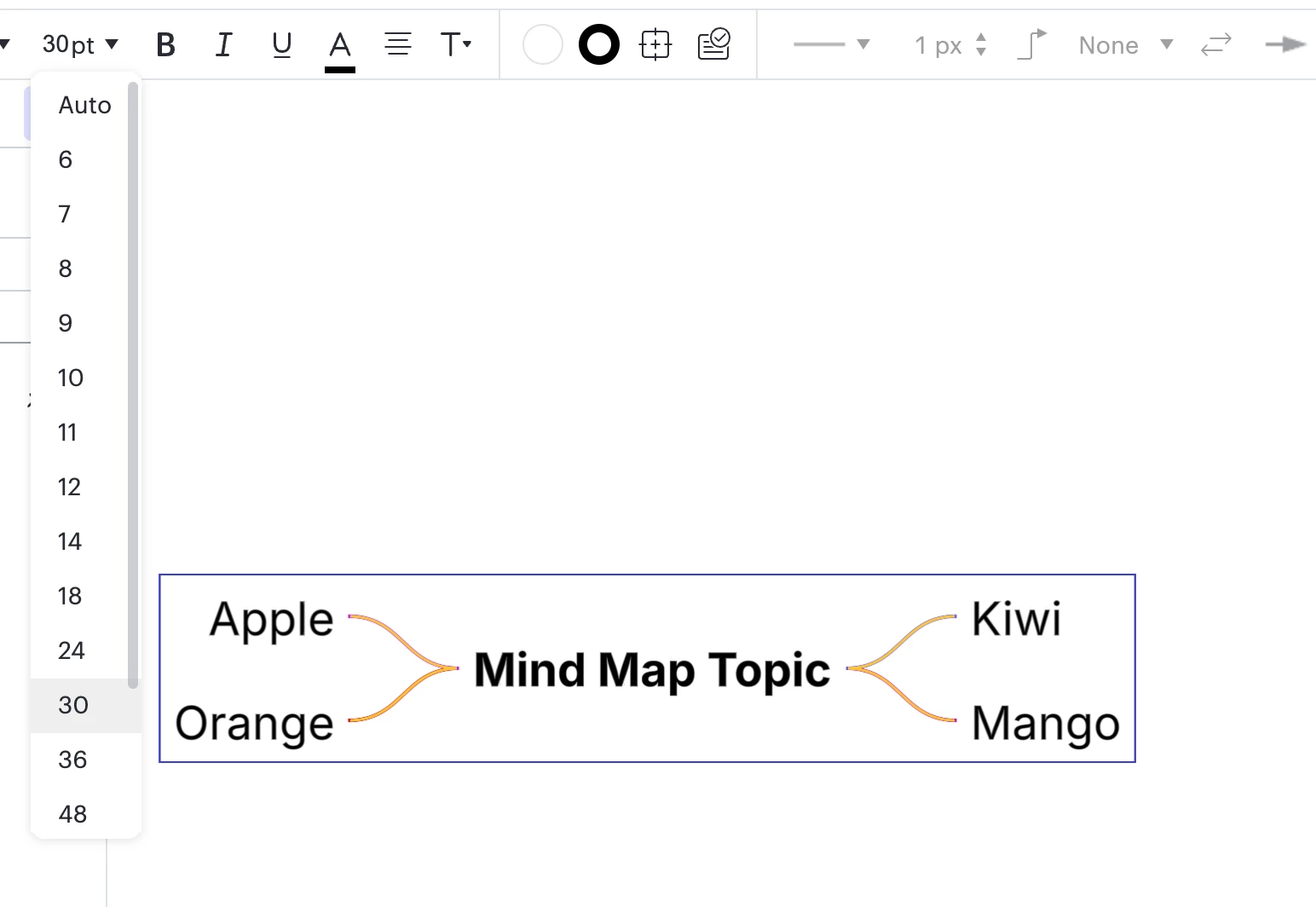
Thanks for posting in the Lucid Community! Unfortunately, setting a default font size for mind maps is not currently supported in Lucid. The font size will automatically default to 8pt font with mind maps. However, you can change the font size of the entire mind map at once. To do this, click and drag on your canvas to select the entire mind map and then select your font size. This will prevent you from having to edit each node individually. 

Please let me know if you have any additional questions. 

Comments

Forum|alt.badge.img+8
  • Lucid support team
  • Answer
  • April 11, 2025

Hi ​@dzraick1 , 

Thanks for posting in the Lucid Community! Unfortunately, setting a default font size for mind maps is not currently supported in Lucid. The font size will automatically default to 8pt font with mind maps. However, you can change the font size of the entire mind map at once. To do this, click and drag on your canvas to select the entire mind map and then select your font size. This will prevent you from having to edit each node individually. 

Please let me know if you have any additional questions.