Answer

How to put an event on a task shape

  • February 12, 2019
  • 3 replies
  • 58 views

Maxim G

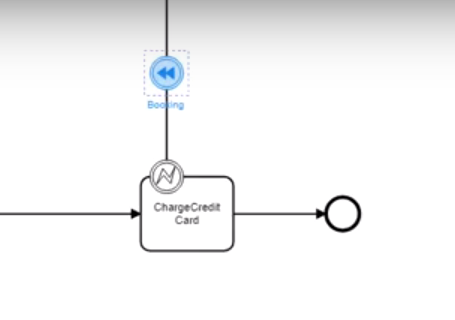
Hi there! Some BP Modelers allow putting an event on a task (please see the diagram below ChargeCreditCard task)
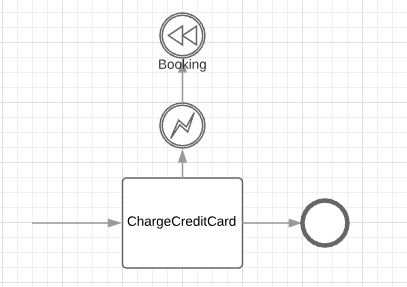
How can I do the same thing with LucidChart? As represented below only? Or any other ways? Thanks!

Best answer by Kelsey Gaag

Hi ​@Memo

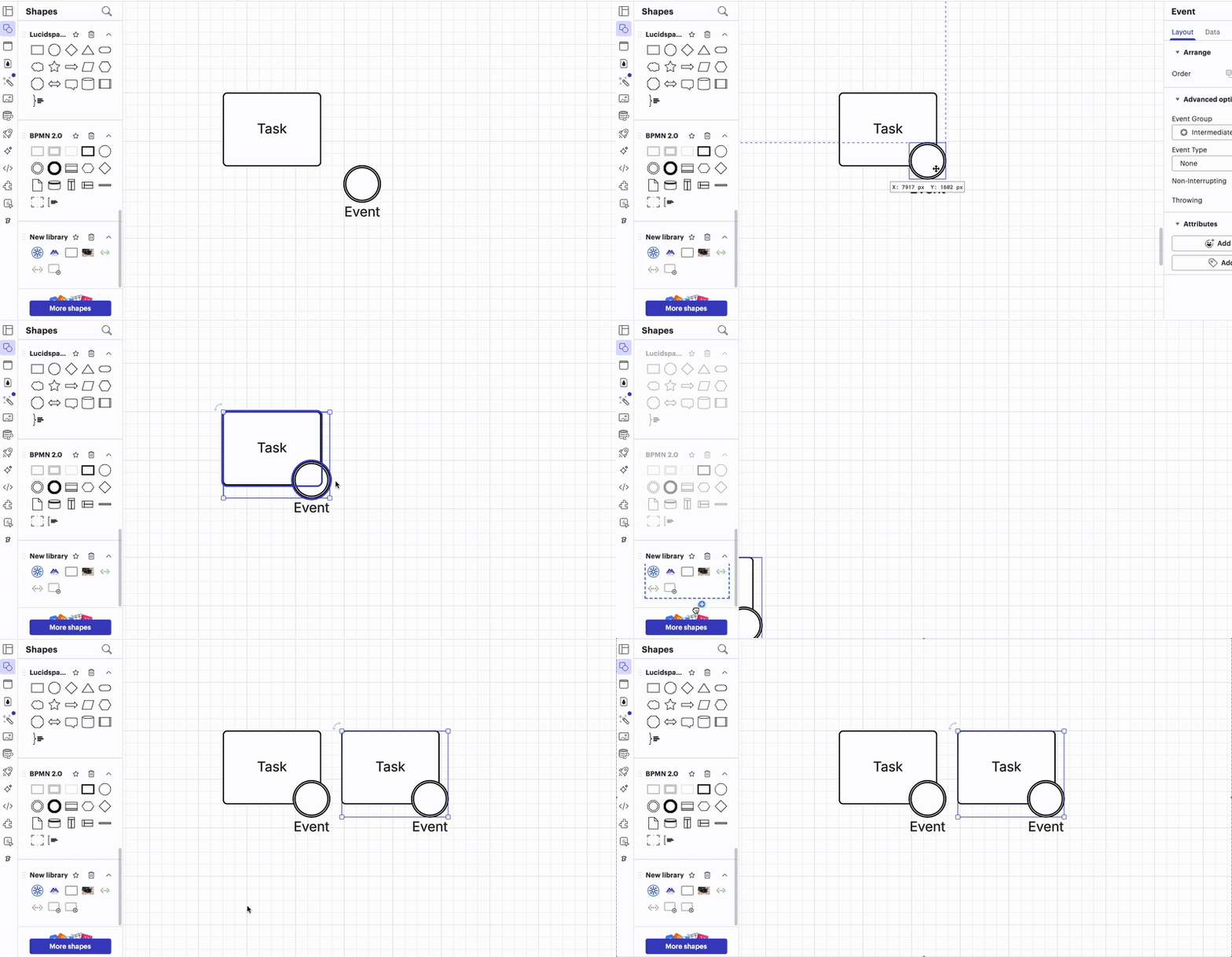
Thank you for the reply! I believe that you can achieve this functionality by adding an event manually to a task shape, or alternatively, if you have a recurring task/event you can make a custom shape by: 

  1. Add your task and event together 
  2. Select both, right click, then select group 
  3. In the shapes panel, create a custom library, or if you already have one select it by going to the Shape Library.
  4. Drag and drop your new shape your library. 


Hope this Helps!

Comments

Paula C101
  • Lucidite
  • February 12, 2019

Hi Maxim

Thanks for posting in the Lucidchart Community! Unfortunately there is not currently a way to add events to tasks on Lucidchart.  However we're always looking for ways to improve! Do you mind adding your idea to our Feature Request Form? Suggestions from this form are directed to our development team for future product features. 

As a workaround you may be able to use Hotspot actions to accomplish this. You can learn how to use Hotspots in this Help Center article

Let me know if there's anything else I can help you with today! 


Forum|alt.badge.img
  • May 7, 2025

Is this still the case?

I also wanted to create a boundary event (put it together with a task). I would have thought, that after six years in the Year 2025 it is possible. I mean there is also a possibility to put other Symbols on forms (function “icon sets”). So why not events bound to tasks?


Kelsey Gaag
Forum|alt.badge.img+16
  • Lucidite
  • Answer
  • May 8, 2025

Hi ​@Memo

Thank you for the reply! I believe that you can achieve this functionality by adding an event manually to a task shape, or alternatively, if you have a recurring task/event you can make a custom shape by: 

  1. Add your task and event together 
  2. Select both, right click, then select group 
  3. In the shapes panel, create a custom library, or if you already have one select it by going to the Shape Library.
  4. Drag and drop your new shape your library. 


Hope this Helps!