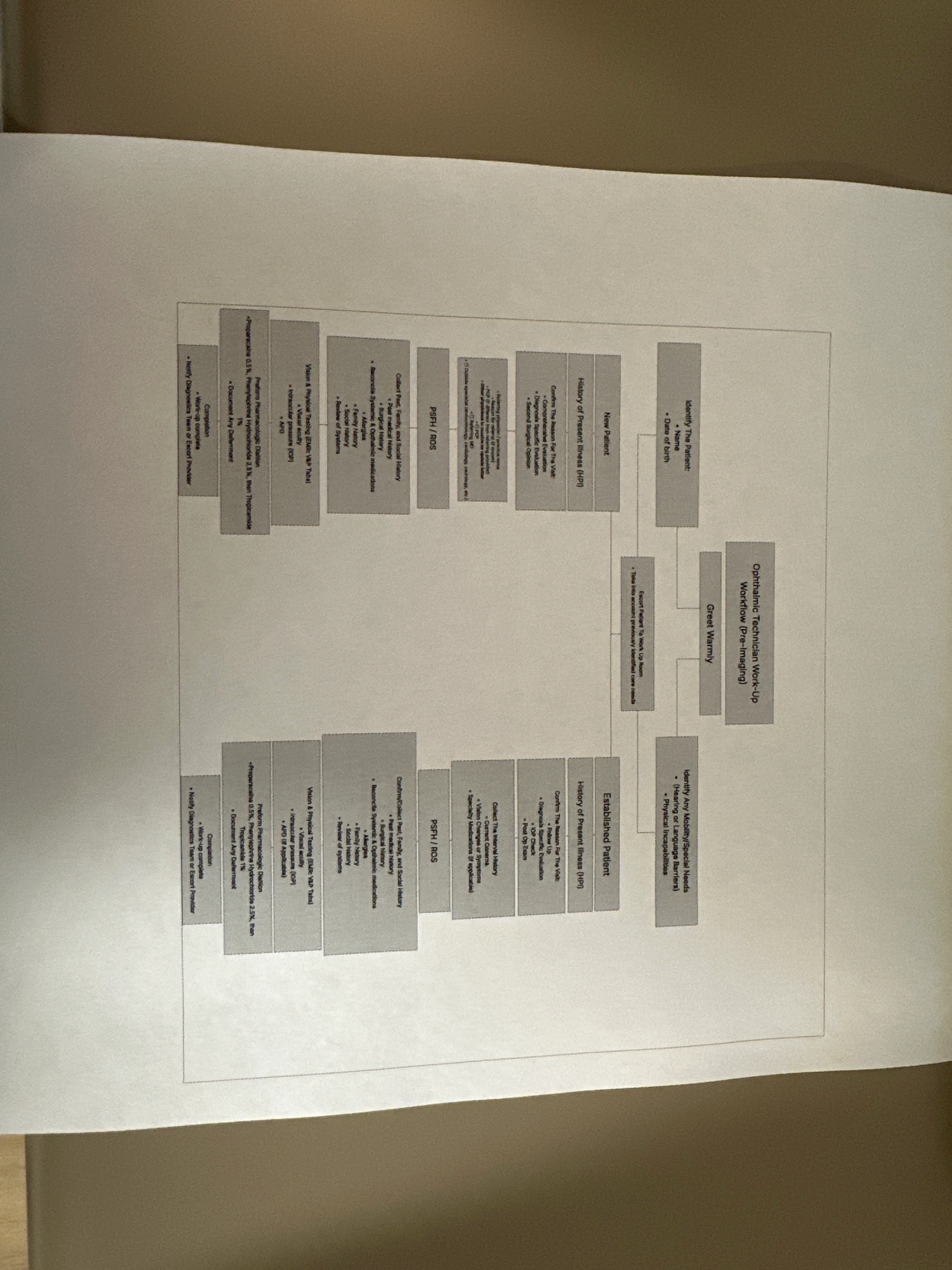
I’m having difficulty printing my chart to fill a 8.5 x 11 in paper. I set the file size to be 8.5 x 11 however Everytime I print it comes out like the image above. No matter how much I fidget to resize the image it comes out the same.
Thanks for posting in the Lucid Community! I completely understand your concern when printing.
Here are a few different methods you can try to ensure your document fits your 8.5 x 11 in paper:
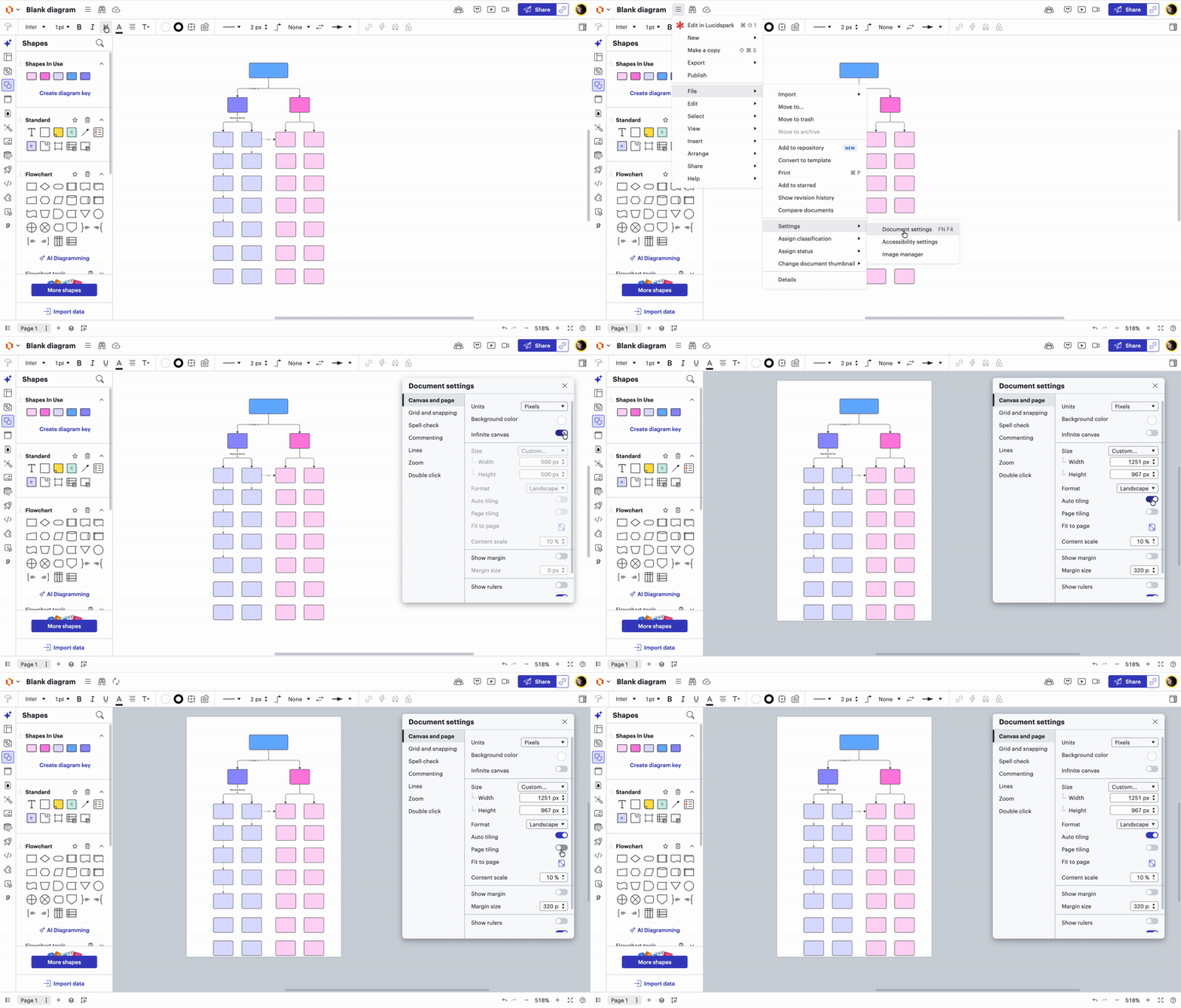
Option 1: Turn Infinite canvas off and Auto tiling on. (see gif below with step-by-step instructions)
Select Hamburger Menu at the top of your document. Select “File” Select “Settings” Select “Document settings” On the “Canvas and page” setting, turn off your infinite canvas by toggling it off Turn on Auto tiling by toggling it on
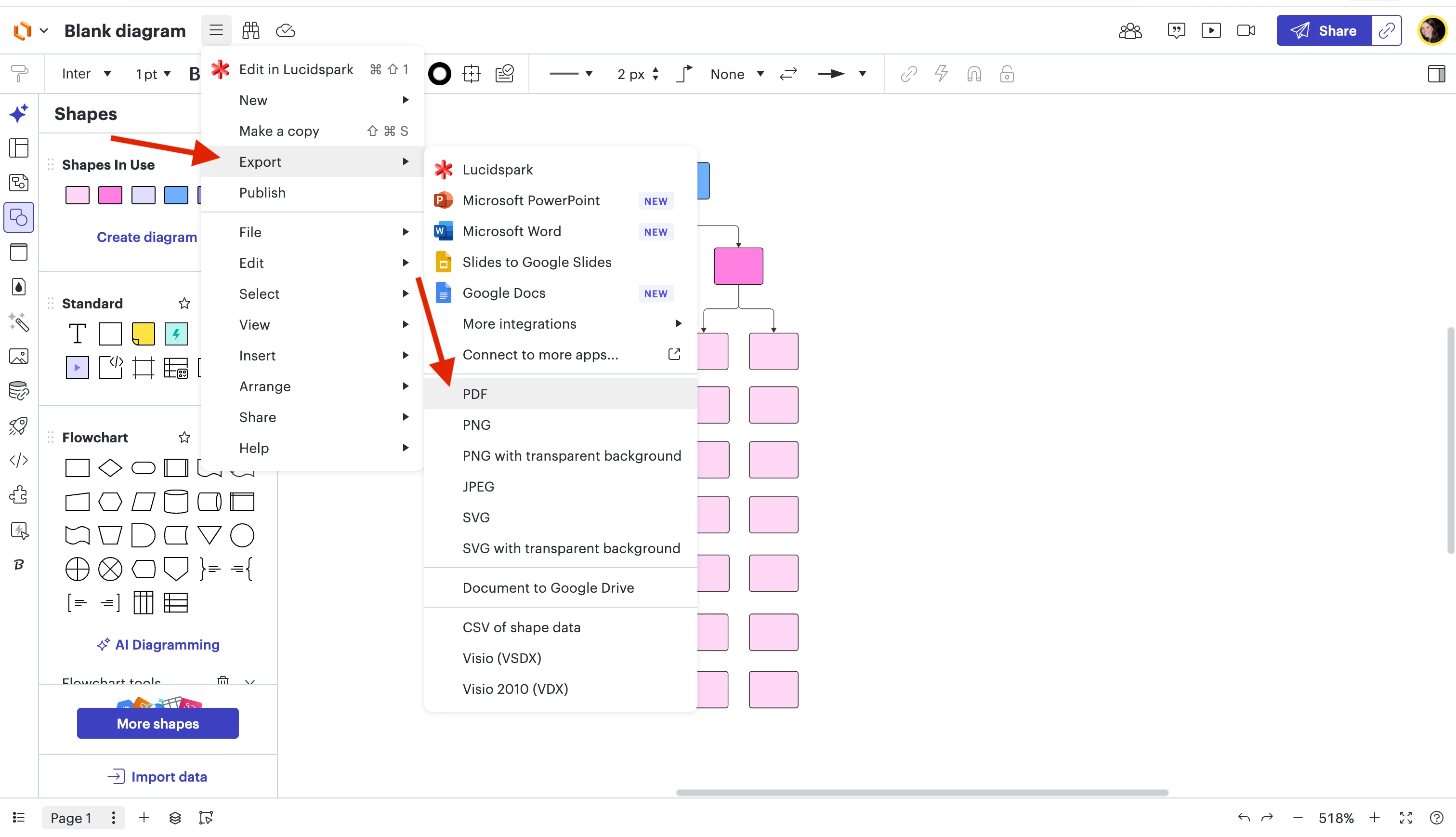
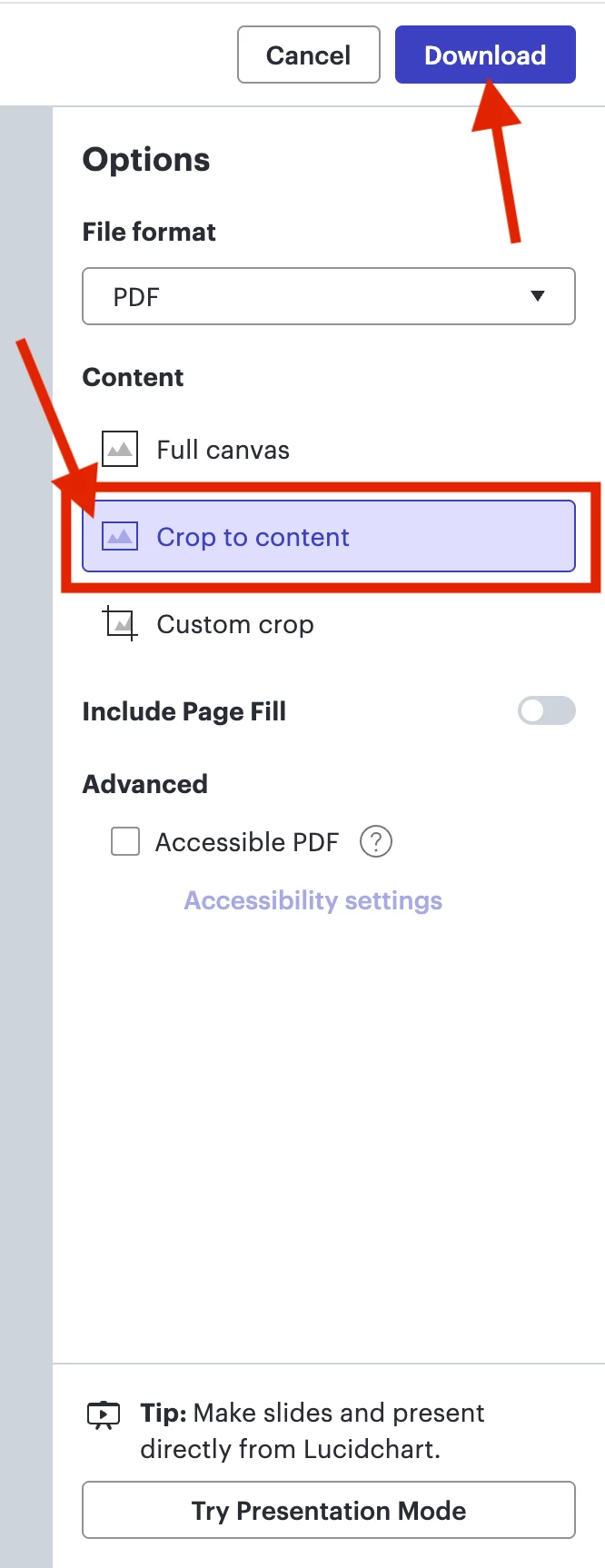
Option 2: Export as PDF and Crop to content.
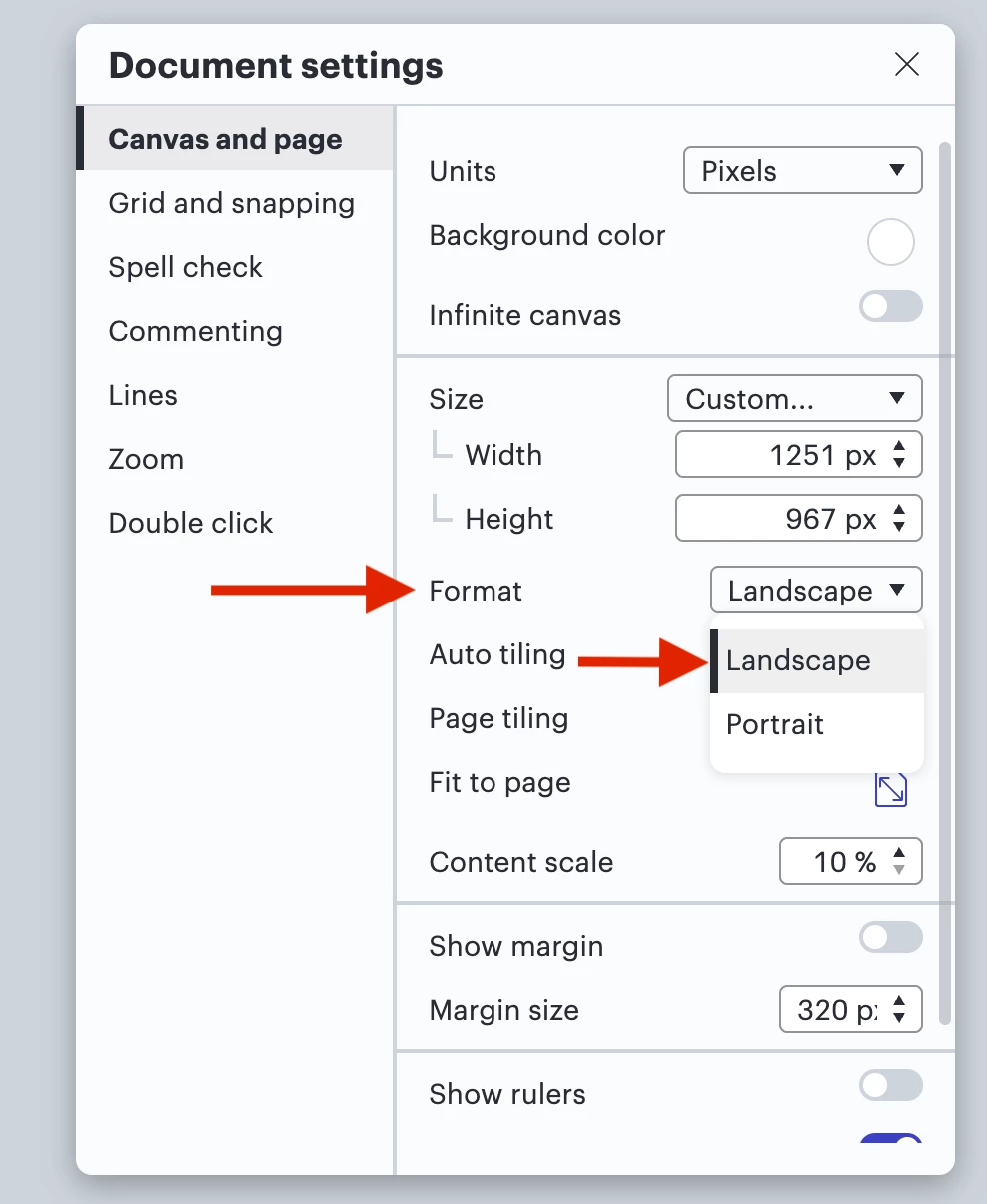
Option 3: In your Document Settings, change format from Portrait to Landscape, or whichever fits your document best. You can also change the Content scale.
Please refer to this help center article as you continue to adjust your document and board settings, and let me know if you have any additional questions!
Thanks for posting in the Lucid Community! I completely understand your concern when printing.
Here are a few different methods you can try to ensure your document fits your 8.5 x 11 in paper:
Option 1: Turn Infinite canvas off and Auto tiling on. (see gif below with step-by-step instructions)
Select Hamburger Menu at the top of your document. Select “File” Select “Settings” Select “Document settings” On the “Canvas and page” setting, turn off your infinite canvas by toggling it off Turn on Auto tiling by toggling it on
Option 2: Export as PDF and Crop to content.
Option 3: In your Document Settings, change format from Portrait to Landscape, or whichever fits your document best. You can also change the Content scale.
Please refer to this help center article as you continue to adjust your document and board settings, and let me know if you have any additional questions!
A Lucid or airfocus account is required to interact with the Community, and your participation is subject to the
Supplemental Lucid Community Terms.
You may not participate in the Community if you are under 18. You will be redirected to the Lucid or airfocus app to log in.
A Lucid or airfocus account is required to interact with the Community, and your participation is subject to the
Supplemental Lucid Community Terms.
You may not participate in the Community if you are under 18. You will be redirected to the Lucid or airfocus app to log in.


 Your privacy choices


