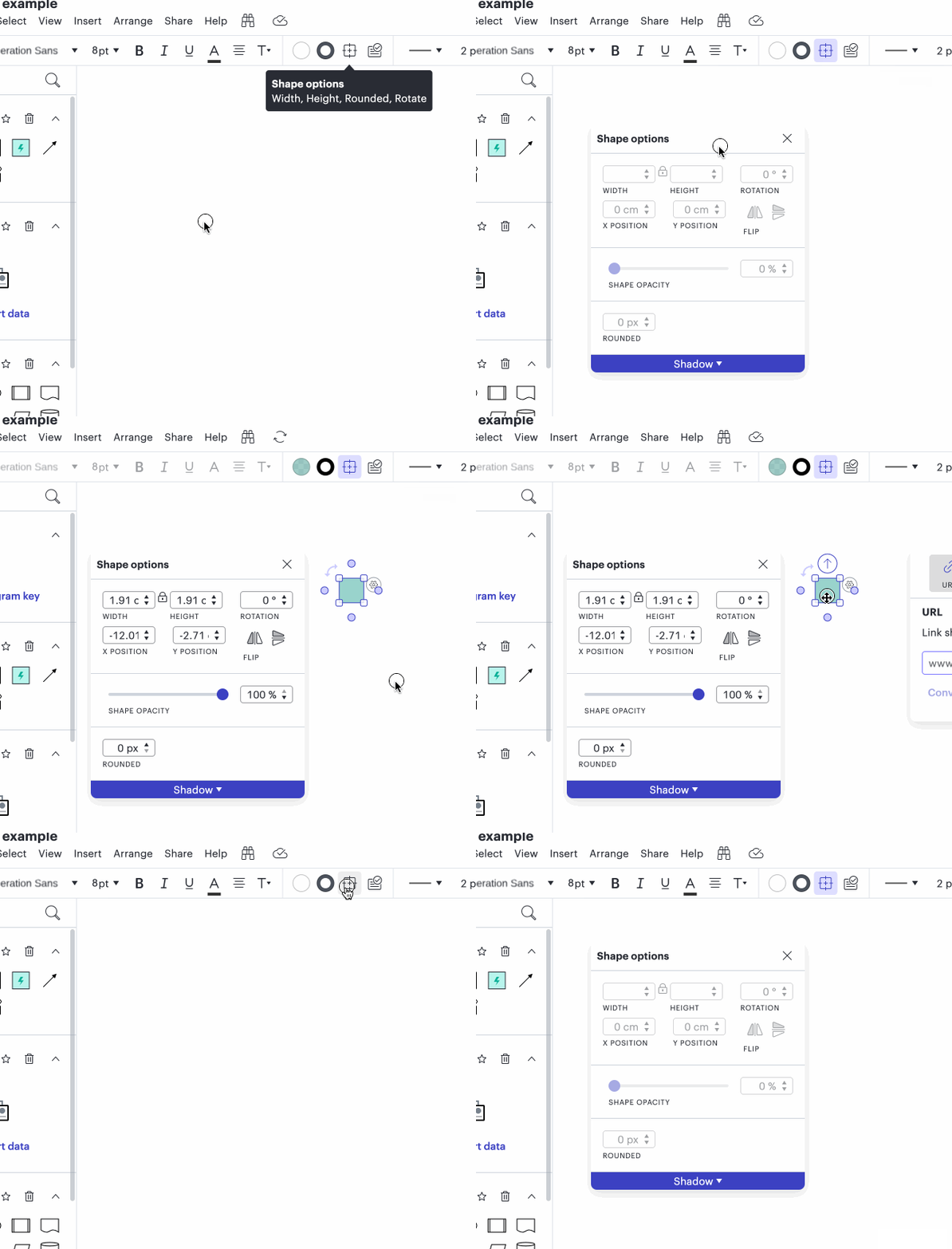
When I ask for certain operations in “Help | Feature Find” it pops up “Shape Options”. That’s great, but how do I pop up shape options myself, without going through Feature find? I can’t find it in menus or the context menu.
how to pop up shape options
Best answer by Leianne C
Hi
Unfortunately, there isn’t a shortcut or hotkey to open Shape options. However if you click the pin icon in the top right corner shown in your screenshot, you can keep this window opened in your editor for easy access. I’ve added GIF demonstrating this as well:

I hope this helps! Feel free to let us know if you have any additional questions.
Create an account in the community
A Lucid account is required to interact with the Community, and your participation is subject to the Supplemental Lucid Community Terms. You may not participate in the Community if you are under age 18. You will be redirected to the Lucid app to log in.
Log in to the community
A Lucid account is required to interact with the Community, and your participation is subject to the Supplemental Lucid Community Terms. You may not participate in the Community if you are under age 18. You will be redirected to the Lucid app to log in.
Log in with Lucid
Enter your E-mail address. We'll send you an e-mail with instructions to reset your password.