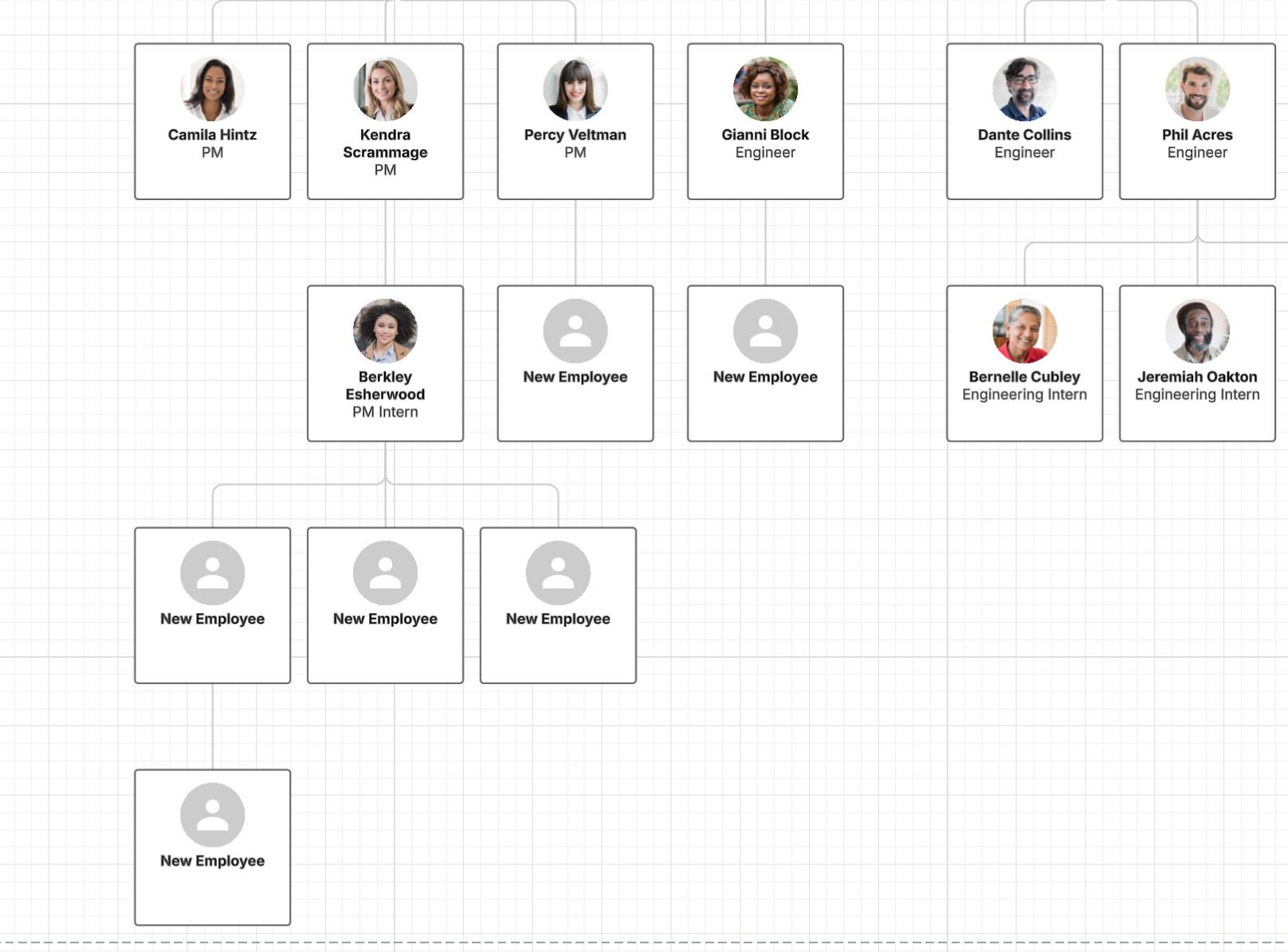
Does anyone happen to know if there is a way to change the layout of Org.Charts once they are completed, as opposed to having to re-create all of them? My GM has decided that he wants them all to be vertical, as opposed to the how they look now.
Hi @GerlingL, Would you mind providing a detailed description of how you’ve added objects to your org chart? Would you mind sending me a screenshot of the portion of the diagram that you’d like to connect?
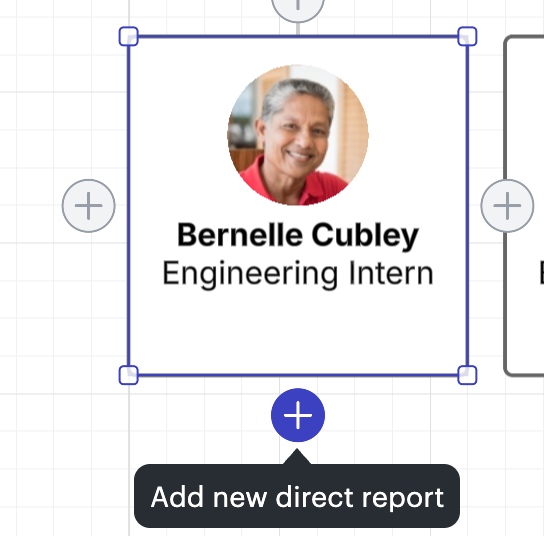
I noticed from your comment on this thread that you added new employees to your org chart since they weren’t in your original data import. After importing employee data into your org chart, you should still be able to manually add new employees as shown below.
You can do so by going to an existing employee, hovering over the shape until you see the + signs, and selecting a plus sign to add a direct report, manager, or team member.
Hi @GerlingL, thanks for posting in the Lucid Community!
You can navigate to the layout tab of your org chart and adjust the layout style as shown below. To learn more, I suggest reading through this article!
Please let me know if you run into any problems with this or have any further questions. Happy to help!
Hi @GerlingL, Would you mind providing a detailed description of how you’ve added objects to your org chart? Would you mind sending me a screenshot of the portion of the diagram that you’d like to connect?
I noticed from your comment on this thread that you added new employees to your org chart since they weren’t in your original data import. After importing employee data into your org chart, you should still be able to manually add new employees as shown below.
You can do so by going to an existing employee, hovering over the shape until you see the + signs, and selecting a plus sign to add a direct report, manager, or team member.
A Lucid or airfocus account is required to interact with the Community, and your participation is subject to the
Supplemental Lucid Community Terms.
You may not participate in the Community if you are under 18. You will be redirected to the Lucid or airfocus app to log in.
A Lucid or airfocus account is required to interact with the Community, and your participation is subject to the
Supplemental Lucid Community Terms.
You may not participate in the Community if you are under 18. You will be redirected to the Lucid or airfocus app to log in.


 Your privacy choices


