

How do i show dimensions in ft instread of m?
Solved
How to change floor plan units (m to ft)
Best answer by Ambar D
Hi
Are you hoping to edit the dimensions of a floor plan in Lucid? If yes, I’d recommend using the scale tool and changing the unit of measurement from m to ft as shown below. To get access to the scale tool, navigate to Shapes in the left-hand toolbar, select More shapes, search for the Floorplans shape library and select the checkbox next to the library, then click Use selected shapes. You should see the scale tool pop up in your canvas. From there, you can change the unit from m to ft as shown below.
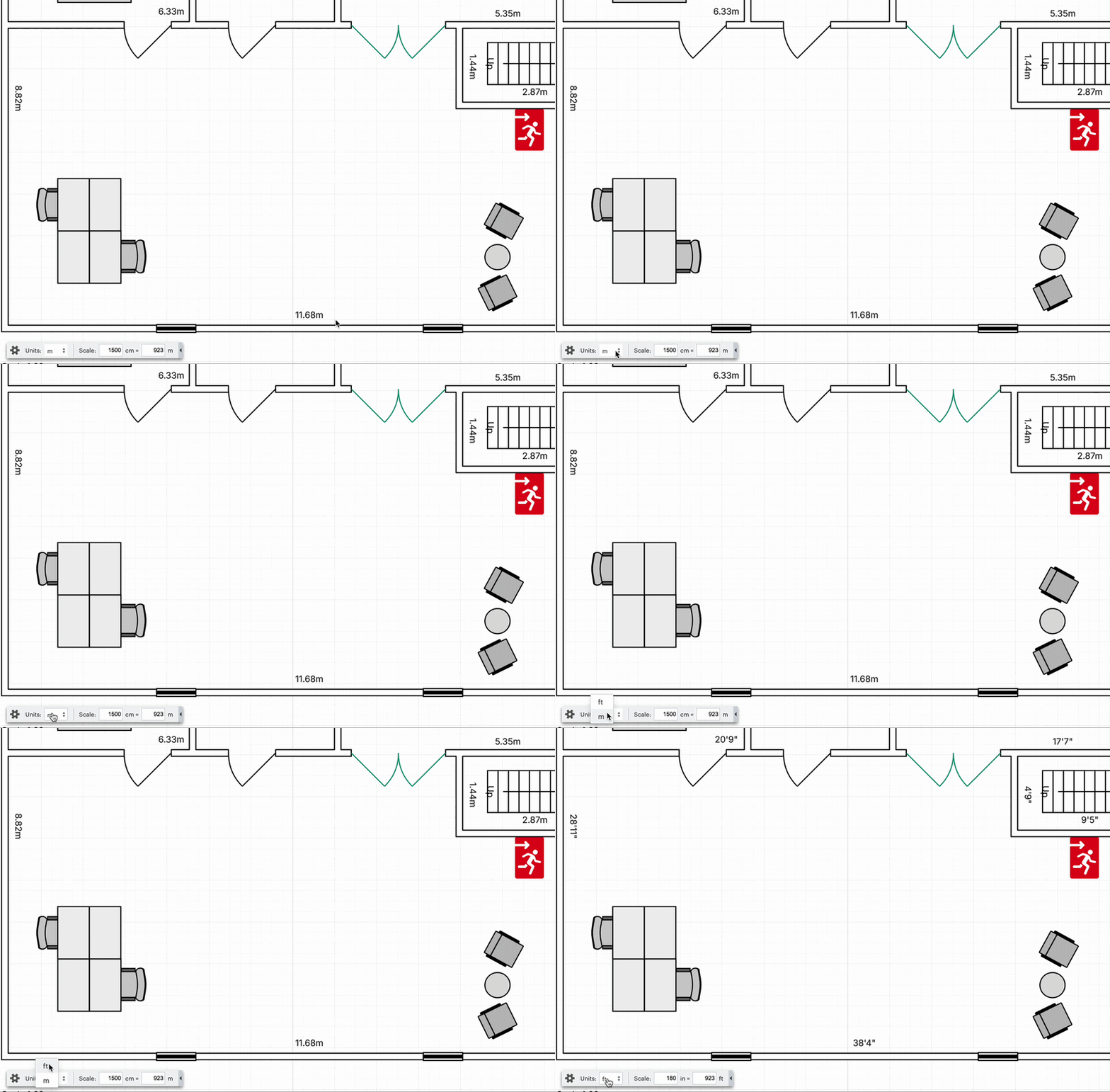
If you’re not editing a floor plan, would you mind providing me with additional details on what you’re looking to edit?
If you’re hoping to edit units of measurement for your document, you can open the Document settings and select your preferred unit from the dropdown shown below! This is used for measurements only and will not change the layout or appearance of your document.
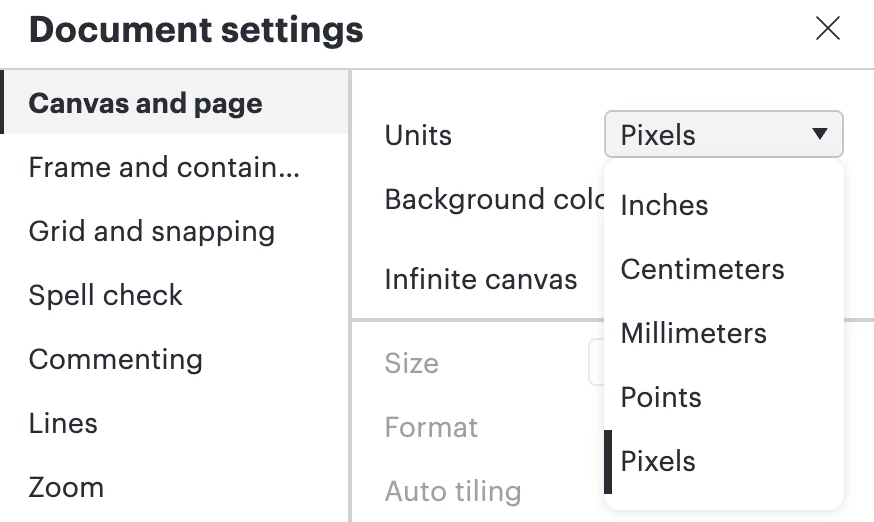
I hope this helps! Please let me know if you have any questions.


Create an account in the community
A Lucid or airfocus account is required to interact with the Community, and your participation is subject to the Supplemental Lucid Community Terms. You may not participate in the Community if you are under 18. You will be redirected to the Lucid or airfocus app to log in.
Log in to the community
A Lucid or airfocus account is required to interact with the Community, and your participation is subject to the Supplemental Lucid Community Terms. You may not participate in the Community if you are under 18. You will be redirected to the Lucid or airfocus app to log in.
Log in with Lucid Log in with airfocus
or
Enter your E-mail address. We'll send you an e-mail with instructions to reset your password.
 Your privacy choices


