Solved

How to change an email from Personal to Business

  • November 17, 2025
  • 2 replies
  • 24 views

Forum|alt.badge.img

Email was inadvertently tagged “Personal” but should have been “Business.” I have followed forum questions / advice and tried to delete to start over again, but Lucid won’t allow me to delete. How do I “undo” to correctly set my email as Business?

Best answer by Leianne C

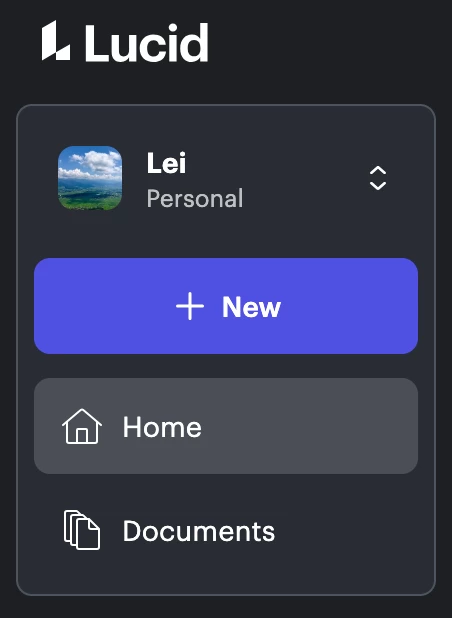
Hi ​@mthompso, thank you for posting in the community! Would you mind sharing more details about where you’re seeing that your account is tagged “personal”? If you are referring to the left panel after logging into your account, this is expected behaviour. Even on an Team/Enterprise account, your default view is your "Private/Personal" workspace.

If you check the top right corner of your account, you should be able to see what account type you are on:

I hope this helps. Please feel free to let us know if you have any questions!

Comments

Humas1985
Lucid Legend Level 10
Forum|alt.badge.img+24
  • Lucid Legend Level 10
  • November 19, 2025

Hi ​@mthompso 

Try navigating to Account Settings - User Settings - Delete Account to remove your personal account.  Ensure that deleting the account will permanently remove all documents, so make sure to export or back up anything important first. Once the account is deleted, you can create a new Lucid account using your business email.

Hope this helps - Happy to help further!!
Thank you very much and have a great one!
Warm regards


Leianne C
Forum|alt.badge.img+15
  • Lucid support team
  • Answer
  • November 20, 2025

Hi ​@mthompso, thank you for posting in the community! Would you mind sharing more details about where you’re seeing that your account is tagged “personal”? If you are referring to the left panel after logging into your account, this is expected behaviour. Even on an Team/Enterprise account, your default view is your "Private/Personal" workspace.

If you check the top right corner of your account, you should be able to see what account type you are on:

I hope this helps. Please feel free to let us know if you have any questions!
