Hello.
There was a recent UI enhancement about organizer drop zones. This was the description: Organizer drop zones: Move shapes around drop zones more precisely, thanks to a tidier view. The related image shows different size sticky notes inside a dynamic table column.
The description and the image is not helpful in understanding this new enhancement. We could put sticky notes and ones with different sizes inside a dynamic table.
So I played around to figure it out. Are any of these guesses correct:
-the purple indicator line is now darker when moving a sticky note around inside the dynamic table? Or was it always that dark purple?
-does it have to do with the assisted layout feature instead? Does it have to do with that dotted line that appears when hovering one sticky note over another? So when you put the second sticky note down and now move it they both move together?
-does it have to do with the assisted layout feature? Does it have to do with the dotted border that appears instead of the filled in purple placeholder if you hover a sticky note over an empty spot for too long?
Thank you for your time. Bye.

How do I access organizer drop zones in Lucid?
Best answer by Ambar D
Hi
- Dynamic Tables - Yes, you can see the organizer drop zones available in dynamic tables by looking for those purple grids in your screenshot.
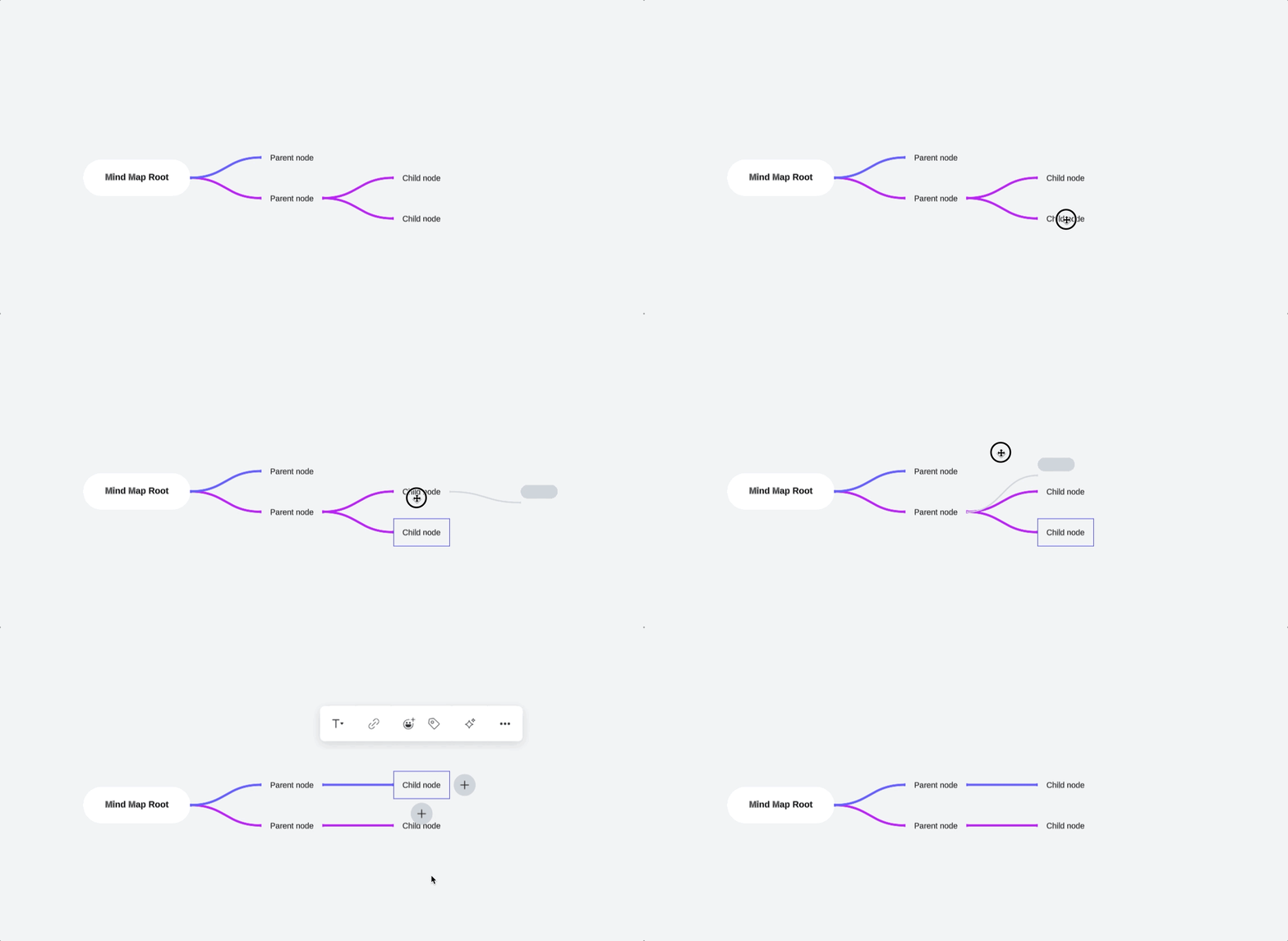
- Mind Maps - Yes, it is the grey placeholder that appears as you drag items to different places in your mind map. These indicate where the items will be placed if you “drop” the item into place. I’ve shared feedback with our product team that this may be unclear since the color does not match what you experience in dynamic tables.

- Containers and frames - This specific feature functionality is not available in containers and frames. The closest experience here would be assisted layout as you’ve discovered, which is slightly different, but may also help to organize and place your content.
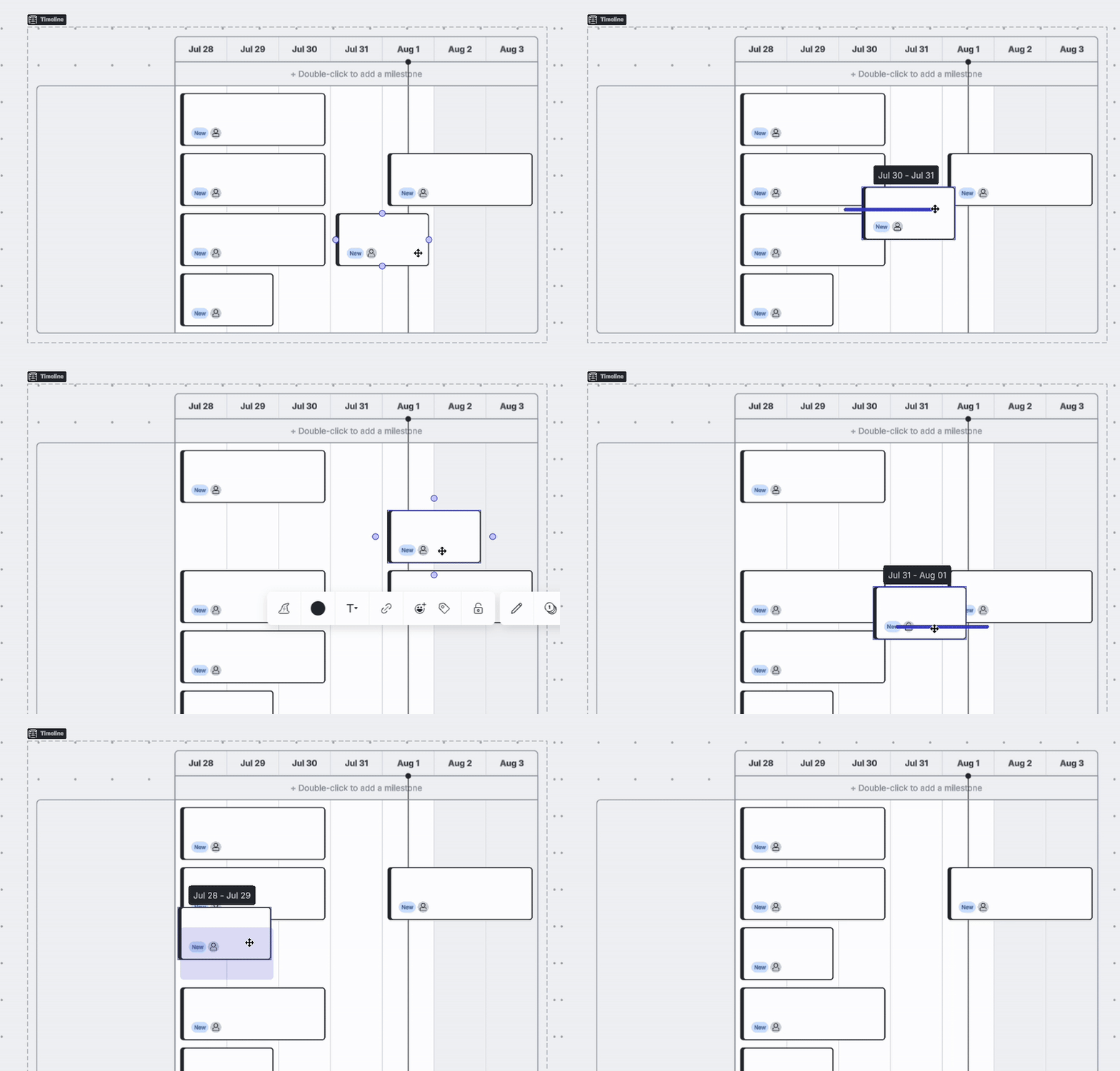
- Timelines - This feature is available in timelines as well, and it is indicated by the purple highlights just as in dynamic tables.

Let me know if you have any further questions here! Happy to help!
Create an account in the community
A Lucid account is required to interact with the Community, and your participation is subject to the Supplemental Lucid Community Terms. You may not participate in the Community if you are under age 18. You will be redirected to the Lucid app to log in.
Log in to the community
A Lucid account is required to interact with the Community, and your participation is subject to the Supplemental Lucid Community Terms. You may not participate in the Community if you are under age 18. You will be redirected to the Lucid app to log in.
Log in with Lucid
Enter your E-mail address. We'll send you an e-mail with instructions to reset your password.