Hi @atewsley and @dwbernard, thank you for your responses and for additional feedback!
If you have never used Google Slides before, this could potentially be a reason why the export failed. Could you please log into Google Slides > open your Lucid document in a separate window > try to export into Google Slides again?
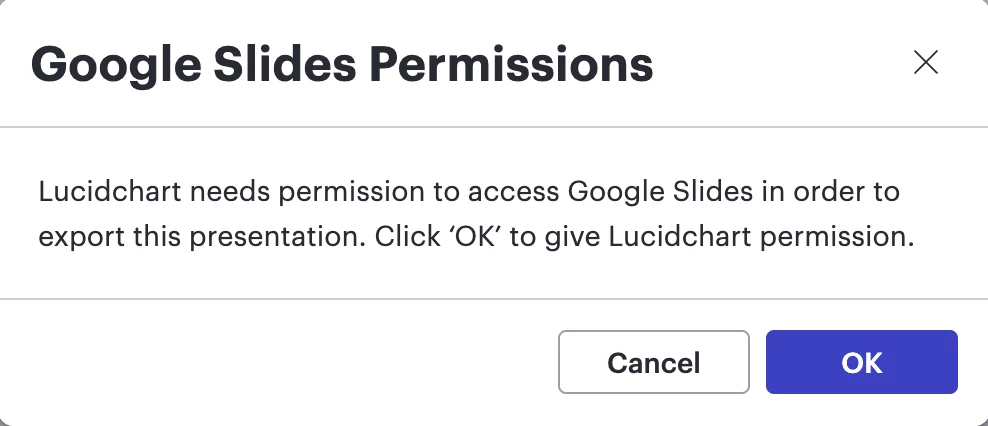
Then, you should be prompted as such:
There, click on “OK”, and you will be prompted to select your Google user and give Lucid access to your Google account. Please make sure to click on “Allow” when the following message appears:
Please let me know how it goes, we’re happy to help!
There is a possibility that you have been logged out from your Google account in the meantime.
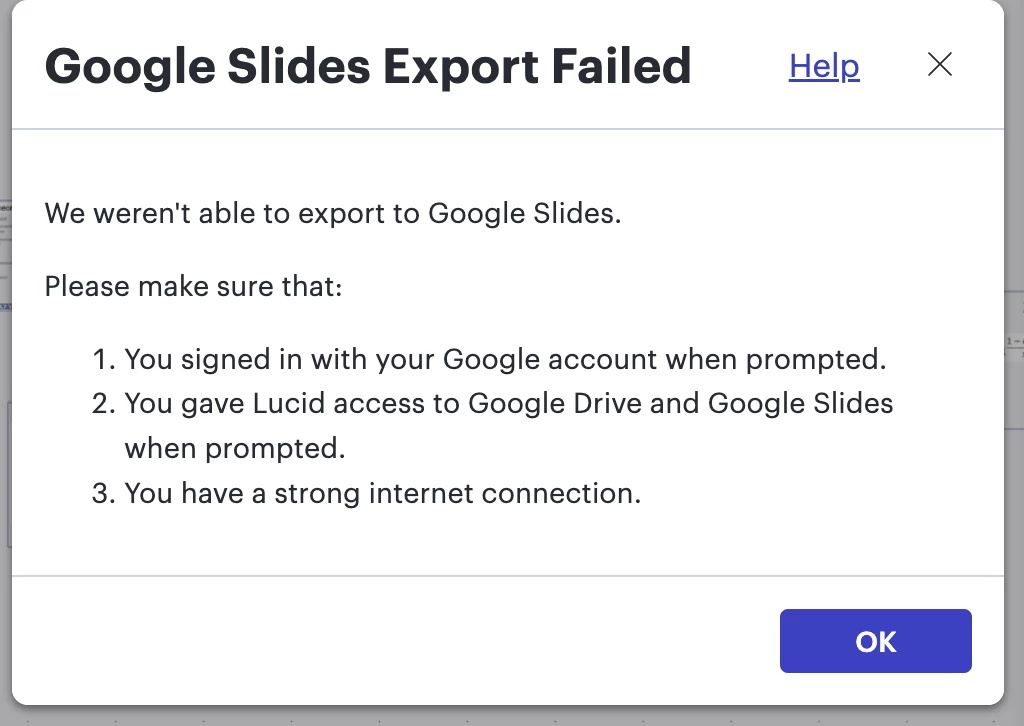
Could you please make sure the steps 1, 2 and 3 are followed and try to export your Lucid document to Google Slides again? That is, could you please manually ensure that you are logged into your Google account, and that Lucid has permissions to access you Google Drive and Google Slides instances?
I too have encountered this today after many successful exports of slides in the past.
One thing I note is that in the process I receive NO PROMPTS.
Lucid goes directly to thinking about my export without further interaction and then gives the “We weren’t able reply”. Will check my permissions again per your advice…
Hi! Thanks for the replies! I feel like I’m fully logged in, but the prompts never come up. After writing my post, I actually just did a pivot and convert the slides from Presentation mode to PDF (which skips the step I was doing in Google Slides...since I don’t actually ever use the Google Slides).
So...I’ve done that workaround and until that stops working I’m good. Thanks again
Hello! Thanks for that. Thats exactly what my son figured out for me. I had thought that I was locked into Google Slides and same as you its a platform I do not use. I only wish I’d read your workaround day before yesterday!
Thanks for the update….will be interesting to see the final science behind this glitch between Google Slides and Lucid. Our old friend Chat GPT tells me that if completely disconnecting all relationships between Ludid and Google doesn’t work we will simply have to wait till one company or the other pushes out a code fix. In the meantime ...I like your idea of going straight to PDF. Thank again...
Hi @atewsley and @dwbernard, thank you for your responses and for additional feedback!
If you have never used Google Slides before, this could potentially be a reason why the export failed. Could you please log into Google Slides > open your Lucid document in a separate window > try to export into Google Slides again?
Then, you should be prompted as such:
There, click on “OK”, and you will be prompted to select your Google user and give Lucid access to your Google account. Please make sure to click on “Allow” when the following message appears:
Please let me know how it goes, we’re happy to help!
@dwbernard whenever you get the chance, let us know how that went!
Although you used Google Slides in the past, there is a possibility that you have been logged out in the meantime, and need to authenticate and give Lucidchart access again.
A Lucid or airfocus account is required to interact with the Community, and your participation is subject to the
Supplemental Lucid Community Terms.
You may not participate in the Community if you are under 18. You will be redirected to the Lucid or airfocus app to log in.
A Lucid or airfocus account is required to interact with the Community, and your participation is subject to the
Supplemental Lucid Community Terms.
You may not participate in the Community if you are under 18. You will be redirected to the Lucid or airfocus app to log in.



 Your privacy choices


