Question

"Highlight selected shapes" button is gone

  • July 13, 2026
  • 3 replies
  • 105 views

Forum|alt.badge.img+1

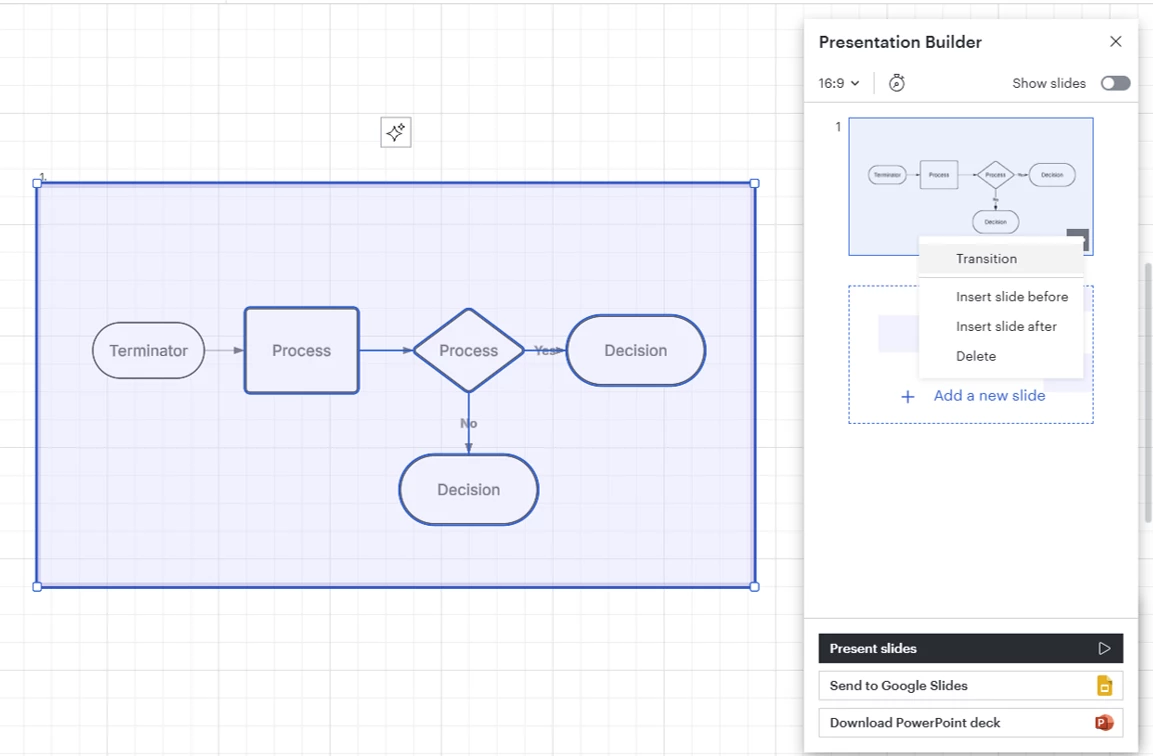
I highlight my shapes, I go to the presentation builder window and click on the ellipsis button and “highlight selected shapes” is no longer in the menu. Where did it go?

 

Comments

aparrish
Lucid Legend Level 7
Forum|alt.badge.img+18
  • Lucid Legend Level 7
  • July 13, 2026

@Mike S the UI can be a little confusing. The Highlight Selected Shape option doesn't appear in the main Edit menu for slides. Instead:

  1. Open Presentation Mode and create or edit a slide.
  2. Select the shape you want to emphasize on that slide.
  3. In the Slides panel, click the ⋮ (three-dot) menu for that slide.
  4. Choose Highlight Selected Shape.

If you don't see that option in the slide's menu, could you let us know:

  • whether you're using Lucidchart or Lucidspark,
  • whether you're editing in a browser or the desktop app,
  • and what type of account/plan you have (Free, Individual, Team, or Enterprise)?

A screenshot of the slide menu would also help determine whether the feature isn't available in your editor or if the interface has changed. This is a known issue, but we need more clarity on the above specifics in order to help diagnose.


Leianne C
Forum|alt.badge.img+15
  • Lucid support team
  • July 14, 2026

Hi ​@Mike S, thank you for posting in the community! Just wanted to chime in and share some context here. We recently updated our presentation tool, and as part of those changes, the Highlight Selected Shape option is no longer available.

While that specific option is gone, you can check out our Create a presentation in Lucid Help Center article for details on the current ways to customise and format your slides. Feel free to let me know if you have any questions! 


Forum|alt.badge.img+1
  • Author
  • July 15, 2026

Hi ​@Mike S, thank you for posting in the community! Just wanted to chime in and share some context here. We recently updated our presentation tool, and as part of those changes, the Highlight Selected Shape option is no longer available.

While that specific option is gone, you can check out our Create a presentation in Lucid Help Center article for details on the current ways to customise and format your slides. Feel free to let me know if you have any questions! 

Ok this better explains it. I am using an Enterprise license of Lucidchart, and it seems you have eliminated the feature. This is frustrating because now I have old slides that I have added new shapes to but I can’t add those shapes to the highlight list. IE. The old shapes are still “locked in” to the highlight feature, but the button is gone. So, you didn’t plan for the legacy lucidcharts when you eliminated the feature? 


How can I un-highlight everything? Or how can we get that feature back? Do I need to remake all my slides?