
Liz G
Lucid support team
July 8, 2022

Have an employee with two managers? Use this trick to represent them in your Lucidchart org chart

  • July 8, 2022
  • 12 replies
  • 7923 views

Not all organizations operate with a traditional hierarchy and you may need to customize Lucidchart's default org chart structure to meet your individual needs. For example employees may report to two managers if their role and responsibilities span multiple teams. 

You can represent this in Lucidchart by drawing a line from the employee to the additional manager. This will need to be done outside of the Org Chart editor. If you are currently editing your Org Chart group first press ESC. 
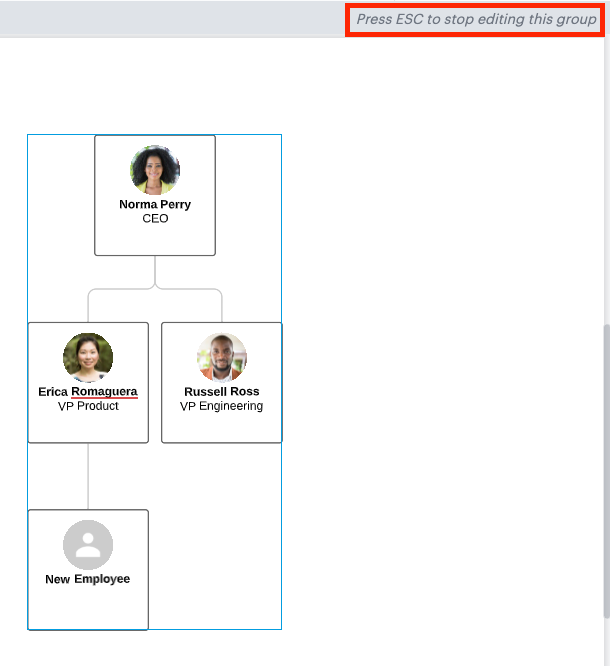
zhPKa676dblNxCiJG90msg.png

Then hover over the employee shape until you see a red dot. 

jG4m4Lp5C0Ui6IBhQe4K5w.png

Last drag the line out and connect it to the additional manager. 

Zz9l0EEK_BLADUIOQen3Nw.png


🎉  Voila! Now you have a visual representation of an employee with multiple managers!

For additional org chart tips and tricks check out the resources below:


Pinned Reply By Leianne C

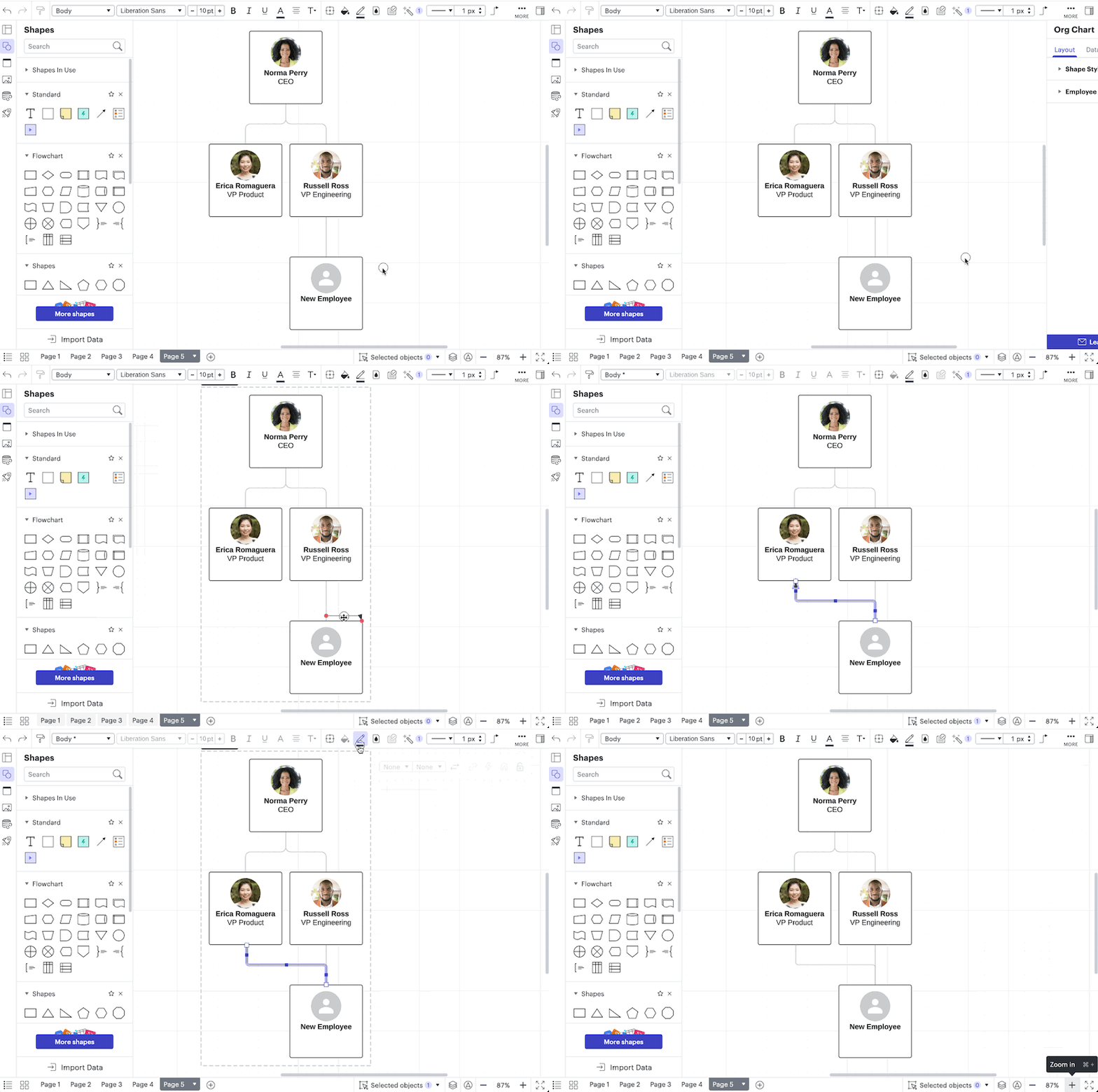
Hello! Our Org Charts feature was recently updated and the method to add a line to indicate one employee reporting to two managers has changed. 

Now the quickest way to visualise this is by dragging a line from the 'Standard' shape library and adding it to your org chart. You can easily remove the arrowhead and change the line colour to 'Gray' to match the style of the other lines in your org chart. You can see this in action in the GIF below! 

Hope this helps! Feel free to let us know if you have any questions. Cheers! đź™Ś

Comments

April 16, 2024

Hi @Leianne C - when I drag a standard line, the connection dot is purple instead of red. Does this matter? I ask because adding this line does not register the second manager as a “manager” (e.g. doesn’t change count of direct reports; doesn’t allow that manager’s level to be collapsible, etc.). Any ideas on how to fix this?? 


Leianne C
Lucid support team
April 18, 2024

Hi @Maxwell J, thanks for continuing this thread! It looks like there has been an update and the connection dot in Lucid is now purple, so that is expected behaviour!  

Unfortunately, this workaround only helps with visually showing the relationship in your Org Chart and does not change/update the linked data. I see that you have gone ahead and created an Idea post for this request (thank you!) 


For anyone reading this thread and is interested in a similar feature, we encourage you upvote the idea post above⬆and please add any additional details you’d like - this consolidation helps to refine feedback and properly capture the popularity of the request.

Thank you for your request and please feel free to let us know if you have any questions!Â