Solved

Google Docs extension error upon log in
  • February 15, 2026
  • 2 replies
  • 10 views

Forum|alt.badge.img


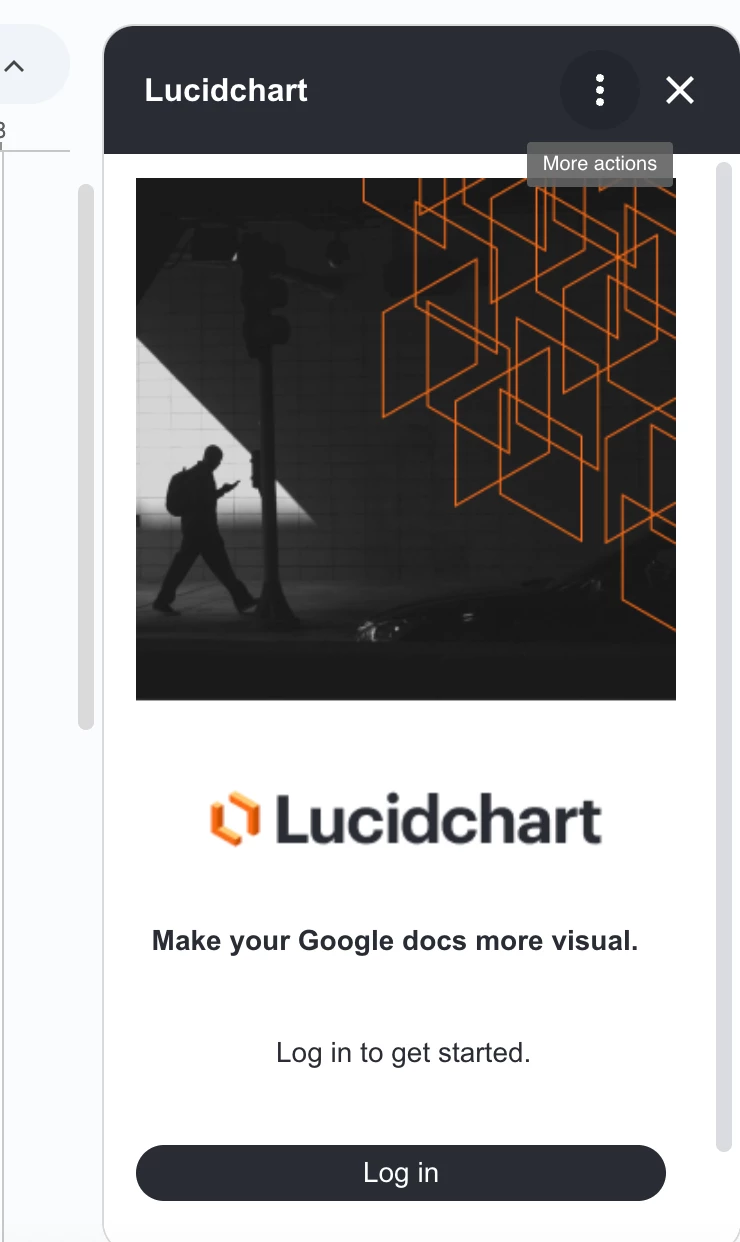
First, I click log in on the side bar. 


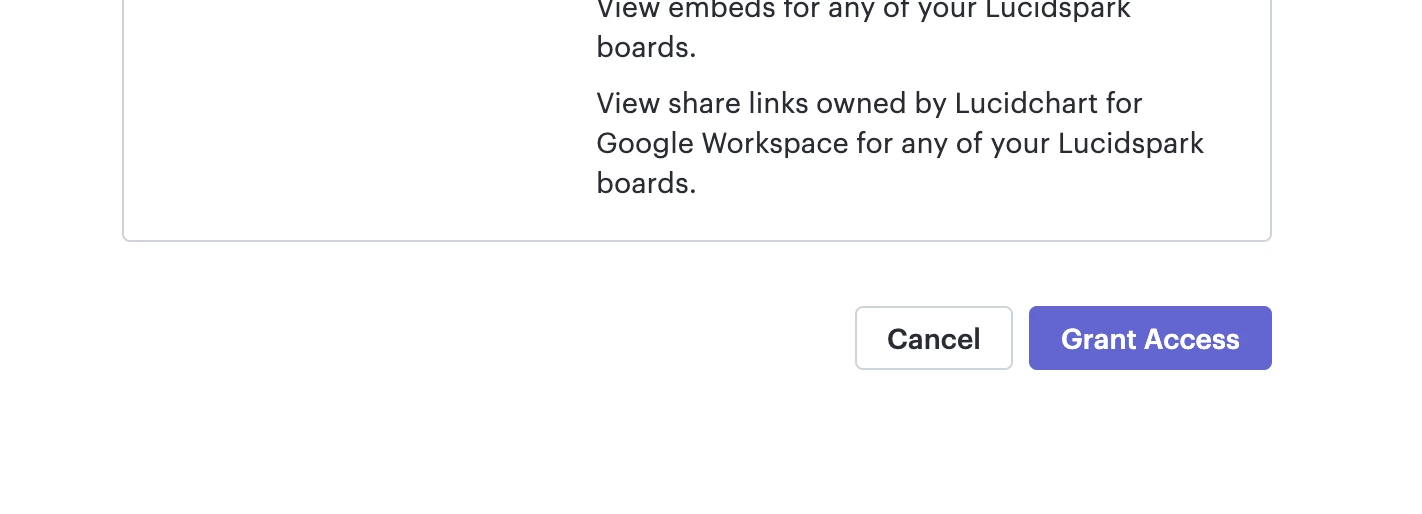
Next, I select Grant Access 
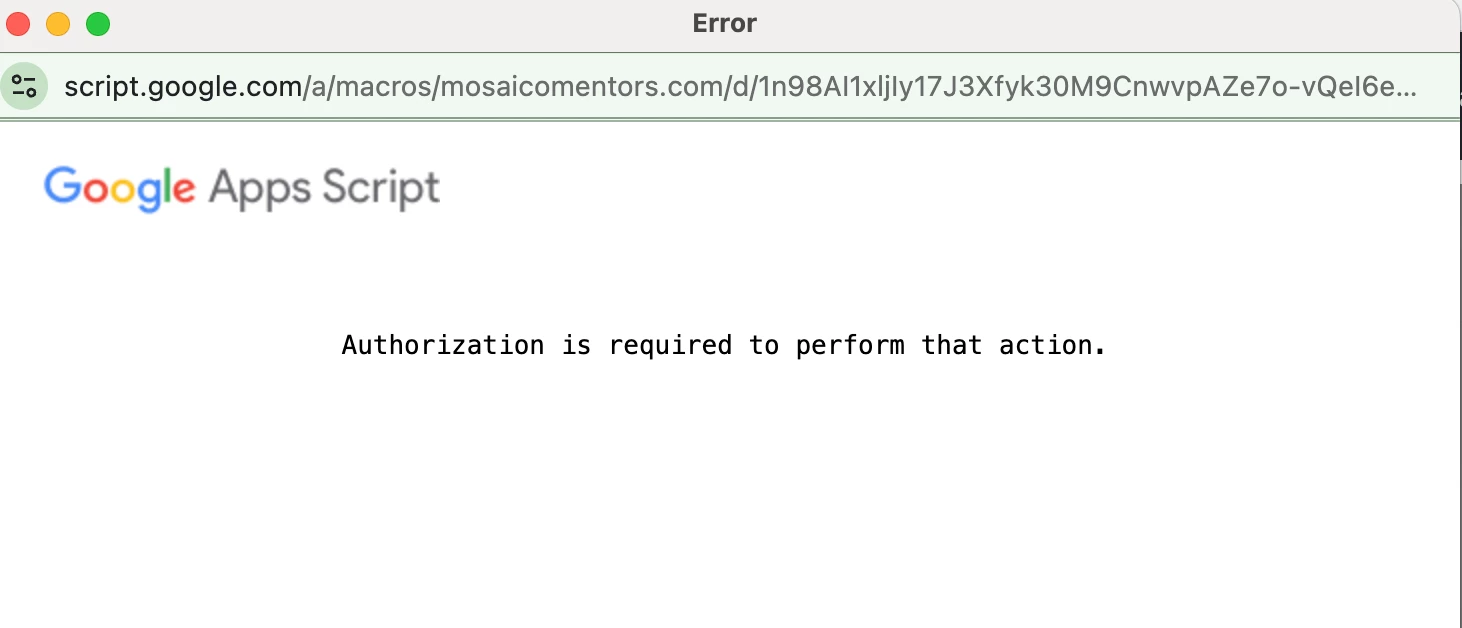
Then I receive this error message. 

I already granted admin access to the Lucid Chart extension. 

Best answer by Zuzia S

Hi ​@mosaicomentors, thank you for posting in the Community, and thank you ​@aparrish for chiming in!
 
Could you please try the following troubleshooting steps and let us know about the results?:

  • Sign out of all Google accounts in your browser, then sign back in only to the account you want to connect to Lucidchart.
  • Open an Incognito/Private window, log in to Lucidchart there, and try the connection again.
  • Look at the right side of your browser address bar for a "Pop-up blocked" icon. Click it and select "Always allow pop-ups from Lucidchart.com."
  • Clear the connection:
    • Go to your Google Account Permissions.
    • Find Lucidchart in the list and select Remove Access.
    • Go back to Lucidchart and try to "Link to Drive" or "Link to Google" from scratch. This forces a fresh permission prompt.

 
In case you are a Google Admin, we also recommend checking the following:

  • If you are part of a managed organisation, your IT admin might have restricted third-party apps from accessing Workspace data.
    • Have your Google Workspace admin go to the Google Admin Console > Security > API Controls > Manage Third-Party App Access.
    • Search for Lucidchart and mark it as "Trusted." If it's currently "Blocked," the authorisation will fail every time.
  • In the Google Admin Console, there is a specific setting that determines whether users can install Marketplace apps at all.
    • Admin Path: Apps > Google Workspace Marketplace apps > Settings.
    • Ensure "Allow users to install only allowed apps from the Marketplace" or "Allow users to install any app" is selected.

 
Let me know if the issue still persists after following these steps. Cheers!

Comments

aparrish
Lucid Legend Level 7
Forum|alt.badge.img+15
  • Lucid Legend Level 7
  • February 15, 2026

@mosaicomentors this could be an issue with the browser you are using. Please make sure the browser you are using is updated to the latest version. Since you already have a paid plan, if that doesn’t fix it, submit a ticket to our Product Support team.


Zuzia S
Forum|alt.badge.img+8
  • Lucid community team
  • Answer
  • February 17, 2026

Hi ​@mosaicomentors, thank you for posting in the Community, and thank you ​@aparrish for chiming in!
 
Could you please try the following troubleshooting steps and let us know about the results?:

  • Sign out of all Google accounts in your browser, then sign back in only to the account you want to connect to Lucidchart.
  • Open an Incognito/Private window, log in to Lucidchart there, and try the connection again.
  • Look at the right side of your browser address bar for a "Pop-up blocked" icon. Click it and select "Always allow pop-ups from Lucidchart.com."
  • Clear the connection:
    • Go to your Google Account Permissions.
    • Find Lucidchart in the list and select Remove Access.
    • Go back to Lucidchart and try to "Link to Drive" or "Link to Google" from scratch. This forces a fresh permission prompt.

 
In case you are a Google Admin, we also recommend checking the following:

  • If you are part of a managed organisation, your IT admin might have restricted third-party apps from accessing Workspace data.
    • Have your Google Workspace admin go to the Google Admin Console > Security > API Controls > Manage Third-Party App Access.
    • Search for Lucidchart and mark it as "Trusted." If it's currently "Blocked," the authorisation will fail every time.
  • In the Google Admin Console, there is a specific setting that determines whether users can install Marketplace apps at all.
    • Admin Path: Apps > Google Workspace Marketplace apps > Settings.
    • Ensure "Allow users to install only allowed apps from the Marketplace" or "Allow users to install any app" is selected.

 
Let me know if the issue still persists after following these steps. Cheers!