Solved

Error when opening one file

  • June 1, 2026
  • 6 replies
  • 66 views

Forum|alt.badge.img+1

Hello everyone,

I'm having an issue with one specific document in my Lucidchart account.  When I try to open it, the document begins to load but then displays the following message in the center of the screen:

    "Error loading document. We apologize for any inconvenience. Try refreshing the page or follow these troubleshooting steps if the problem persists."

When i try to open my other documents, on my account, this issue isnt happening. It only happens with that one specific document. I made that document on my school account and because I discovered the problem there, I shared it with this account with hope that the problem would be solved, but it didn’t work. I have already tried to refresh the page multiple time and read many articles to try and solve the problem on my own. Unfortunatly, nothing seems to be working so my next hope is reaching out to you guys, because my exams are about to start and it important lesson material. 

Is there anything that could be done to resotre the file? 

This is the document that experiences troubles 


Thank you in advance for your time and help! 



Best answer by Ambar D

Hi ​@Jolien, thank you for confirming that information. 

Yes indeed, I have good news! Our development team has let me know that the issue should now be resolved.

I’m sorry again for any inconvenience this may have caused. If you’re still seeing the issue or have any other questions, feel free to reach out. I’m happy to help! 

Comments

Ambar D
Forum|alt.badge.img+12
  • Lucid community team
  • June 1, 2026

Hi ​@Jolien, thank you for your report. I have reported this to our development team.

I apologize for any disruption this may cause, and I will update this thread with any new information about a fix. 

In the meantime, would you mind providing me with the following information to help us take a closer look?

  • To protect your personal information, I’ve removed the link to your document from your post. Instead, could you share a temporary Document Support PIN for this document? This will help me take a closer look at what’s going on. This PIN is safe to post in this thread because it is only accessible by members of the Lucid support staff. You can find steps for generating a Support PIN in this Lucid Help Center article: Generate a Lucid Support PIN
  • Can you please provide me with a screenshot of the associated Javascript Console output after reproducing the issue? You can open your Javascript Console by pressing Ctrl+Shift+J (if your computer is a Windows/Linux) OR Cmd+Opt+J (if your computer is a Mac).

I will update this thread with any new information about a fix. Please follow along on this thread for updates, and post any additional questions or concerns below. 


Forum|alt.badge.img+1
  • Author
  • June 1, 2026

Hello ​@Ambar D 

This is the Document Support Pin 

duNi1wgdDl0DlNcI3bCqTEIhph9lgPE3uP163788574

The screenshot will come later because I don’t have my computer with me right now and tomorrow I’ll be in school. :) 
 

Thank you already for your time!


Forum|alt.badge.img+1
  • Author
  • June 2, 2026

​Hello again @Ambar D 

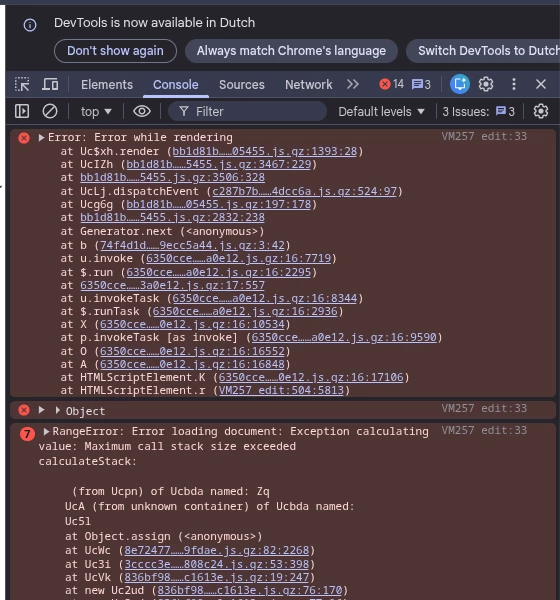
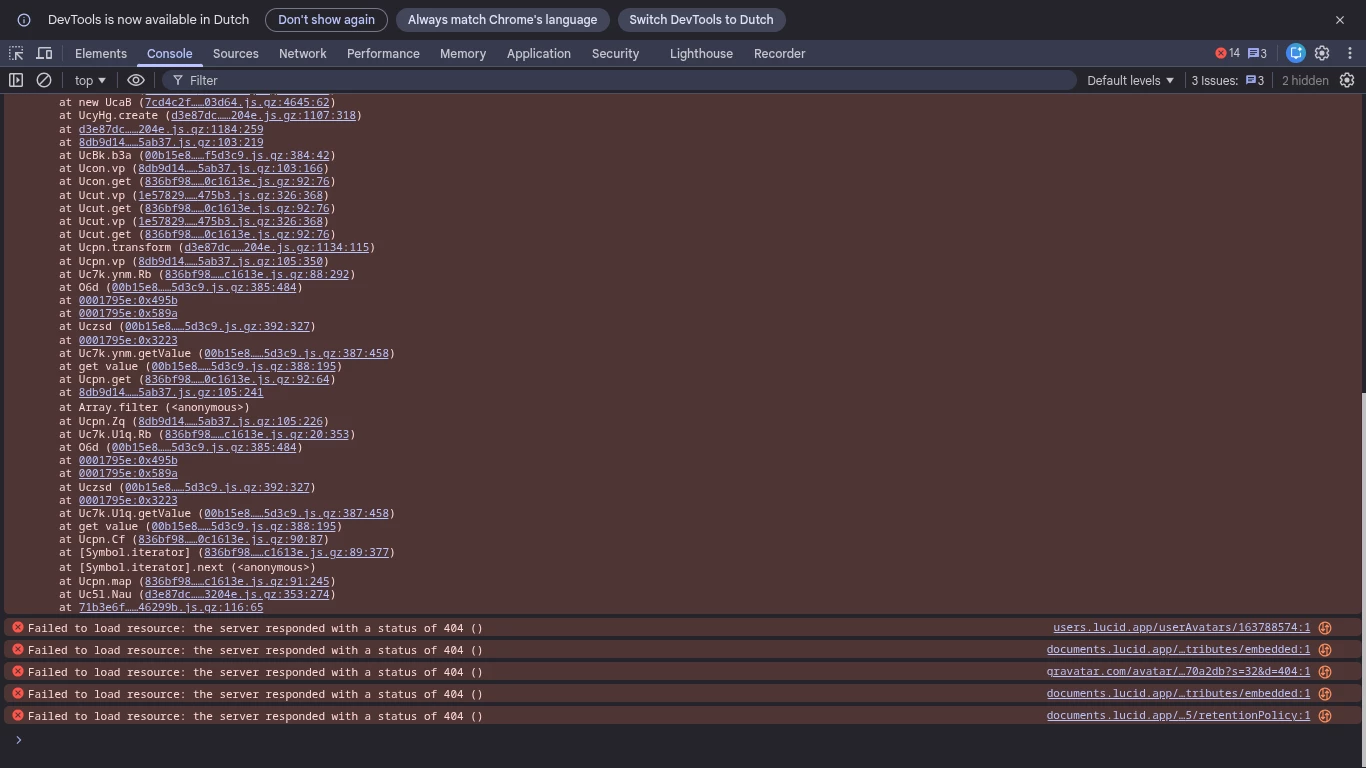
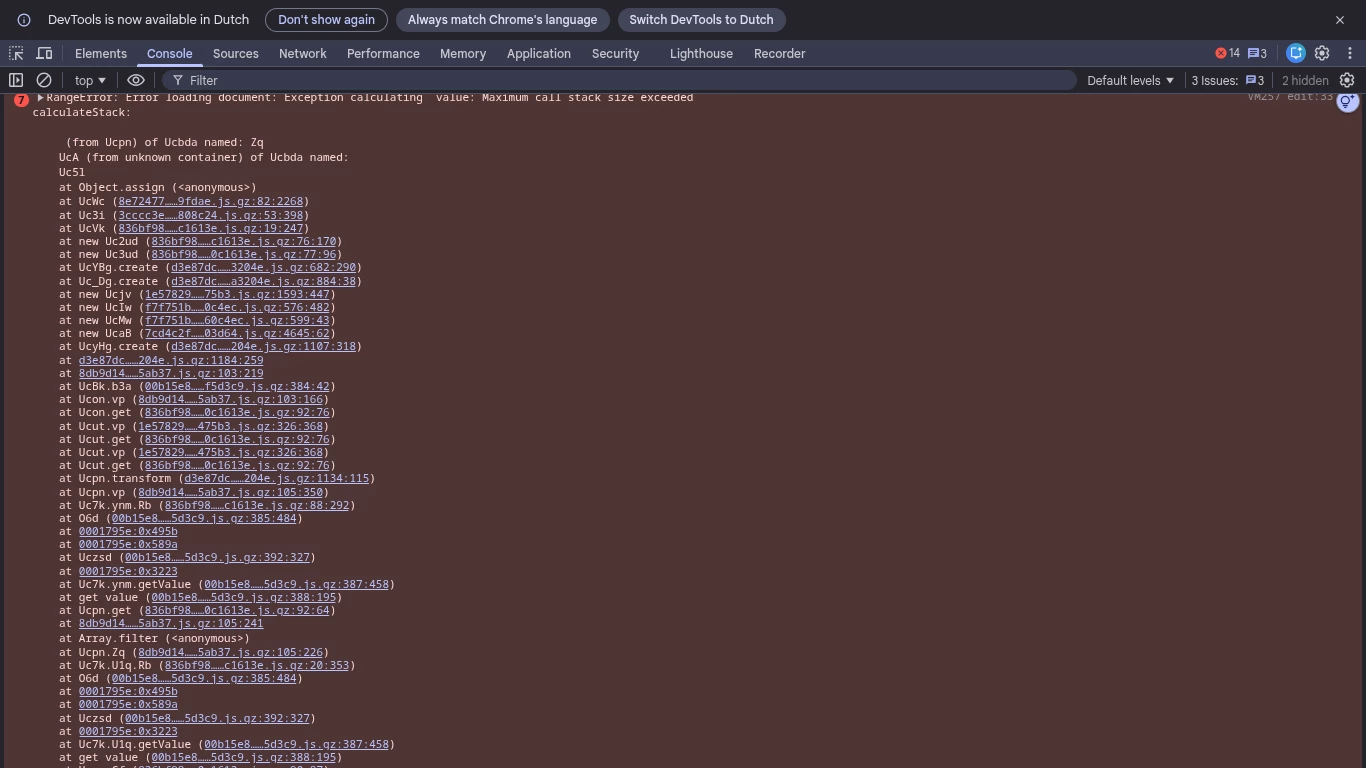
I managed to get screenshots of the JavaScript 


Ambar D
Forum|alt.badge.img+12
  • Lucid community team
  • June 2, 2026

Hi ​@Jolien, thank you for providing that information. I am adding these items to the report for our development team. 

To help us take a closer look, would you mind answering the following questions?

  • Was your document originally created in Lucidspark or Lucidchart?
  • Does your document have a mind map by chance?
  • Are you seeing the error code at the top of the home page at all?

I apologize again for the disruption this is causing, and I will continue to update this thread with any new information about a fix. 


Forum|alt.badge.img+1
  • Author
  • June 2, 2026

Hello ​@Ambar D 

My document was originally created in Lucidspark and it had indeed a mindmap. 

When I went to take a look at the document i could enter it, there was no longer an error. The problem must be solved!  


Thank you very much for your time and help! 

Greetings Jolien ! 


Ambar D
Forum|alt.badge.img+12
  • Lucid community team
  • Answer
  • June 2, 2026

Hi ​@Jolien, thank you for confirming that information. 

Yes indeed, I have good news! Our development team has let me know that the issue should now be resolved.

I’m sorry again for any inconvenience this may have caused. If you’re still seeing the issue or have any other questions, feel free to reach out. I’m happy to help!