Answer

Delete a box/shape only

  • February 22, 2025
  • 6 replies
  • 69 views

Forum|alt.badge.img+1

Hi, new here, driving myself round the bend. How do I delete a box only in mindmap, without deleting the entire mindmap that follows it?

Thanks


Best answer by Humas1985

Hi ​@MichaelA 

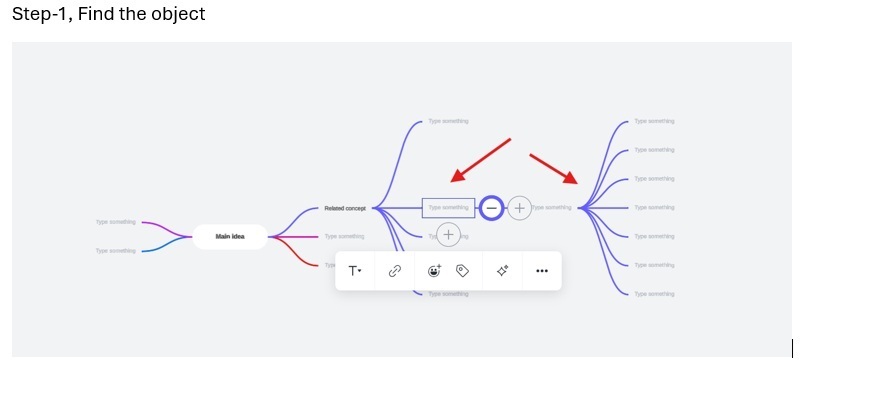
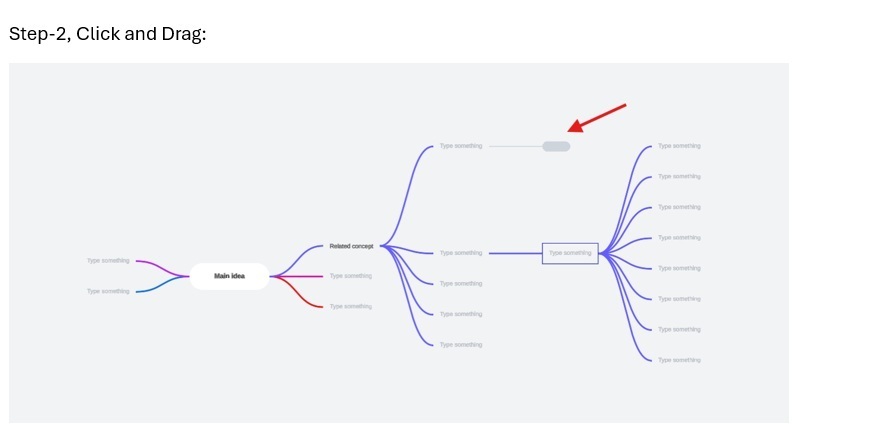
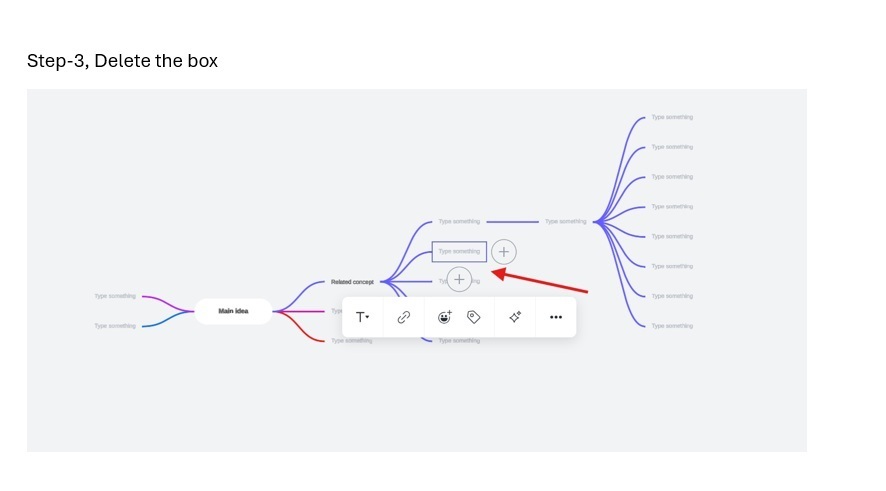
Attached is the three step process and have you tried something of that sort ?

Best Regards

Comments

Humas1985
Lucid Legend Level 10
Forum|alt.badge.img+24
  • Lucid Legend Level 10
  • February 23, 2025

Hi ​@MichaelA 

Start by reassigning its child nodes. Manually drag each child node to a new parent node and then delete the box.

Also, make use of the Mind map associated post which will help you out to learn more user experience.

📣 Updated mind map experience in Lucidchart! | Community

How to create an interactive mind map with expandable nodes and associated icons (& content) in Lucidchart? | Community

Hope this helps - Happy to help further!!
Thank you very much and have a great one!
Warm regards


Forum|alt.badge.img+1
  • Author
  • February 23, 2025

Thanks, that didn’t help. I attempted to do this but deleting the box still deletes the rest of the mind map. There must be a way to do this where i don’t need to write everything out again?


Humas1985
Lucid Legend Level 10
Forum|alt.badge.img+24
  • Lucid Legend Level 10
  • Answer
  • February 23, 2025

Hi ​@MichaelA 

Attached is the three step process and have you tried something of that sort ?

Best Regards


Forum|alt.badge.img+1
  • Author
  • February 27, 2025

That doesn't quite work, or at least I don’t really follow, and now it has messed up my map.

It would be best if I could share and show. See below.


Humas1985
Lucid Legend Level 10
Forum|alt.badge.img+24
  • Lucid Legend Level 10
  • February 27, 2025

Hi ​@MichaelA 

Please follow the below screens

Step-1

Step-2:

Step-3:

Step-4:


Forum|alt.badge.img+1
  • Author
  • February 28, 2025

Sorry, its like trying to read German, and I don’t speak German. The images are not clear, as far as I can tell, I have tried exactly this, it didn’t work and I wasn’t able to return my map to it’s original state.