When creating the sequence diagram from markup limitation is that it can be black and white plus few color themes. I would like to create custom themes shapes but still use markup.
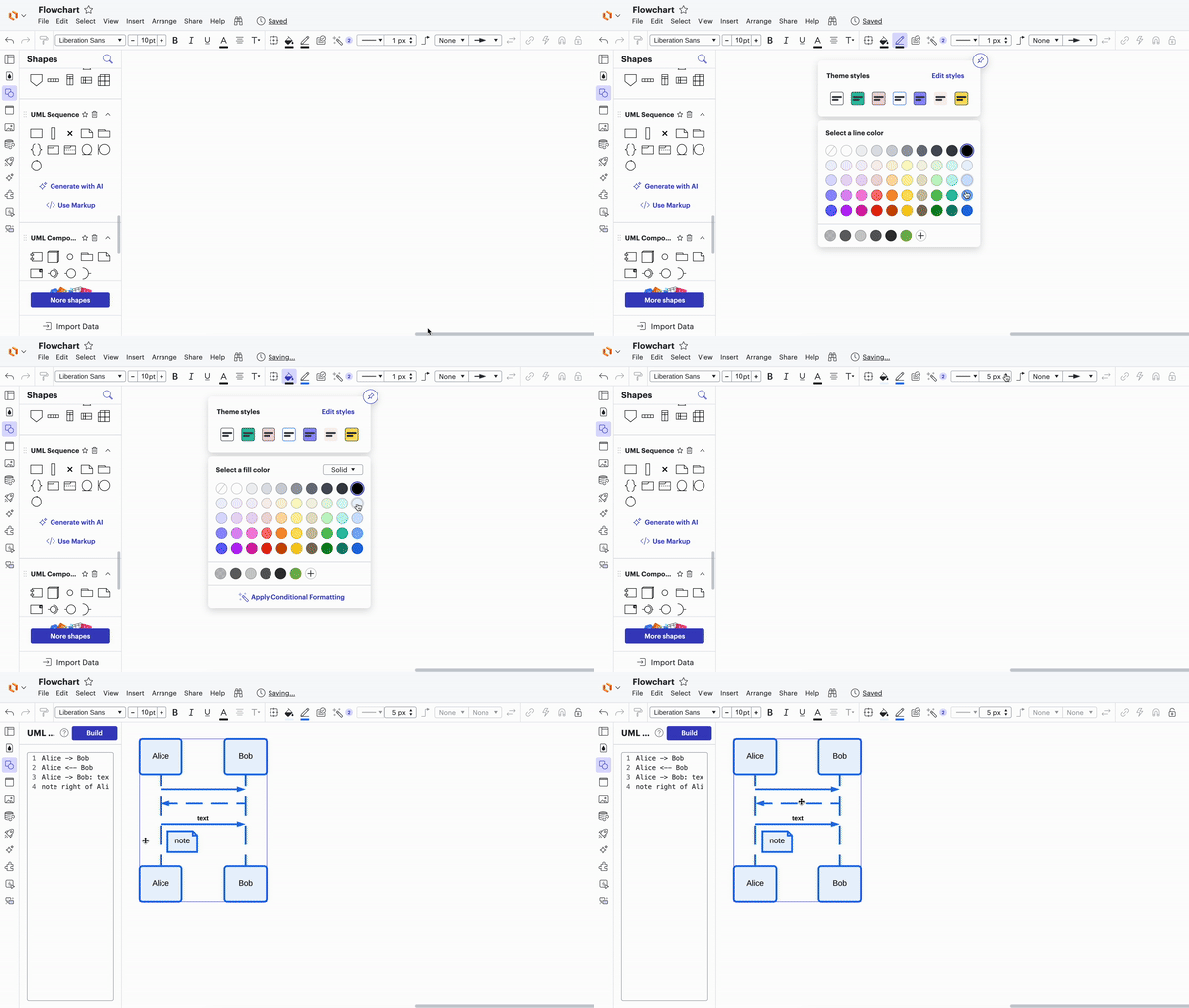
Thanks for posting in the community! I recommend selecting color and line styles in the properties bar at the top before you begin to use the markup tool. Then everything you build after setting those default styles will be created with those styles applied.
Alternatively you can build your entire diagram then apply these style choices after you've finished. Finally if you wish to style certain shapes in your diagram individually you can right click on your diagram select Ungroup and then apply styles to specific shapes or lines. Note that if you do so you will no longer be able to continue editing the diagram using markup.
As an additional resource feel free to take a look at our UML Sequence Markup article from our help center and let me know if you have any additional questions!
Thanks for posting in the community! I recommend selecting color and line styles in the properties bar at the top before you begin to use the markup tool. Then everything you build after setting those default styles will be created with those styles applied.
Alternatively you can build your entire diagram then apply these style choices after you've finished. Finally if you wish to style certain shapes in your diagram individually you can right click on your diagram select Ungroup and then apply styles to specific shapes or lines. Note that if you do so you will no longer be able to continue editing the diagram using markup.
As an additional resource feel free to take a look at our UML Sequence Markup article from our help center and let me know if you have any additional questions!
adding a theme post-facto does not work. I think adding this feature would still be helpful. Styling in-markup would be ideal, similar to how D2 does it: https://d2lang.com/tour/sequence-diagrams
Jumping in this thread to share an exciting update -
You can now generate editable Lucid shapes from your Mermaid syntax! 🎉 Copy your syntax and paste it into your Lucid document. The result will be native, editable shapes that you can format and move around freely!
Learn more about this update here:
Do you have additional feedback? Let us know what you’d like to see in this post:
A Lucid or airfocus account is required to interact with the Community, and your participation is subject to the
Supplemental Lucid Community Terms.
You may not participate in the Community if you are under 18. You will be redirected to the Lucid or airfocus app to log in.
A Lucid or airfocus account is required to interact with the Community, and your participation is subject to the
Supplemental Lucid Community Terms.
You may not participate in the Community if you are under 18. You will be redirected to the Lucid or airfocus app to log in.



 Your privacy choices


