Question

Custom Shapes and Measurements for Mfg Floor Plan

  • January 22, 2026
  • 1 reply
  • 10 views

Forum|alt.badge.img

I currently use Lucidchart.  I go to manufacturing plants to measure-up current process lines for replacement with my company's equipment.  These lines are long with several pieces of similar equipment design shared at all plants across the US.  I would like to use Lucid to design basic shapes that denote these equipment types and then lay them out with spatial dimensions I measure on a Lucid grid.  There will be column placement as well too.  Is this possible with Lucid using the warehouse floor plan?  I have tried but can't figure it out. 


NOTE:  This is pre-engineering work for basic quoting.  It is not as precise or detailed as AutoCAD so I don’t need that.  Looking for something clean and transferable to my engineering team.

Comments

Jaxson May
Forum|alt.badge.img+1
  • Lucid support team
  • January 22, 2026

Hi Bobby,


Thanks for posting in the Lucid Community!


Just to make sure that we are on the same page, please review our floor plans article from the Lucid Help Center and this post with helpful tips from the Lucid Community.


There are also a few specific things worth noting when working with our floor plan tools:


  • Lucidchart has a limited number of floor plan-specific shapes. If you are unable to find a shape that you would like to use, you can add a custom shape. Check out this article to learn how to create and save custom shapes. Without knowing exactly what you’re hoping to create or what you’re currently using, it sounds like a custom shape may be helpful for you to reuse across all of your floor plans.
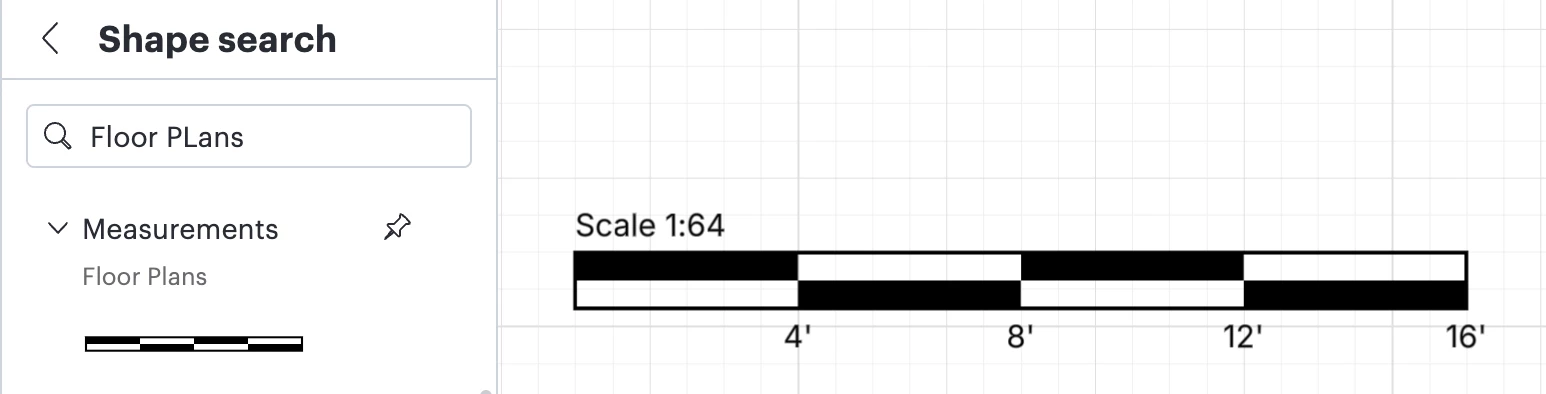
  • The Scale tool from the Measurements section of the Floor Plans Shape Library may be very helpful.
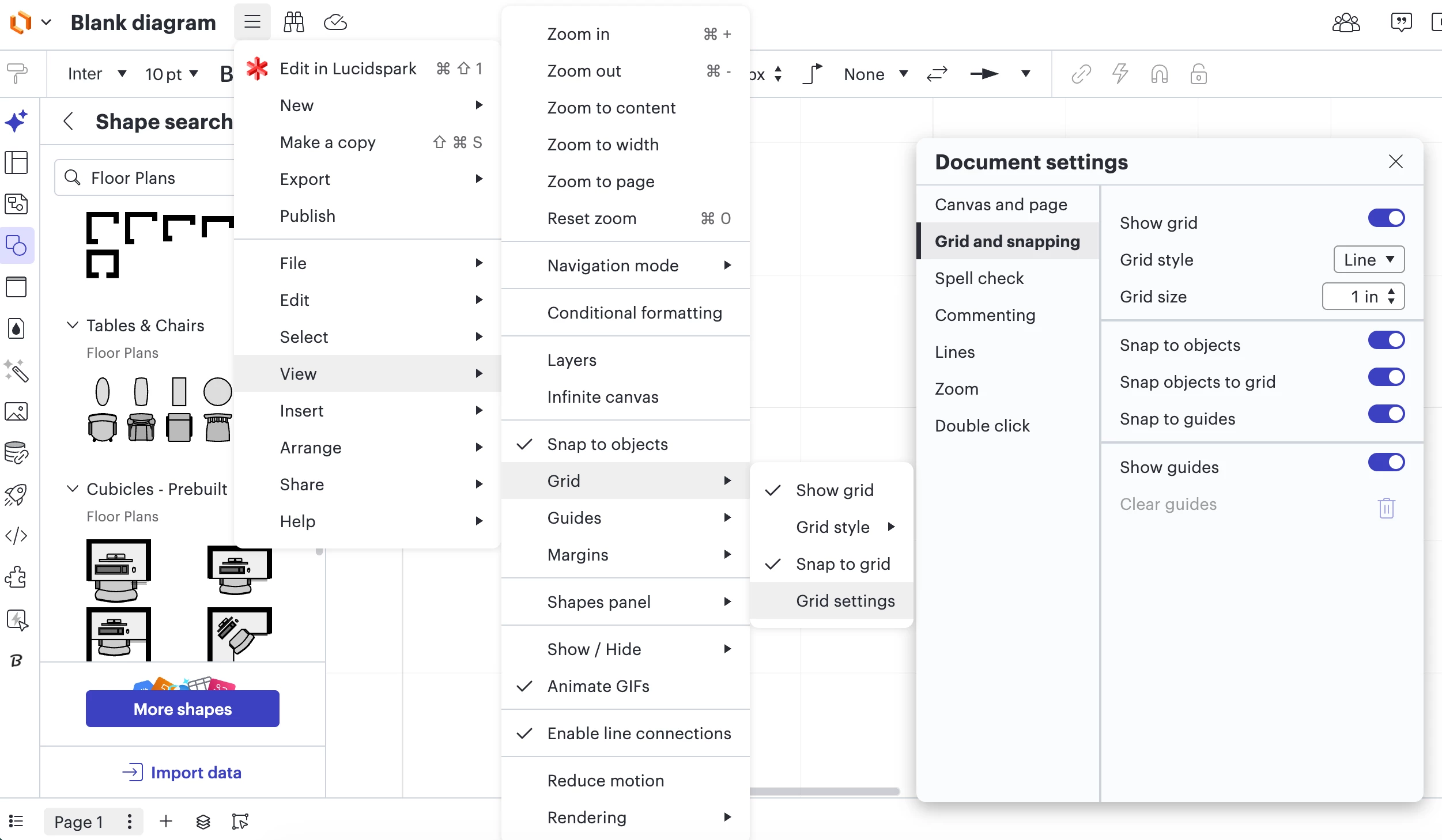
  • Within Lucidchart you can also edit the Grid size and scale of your document. To locate these settings select View > Grid > Grid Settings. 


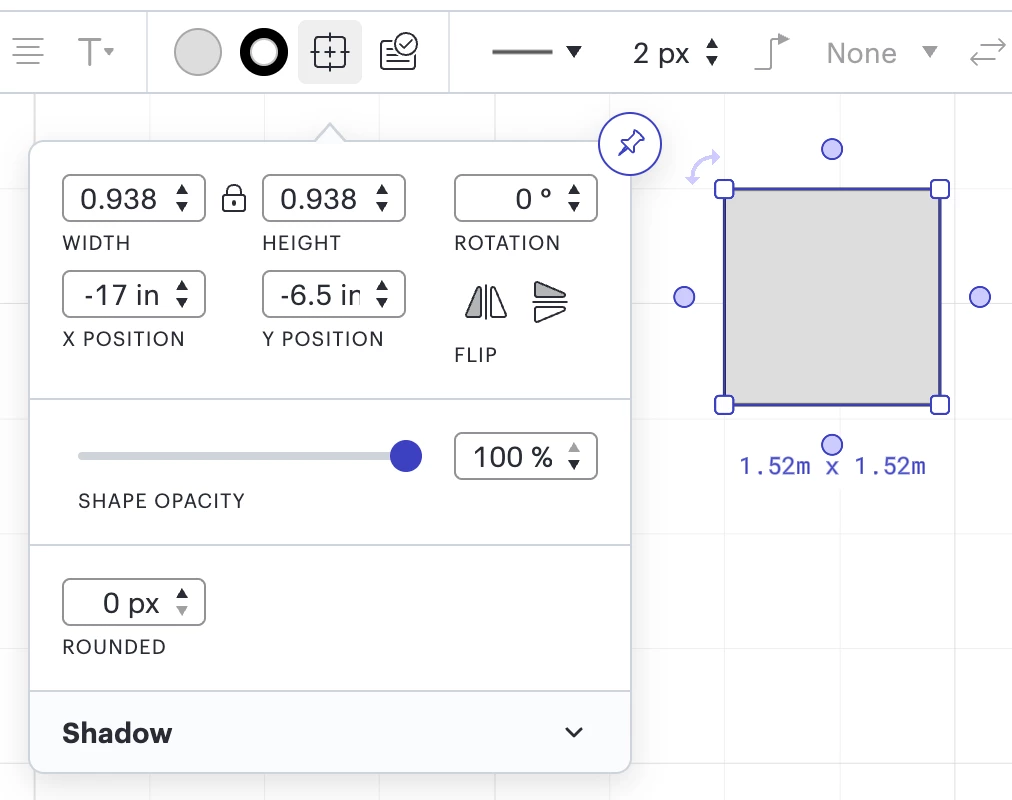
  • When you click and drag an object it will give you the measurements of that specific object. You can set those dimensions to specific numbers in the shape options menu. 


If you’re also willing to share a screenshot of your current Lucidchart document, this would be helpful so that I have more context.

I hope this information helps and please let me know if you have any additional questions.