

I have uploaded custom fonts to use in my documents previously, but noted that these are no longer working.
I have attempted the usual trouble shooting steps, including clearing my browser cache, using different browsers and connecting both on my work and home networks as well as restarting my Mac (Macbook Pro M3 2023 running MacOS 26.4.1)
I also disabled these fonts in Lucidchart and then re-uploaded them, including a new font that I had not previously uploaded. These are all licensed fonts that do not flag Lucid’s internal system controls. I have also attempted to upload these as Brand Fonts, as I am an admin of our Enterprise account.
None of these have provided a fix. When I attempt to switch fonts the font name appears, but is greyed out an non-selectable in the drop-down menu.
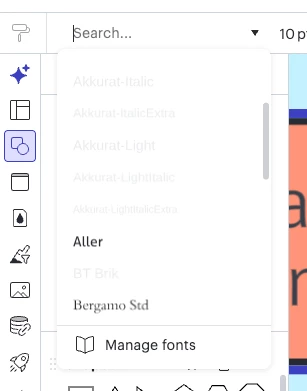
Screengrab of font menu UI showing greyed out custom font selections
I have a moderate amount of technical knowledge. As such I opened Chrome (v 147.0.x) dev tools and have noted multiple console errors with 404 responses.
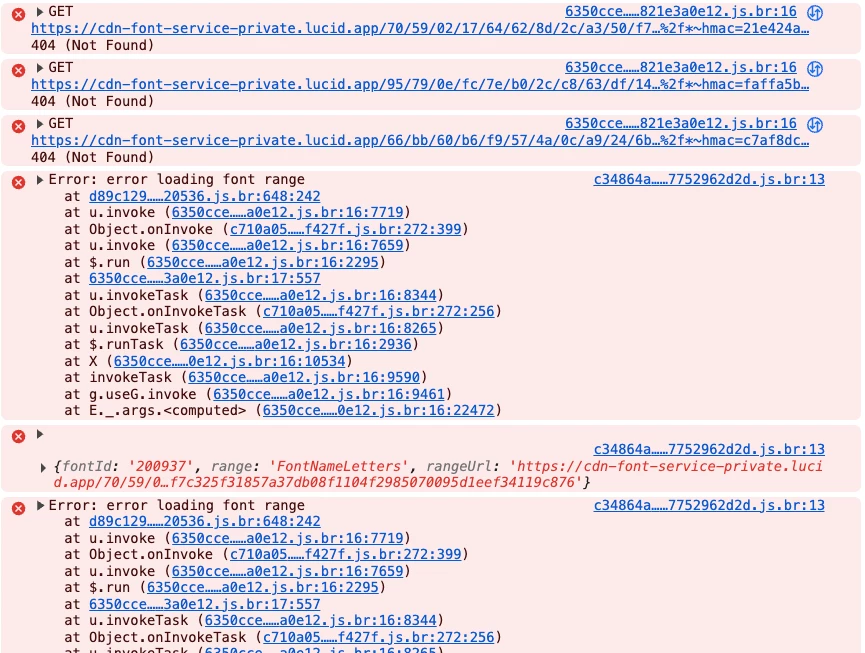
If I reload the lucidchart page, I also see a significant quantity of console errors before the font drop-down is invoked. I wonder if there is something more significantly wrong that is impacting the font availability?
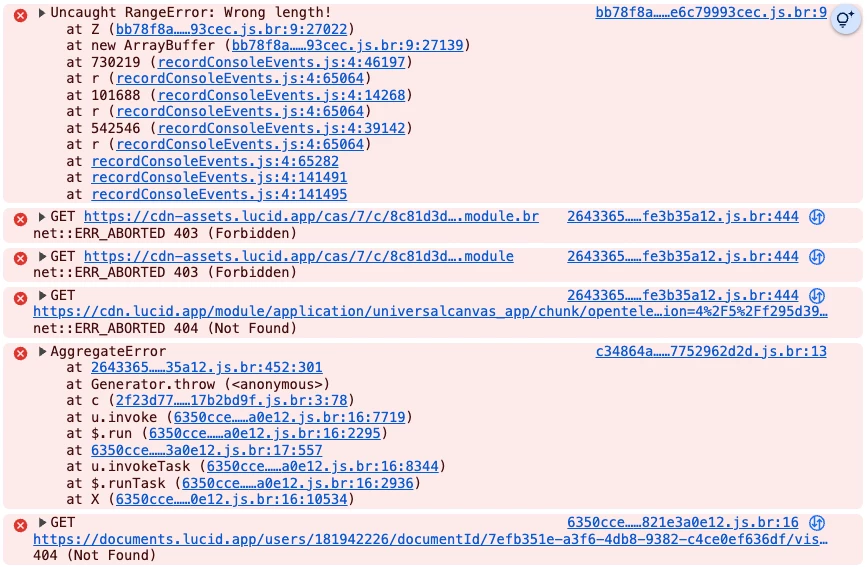
If anyone has suggestions of what might be the causes here I would be interested to know.
Thanks
 Your privacy choices


