Answer

Create a org chart with multiple sheets within the Google Sheet

  • November 22, 2022
  • 2 replies
  • 34 views

Barbara D

Hi! 

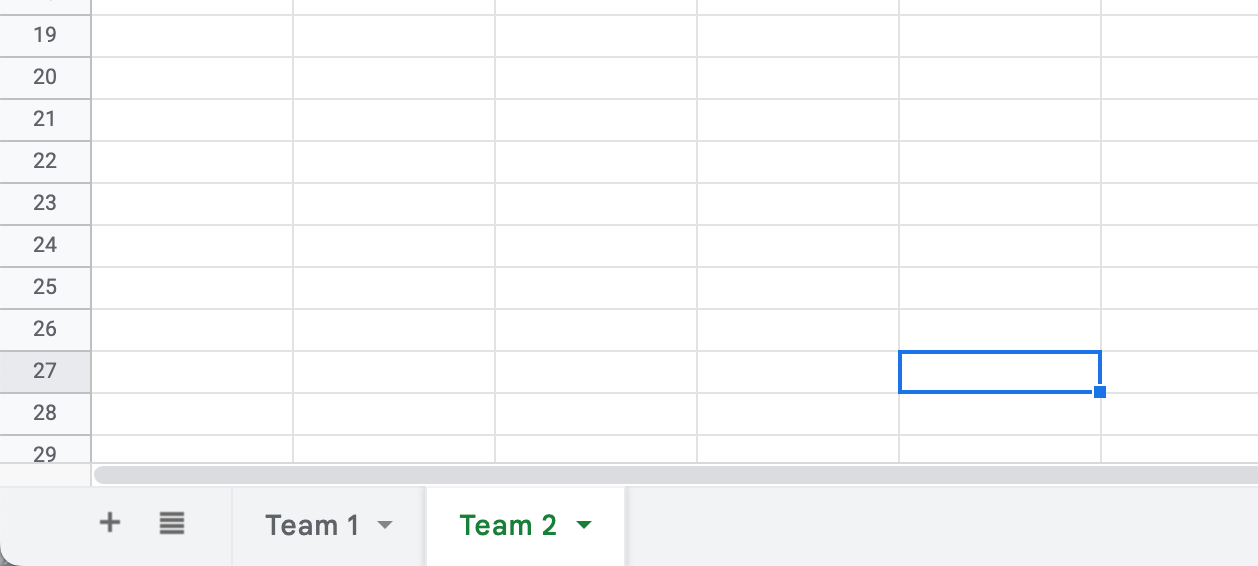
Is there a way to import data from Google sheets that is sectioned into multiple sheets (tabs) within your Google sheet? See the picture below. 

I'd like to divide the teams up by sheets (tabs) within the google sheet and import those different sheets into a single org chart. Can you do that with the Lucid charts org feature?

Best answer by Addie

Hi Barbara

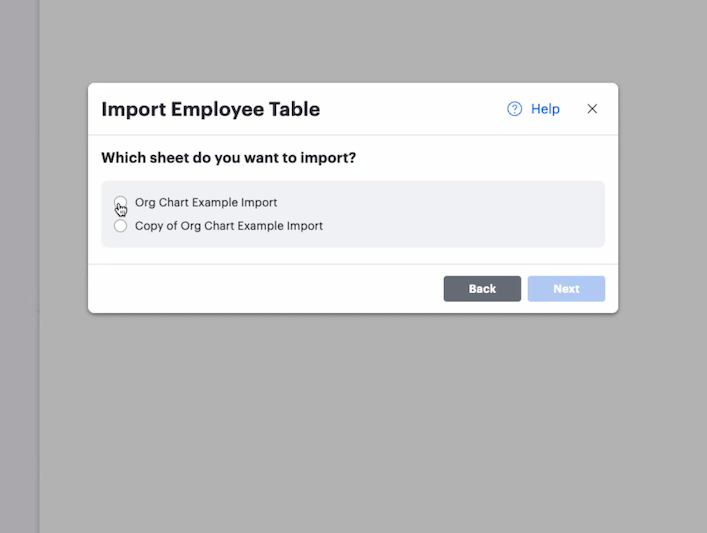
Thank you for posting your question in the Lucid Community! Unfortunately importing multiple sheets from Google Sheets at one time is not supported in Lucidchart. When importing data from a multi-sheet document you'll be asked to select which sheet you'd like to import.
CG0UjmIqQ8UvgRuI5XnzGw.png

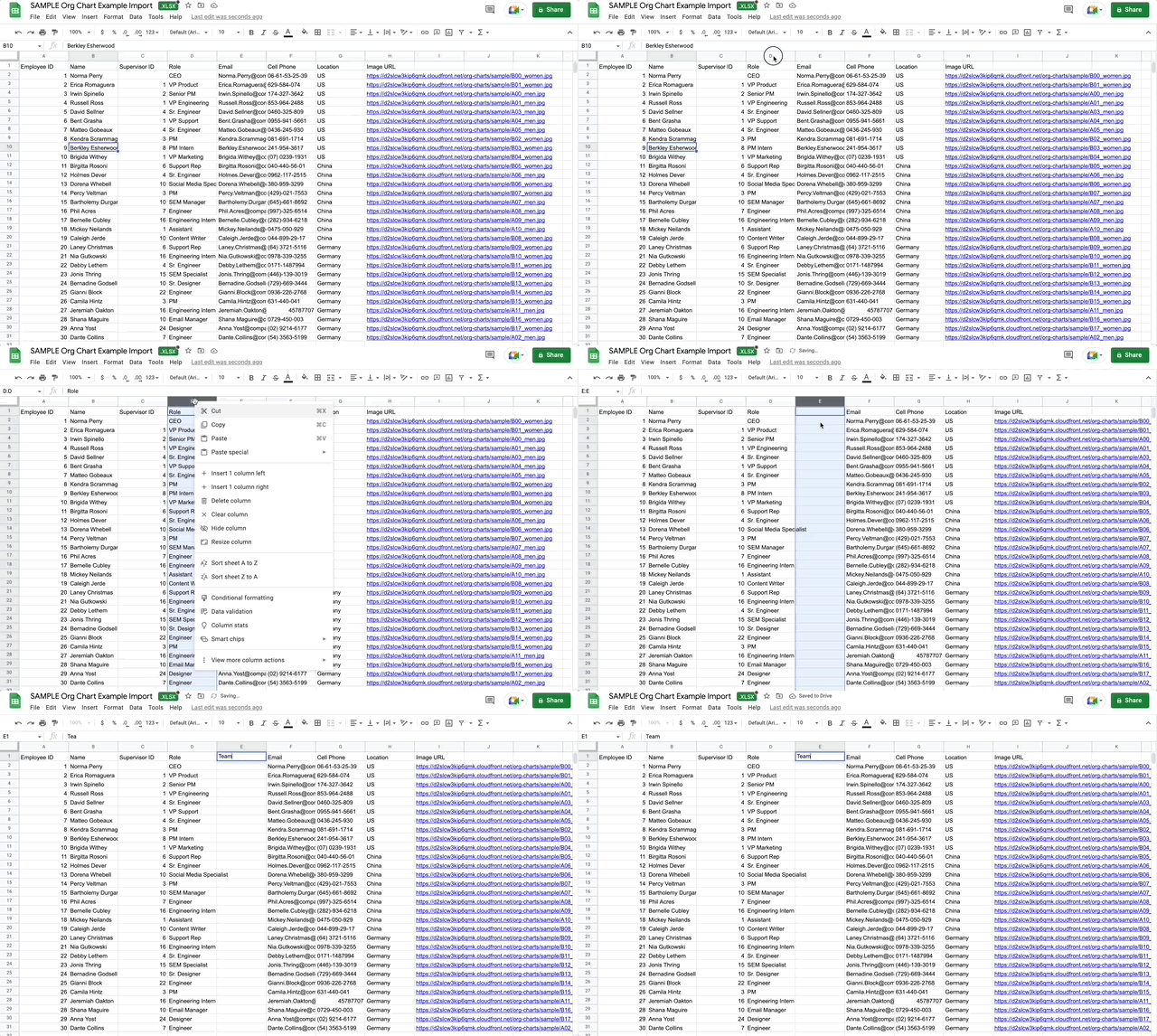
However if you'd like to divide your Org Chart by team you can add a team column to your data set when setting up your Org Chart data. To learn more about how to set up data for Org Charts please check out this Help Center article.
BE-nNX2Wgwd40ymohirXGQ.gif

We're always looking for ways to improve Lucidchart and your feedback is the best way for us to do that. Would you mind adding your idea to our product feedback space? Ideas shared here are passed on to the product development team for their consideration.

My apologies for the inconvenience and thank you for your feedback!

Comments

Addie
Forum|alt.badge.img+23
  • Answer
  • November 22, 2022

Hi Barbara

Thank you for posting your question in the Lucid Community! Unfortunately importing multiple sheets from Google Sheets at one time is not supported in Lucidchart. When importing data from a multi-sheet document you'll be asked to select which sheet you'd like to import.

CG0UjmIqQ8UvgRuI5XnzGw.png

However if you'd like to divide your Org Chart by team you can add a team column to your data set when setting up your Org Chart data. To learn more about how to set up data for Org Charts please check out this Help Center article.

BE-nNX2Wgwd40ymohirXGQ.gif

We're always looking for ways to improve Lucidchart and your feedback is the best way for us to do that. Would you mind adding your idea to our product feedback space? Ideas shared here are passed on to the product development team for their consideration.

My apologies for the inconvenience and thank you for your feedback!


Micah
Forum|alt.badge.img+20
  • Lucid community team
  • May 6, 2024

Hi! I’m Micah from Lucid’s community team. 👋 Jumping in here to share about Lucid’s Data Trusted User Group. This group is made up of knowledgeable users who regularly analyze and visualize data in their work. As part of this group, you’ll have the opportunity to connect directly with Lucid’s product team, gain early access to beta features, and share insights about your needs, shaping the future of Lucid’s data solutions 🎉 You can learn more and request to join here. Thanks!