

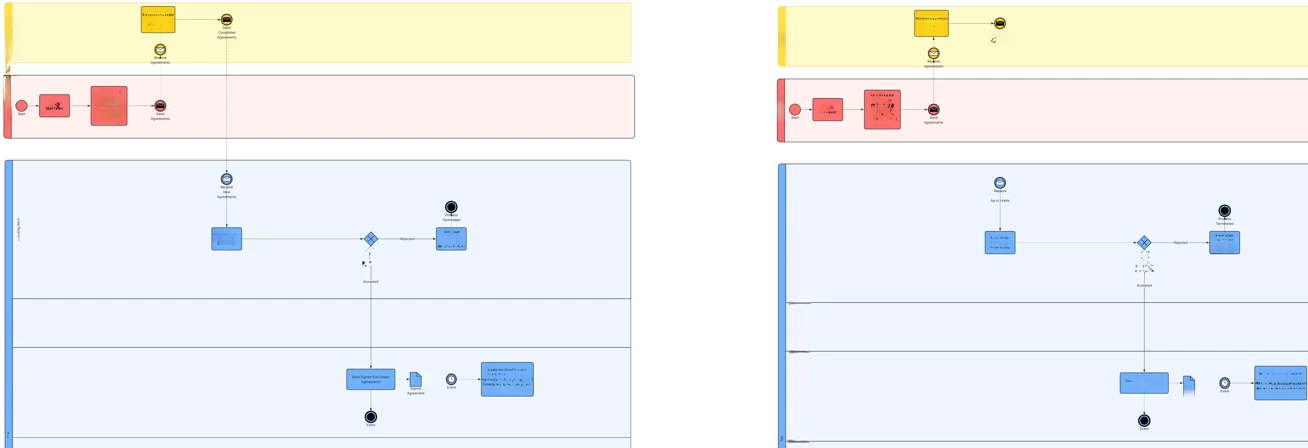
When I copy elements from one BPMN diagram and paste them into another, some information flow links are dropped. The elements themselves paste correctly, but certain connections between them do not survive the operation.
**Steps to reproduce:**
1. Open source diagram containing elements connected by information flows
2. Select and copy the relevant elements (Ctrl+A or lasso selection)
3. Open or switch to the target diagram
4. Paste (Ctrl+V)
5. Observe: some information flow links are missing
**What I've ruled out:**
- No layers are in use in either diagram — this does not appear to be a layer visibility issue
- The missing links are present and valid in the source diagram before copying
**Expected behaviour:** All information flows between copied elements should be preserved in the target diagram.
**Actual behaviour:** A subset of information flows are silently dropped on paste.
**Questions:**
- Is this a known limitation when pasting across diagrams (vs. within the same diagram)?
- Is there a workaround — e.g. exporting/importing XML directly, or a specific selection method that preserves all links?
- Are there any conditions under which information flows are intentionally excluded from a copy operation?
Any guidance appreciated.


 Your privacy choices


