Question

Connect two boxes by dragging blue dots

  • August 6, 2026
  • 2 replies
  • 119 views

Forum|alt.badge.img+1

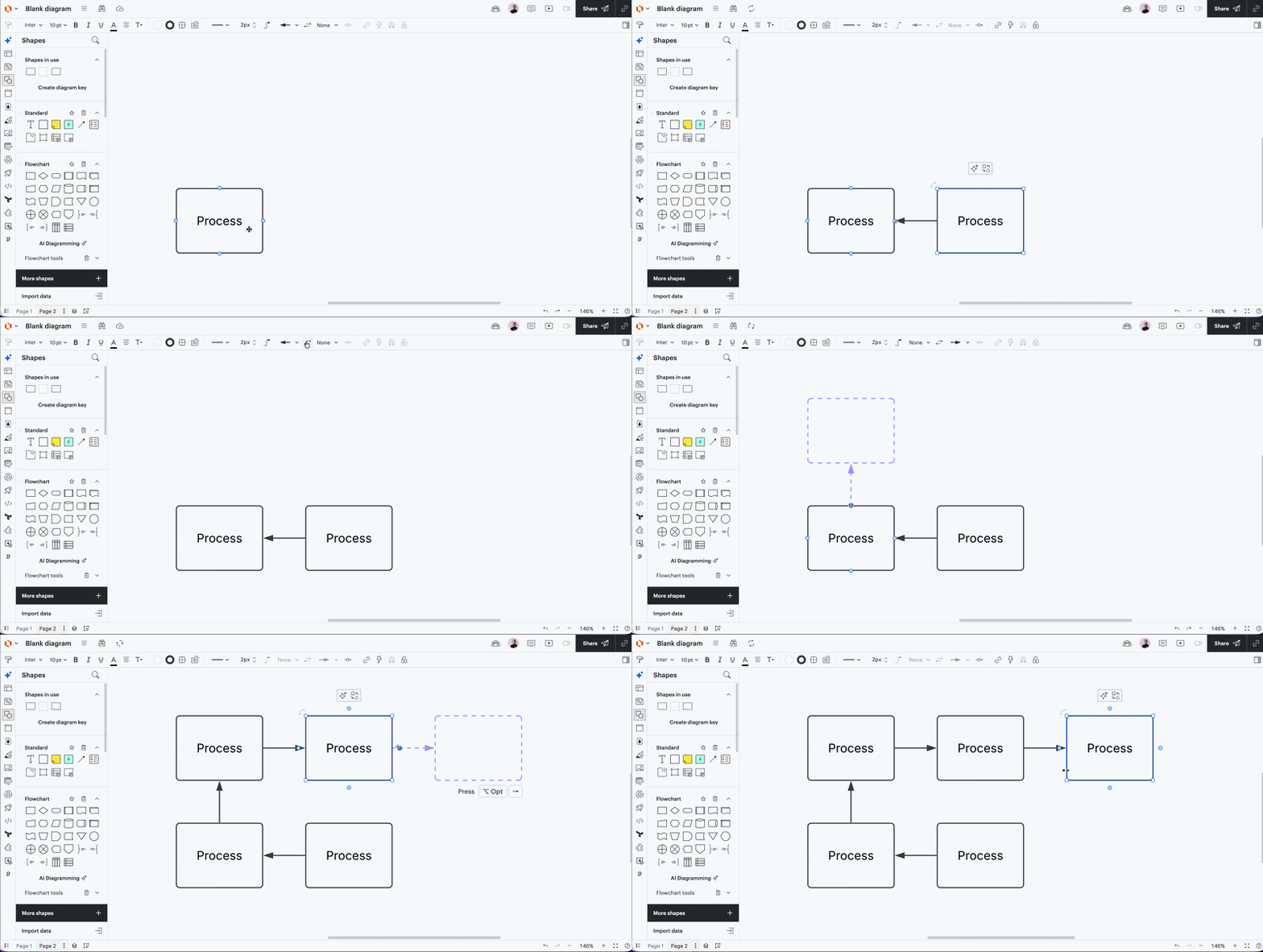
I feel like I must be doing something wrong. When I drag a line between two boxes, the arrow is backwards. Do people not normally drag “FROM TO” so the arrow would go →? My arrows when I drag “FROM TO” default to ← which seems so backwards. I have to constantly flip the arrows. Maybe it’s just me? My brain can’t think that I should drag “TO FROM”

Comments

Zuzia S
Forum|alt.badge.img+10
  • Lucid community team
  • August 10, 2026

Hi ​@AustinS, thanks for posting in the Community! I’ll be happy to help. 

Could you please double check the “Swap line ending” in your toolbar?

As you can see in the screenshot below, the direction of the arrow can be reversed by clicking on it:

1
2

For more information on Lines in Lucid, I recommend going through this Help Center article.

I hope this is helpful!

Cheers


Forum|alt.badge.img+1
  • Author
  • August 11, 2026

I guess my issue is that each time I have to select swap in the toolbar. That’s what I’ve been doing.


However, if I click on the blue arrow for a process block, it is backwards from what a right to left thinking human would do.

If I hover over the blue button to create a new box, it seems super odd to me that it would point at the box versus point at the new box by default. The same thing occurs if I drag from spec sheet complete to any new box, the line is default reversed.