

Answer

Conditional Formatting: check if shape is grouped

  • October 15, 2024
  • 5 replies
  • 46 views

tobi
Lucid Legend Level 2
Forum|alt.badge.img+6
  • Lucid Legend Level 2

Hey Hey

I want to apply conditional formatting on shapes which are grouped with another shape. For this I started creating a rule with custom formula and expected this to work

```

=SOME(Groups, x => CONTAINS(x.items, THIS."id"))

```

But unfortunately this doesn’t. Any idea what’s wrong?
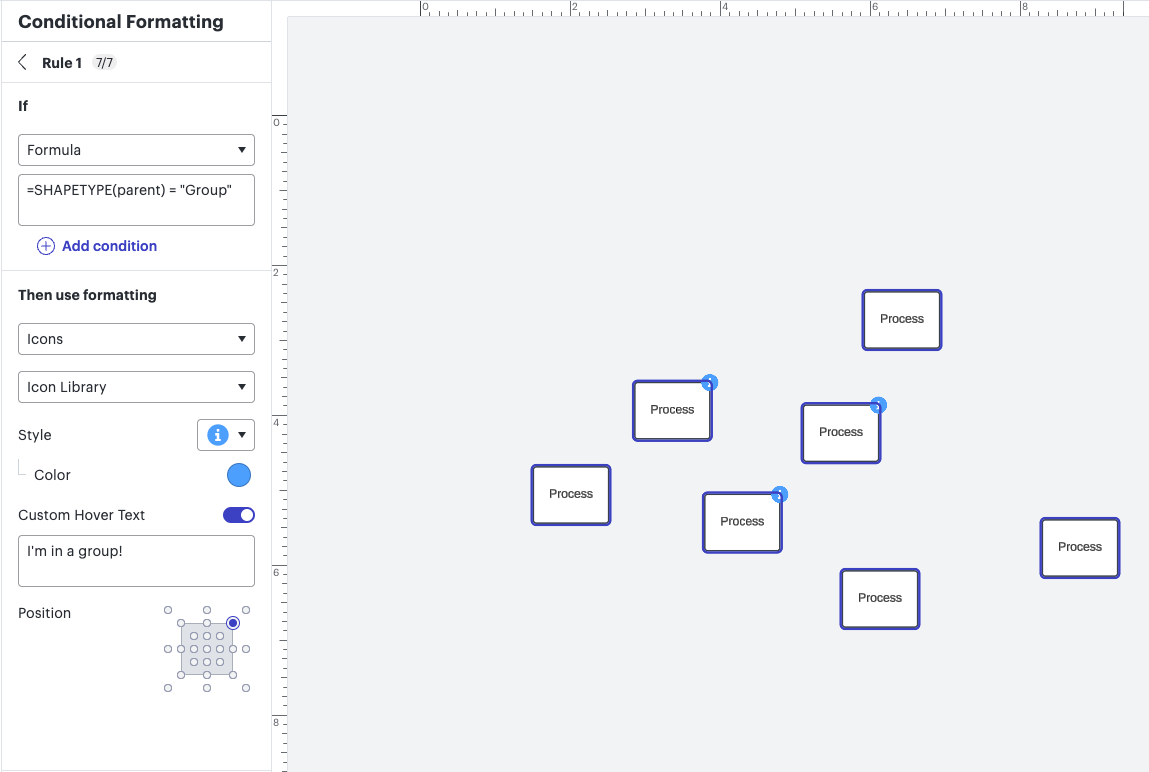
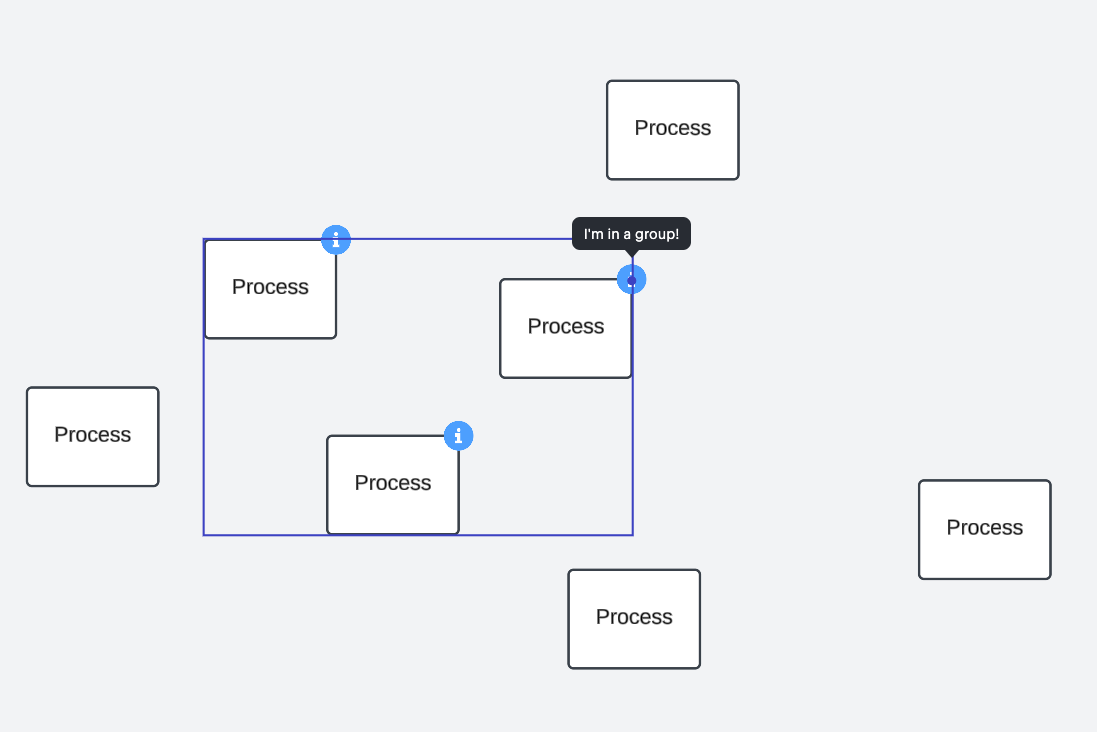
Best answer by khaleesioflucidchart

Hi!


I think you can try this:


=shapetype(parent) = “Group”


Comments

Humas1985
Lucid Legend Level 10
Forum|alt.badge.img+24
  • Lucid Legend Level 10
  • October 15, 2024

Hi @tobi 

The conditional formatting doesn't support complex formulas or functions like SOME() or CONTAINS() si what i sense - in the way you've written them.

Can you try the below:

=COUNT(GROUPS()) > 0

Hope this helps - Happy to help further!!
Thank you very much and have a great one!
Warm regards


tobi
Lucid Legend Level 2
Forum|alt.badge.img+6
  • Author
  • Lucid Legend Level 2
  • October 15, 2024

Thanks @Humas1985  for this quick answer. You suggestion sounds helpful, although my lucid doesn’t know anything about the `GROUPS()` function. Anything else I can try?


Humas1985
Lucid Legend Level 10
Forum|alt.badge.img+24
  • Lucid Legend Level 10
  • October 15, 2024

Hi @tobi - Thanks for trying that, realizing that the conditional formatting engine does not support the GROUPS() function also, the COUNT() function is limited to ranges or lists, and group memberships are not exposed as a list or countable property within this context.

Let me try it from my end to see whether i can spot a possible workaround from my end.

Regards


Forum|alt.badge.img+6

Hi!


I think you can try this:


=shapetype(parent) = “Group”


tobi
Lucid Legend Level 2
Forum|alt.badge.img+6
  • Author
  • Lucid Legend Level 2
  • October 18, 2024

@khaleesioflucidchart yes yes yes!! that’s it. thanks a lot!