
Solved
Collaboration permissions not working
Hi, I need to use LucidSpark as a collaborative whiteboard for a workshop which with a wide attendee list. My organisation requires all collaborators to create a free account, which they have done. I have turned on every access permission I can see, as below:
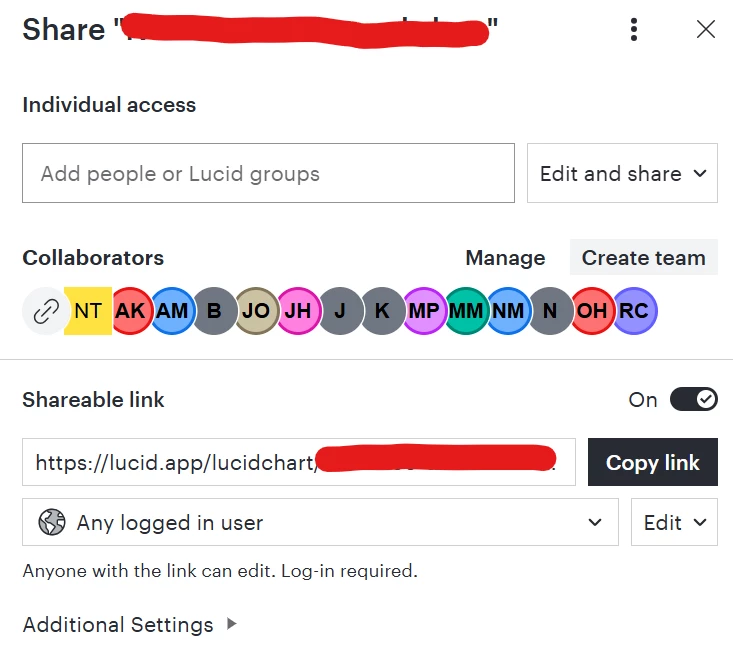
However, collaborators are still unable to add sticky notes. I have also added all relevant attendees to a team and emailed them a direct link. They are still unable to add notes to the board. I don’t need them to be able to do anything else, but they need to be able to add sticky notes in order for the workshop to work.
I’d be grateful for your advice. Thanks.

 Your privacy choices


